⚡ APPS · 231 FINDS

The Hiro Report — The Archive (home)

Best Apps — Curated from The Hiro Report

231 apps items curated from The Hiro Report

Flighty v4.10 - Connection Assistant

Flighty is one of my all-time favorite iOS apps. It’s gorgeous, delightful, and incredibly handy for travelers. A lot of airline apps are just now starting to introduce features that Flighty has had for years. Fortunately, Flighty is not resting on its laurels, and continues to innovate. This week they introduced Connection Assistant, which maps out every step of your layover (passport control, bag recheck, terminal changes, etc.) with typical times for each checkpoint, tailored to your specific trip, nationality, and even your seat. They also added Gate Predictions, which guesses your arrival and departure gates from historical data and sharpens to the exact gate on travel day, helping you get actual estimates of just how long it’s going to take you to make that connection.

Mononote: One Note for iOS

I’m a big fan of the stuff created by Easlo, a self-proclaimed digital minimalist. He dropped a new minimalist notes app this week that does one thing— it lets you write a single note. Whatever is the thing you need to remember or record right now. Then, you have the option to pin it to your phone’s Home Screen with a widget or push it to the Lock Screen or Dynamic Island as a Live Activity, so that note lives like a sticky note reminder whenever you look at your phone. I’m using it for a mix of affirmations on my Home Screen and, when needed, an actual reminder to not forget something important.

Open Minis for iOS

Federico over at MacStories did an awesome write-up of this wild on-device iOS AI agent that piqued my interest this week. In short, Open Minis is a power user AI agent that actually does things on your phone— browsing the web, reading HealthKit data, managing your calendar, driving HomeKit, and chaining multi-step tasks through native iOS frameworks and Siri Shortcuts. Best of all, it’s all local-first, keeping your data on your device, but with the option to use your own API key for the AI provider of your choice. This feels like one of those apps that’s a preview of the kind of stuff that Apple will eventually bake into its future offerings.

CleanShot X for Mac

I've featured this app a few times in the past, and though I use it every day, I was reminded again this week just how special it is. CleanShot X is a little utility that makes it both easier to capture your screen and makes sure that your screenshots look nice. It supports all kinds of handy little features, like scrolling capture for full-page shots, built-in annotation and background tools, on-device OCR, pinned floating screenshots, and one-click cloud uploads of screen recordings with shareable links. You can also add custom backgrounds behind your screenshots; markup, highlight, or draw arrows pointing to what you want to call out; or even make little animated GIFs of your screen recording to make the file smaller. It's one of those remarkably well-designed apps that just makes little things easier and more delightful.

pliability: Stretch & Mobility

It took multiple rounds of several week-long PT stints before it finally sunk in that I should just be stretching more before and after I work out. (Apparently my hips do not lie, and they are saying "For the Love of God, stretch us out!") After looking at a couple of different apps, I've settled into a daily routine with Pliability (formerly ROMWOD). It's a little pricey, but I really like that it builds custom stretching / mobility routines for you based on your preferences, your typical workouts, AND a cool LIDAR-powered assessment they have you take to get a sense of your actual mobility range.

Opulist for iOS

Friend of the newsletter, Luke Beard, built and launched this gorgeous app to let folks find the perfect spot for their next dinner out, happy hour outing, or hotel destination. The app is a front end for the gorgeous curated resource that is the Opulist website, but rather than just recreating the website as a database on the iPhone, it brings some really delightful features like the ability to calibrate the app to only recommend bars, cafes, restaurants, etc. that match your unique design sensibility. You can also search by city, category, or the exact vibe you're after, and save favorites into lists. Highly recommend checking it out.

What’s My Set for iOS

I’ve got a deep appreciation for health apps and indie-developed apps, so when Chris Wu reached out to let me know about his new set tracker app for the iPhone and Apple Watch, I was more than happy to take him up on his kind offer of a trial. It’s a simple, but thoughtful, app designed to help you keep track of how much you’re lifting, how many reps and sets you’re doing, and how much time is left in your rest before it’s time to start the next set. It also supports Tabata and EMOM-style workouts for the functional fitness crowd.

Aside Browser for macOS

On Alex's recommendation, I'm checking out the Aside browser this week. It's yet another entry into the agentic browser space, sort of marrying the agentic browsing capabilities of Perplexity's Comet and OpenAI's Atlas with the polish of the Browser Company's Dia. In my early testing, it's remarkably fast at doing web-based research and automations, and has a really interesting locally encrypted AI-friendly password manager that lets the agent log in to sites for you without sending your credentials off to third parties. Usual heavy privacy and security caveats apply with all these browsers, but it's fun to check out where the tech is going.

Ducat: Track expenses & subscriptions

Ducat is a unique take on an expense-and-subscription tracker built by Rahul from the excellent Hulry.net newsletter. Instead of auto-syncing your bank and guessing categories from merchant names, you log each transaction by typing it in plain English — "$4.99 comic from Dragon's Lair" — and its parser formats and tags it for you. It looks great, and I like the slight friction of having to slow down and type in your expenses so you really pay attention to your spending. It's got a two-week free trial and a strong privacy policy.

PhotoSweeper for macOS and iOS

Given the insane price of external hard drives these days, getting this app up and running has quickly climbed to the top of my "when I have some time to sit and focus" projects list— PhotoSweeper is a fast Mac and iOS app that hunts down duplicate and similar photos across your hard drives, Apple Photos, Lightroom library, etc., with adjustable rules that auto-mark which shot to keep in each group. I particularly like that it never deletes files outright; instead, it quarantines duplicates in the Trash or a special "rejected" collection.

Keepsake

This beautiful app from indie developer Harry Brown launched earlier this month and aims to help you capture and organize all the precious physical media and keepsakes you collect in a digitized format. Whether you want to do a high-resolution scan of a child's artwork, or make a detailed 3D model of a favorite stuffed toy, Keepsake handles everything on device and stores your memories safely in iCloud. It's a wonderful concept well executed.

Playback

You know that depressing feeling where you've got thousands of songs in your library and still end up playing the same fifteen? Playback is a great-looking little iOS app from designer Dan Eden that uses local algorithm magic on your Apple Music library to resurface your old favorite songs and playlists. It's got some really fun knobs for having the app build custom playlists for you based on intensity, mood, and more. The whole thing is voice- and Shortcuts-friendly (Siri can shuffle up a mood playlist hands-free), and perhaps best of all, there are no accounts, no tracking, and no subscription. It's a one-time purchase and your library never leaves your device. I'm digging it!

Bevel for iOS

This app has really become the main hub of my health and wellness ecosystem. It aggregates data from Apple Watch (and Apple Health) and the Oura Ring to give me actionable insights into my health, fitness, nutrition, and recovery. It's been a valuable analytics tool for the last year or so that I've been using it, but the recent 3.0 update that added AI integration with memory has been a massive improvement. I can now ask questions and get informed feedback on my health data and workouts. I'm now doing multiple check-ins a day, asking questions like "Did I push myself hard enough on that workout?" or "Have I gotten enough potassium given how hard that workout was?" and "What should I snack on this afternoon?" etc.

FoodNoms for iOS

I've written about FoodNoms several times— it remains my favorite way to log food and look up nutrition info on iOS. It's indie made, very Apple-native, and totally private. Lately, I've been using Bevel's built-in nutrition tracking tools more just to keep more stuff in one app, but FoodNoms reigns supreme if all you want is to track macros quickly and easily.

Kasane Life for iOS

This app is still in private beta, but is a cool concept. I've admittedly not gotten to put it to full use yet, but I'd like to spend more time with it. In short, it uses private on-device AI to analyze your health data (to include any medical records or blood labs you share with it) to help you come up with 3 actionable habits you can adopt to improve your health. You then track your progress on completing them and how it impacts your health scores as you adopt the habits over time.

Shape for WatchOS

This clever app lets you input a natural language description of your workout and it turns it into a custom workout in the Apple Watch Workouts app for you (or Garmin, Wahoo, or Strava). This way you can copy a workout plan from Bevel or Whistle like "Next Tuesday: 5 minute warm up, 4 x 3 minutes at max speed with 2 minutes cool down, and 5 minute cool down" and Shape will set that up as a custom workout with all the intervals all set for you, and program it to load on Tuesday so when you open the Workouts app on your watch on Tuesday you can just hit start and go. Best of all, the app gives you an MCP server and REST API so Claude / ChatGPT / etc. can read and write workouts for you and have them synced to your watch.

Weighback for iOS

This is a clever little indie iOS app that shows you your weight progress over time, and shows you when you last weighed your current weight, and how long it's been since you last weighed whatever milestone goals you've set, how far you've come from your peak weight, etc. As I mentioned above, I'm less interested in weight than muscle mass vs. body fat, but it's still fun to take a look at the data from time to time.

Whistle AI Workout Planner for iOS

I've been using this app off and on since launch and just yesterday they launched a massive update that levels up AI integration with your existing health data so that you can have the AI coach build everything from a custom one-off workout to an entire regimen centered around your current stats, goals, equipment, and needs.

Okuri Japanese Lunar Calendar for iOS

I'm a sucker for beautifully made, purpose-built apps. Obed Willhem's free Okuri app recreates the traditional Japanese Himekuri daily tear-off paper calendar with realistic page-flip animation, moon phases, zodiac animals, the daily Rokuyo fortune, your local sunrise/sunset, and your calendar events (or to-do list) all on a single beautifully typeset sheet. It's honestly just a total delight to look at.

Sesame — Voice Companion Research Preview (Maya & Miles)

Sesame is a pretty wild voice agent startup from Brendan Iribe (Oculus co-founder) and Ankit Kumar. While it's still in beta, you can spend up to 30 minutes per session talking to either Maya or Miles — two voice companions that are really pushing the uncanny valley with breath, micro-pauses, and laughter that make them seem like they're on the phone with you rather than reading a script. While still not as capable for real-time search as something like OpenAI's advanced voice mode, I find Maya and Miles to be far more realistic sounding and engaging. Fun preview of where all this tech is going.

theLAB Film Simulation for macOS

Caleb Salvadori just dropped v3 of theLAB, his film-emulation app which features dozens of classic film emulations, 190 real cinema film scans, RAW support, new scan corrections, 10 new borders, and 30 new textures. It is a standalone app, but you can configure Lightroom and others to open theLAB anytime you want to bring in that analog film aesthetic for your edits. It's a hefty one-time purchase, but was an easy buy for me — I really like the look it gets.

Monologue Dictation + Notes

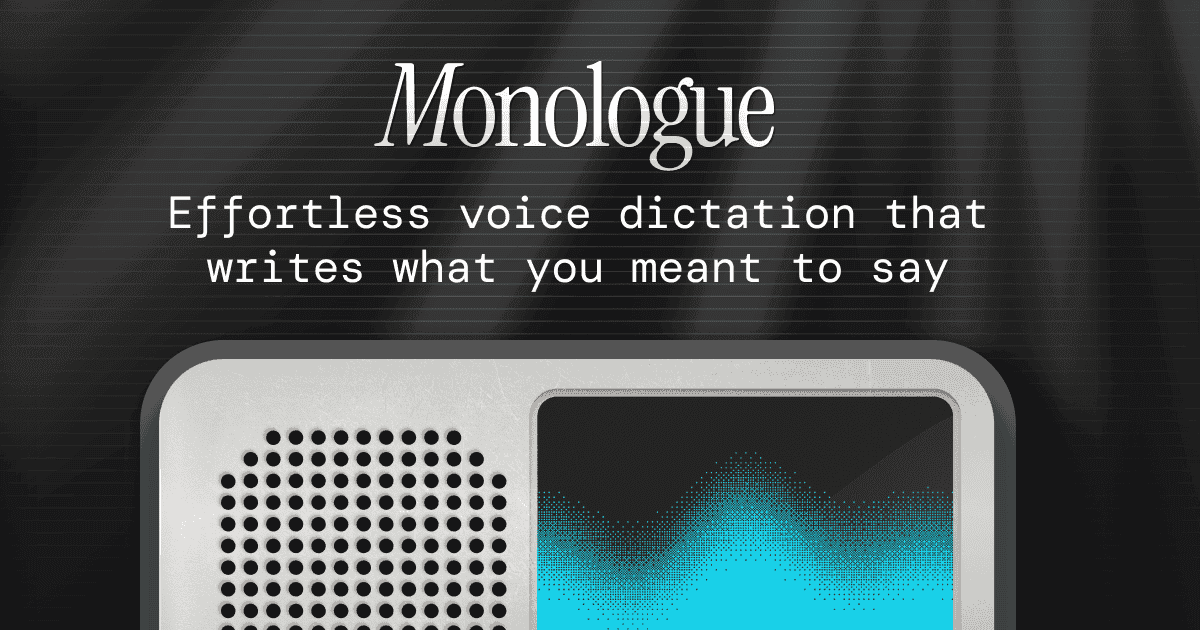
There are a lot of great macOS dictation solutions out there for everyone— free/paid, local/cloud, raw/formatted, etc. My favorite until recently has been Wispr Flow, which remains very good. However, this last week, I switched over to Monologue. It does everything Wispr Flow does, but with one key differentiating feature they just added— a command line interface (CLI). Now, you can use the Monologue app on macOS, iOS, or watchOS to dictate any text into any text field and record notes that are all accessible via CLI, meaning you can ask your favorite AI agent to pull, process, and manage your transcriptions. For example, you can be out on a jog, quickly dictate an email that you want to send to someone later into the Apple Watch app, then when you're back at your computer, ask Claude to pull up your last dictation, format it for email, and send it for you. Personally, I'm using it for daily note updates on the go— I quickly dictate a thought or journal entry on the go and then have a cron job running on my machine that pulls in any voice notes I dictate with the words "Daily Note" in them and adds them to my Obsidian Vault's daily note. Wild times!
Raycast 2.0

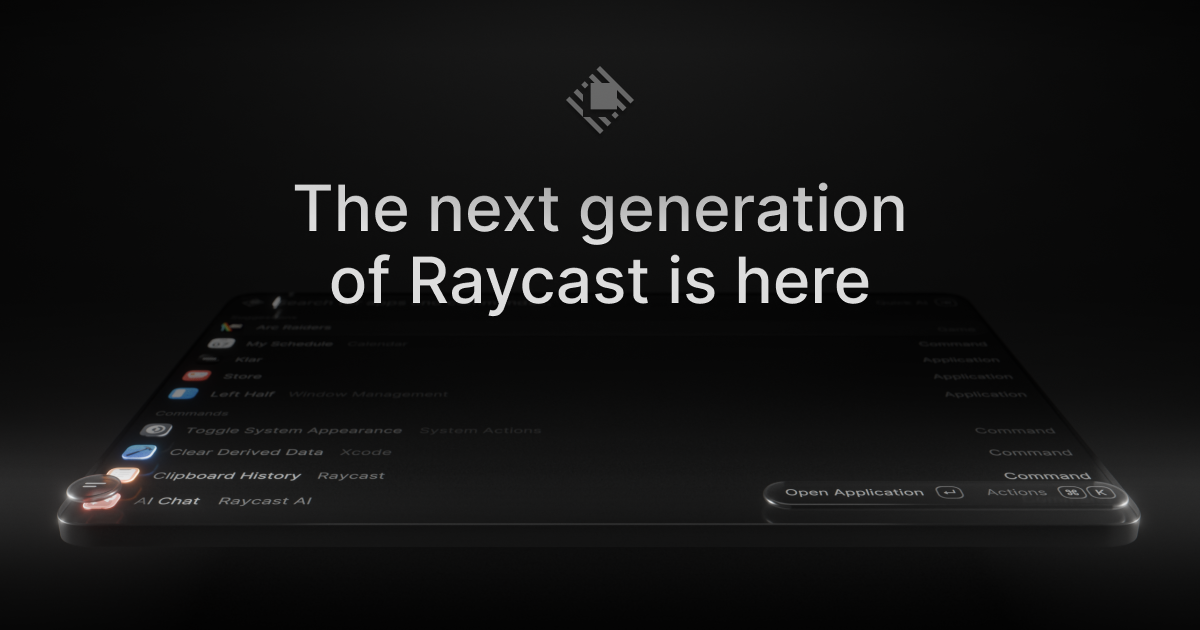
Raycast, one of my most essential apps and the first thing I install on any new Mac, has finally released the public beta for their next big version. For the uninitiated, Raycast is a bit like Spotlight on your Mac but on steroids— it'll quickly open any app, do math and conversions for you, find files, tell you sports scores, control your smart home, use AI to quickly answer questions, look things up on Wikipedia, play your favorite playlist, and more. It's super customizable and expandable with community-generated extensions. Version 2.0 doesn't bring any big "WOW" updates, but rather feels dedicated to just improving and speeding up all the things it already does well. I'm only a few days in with it, but I'm noticing it feels way more responsive, with lots of small quality-of-life upgrades.

Capture for macOS

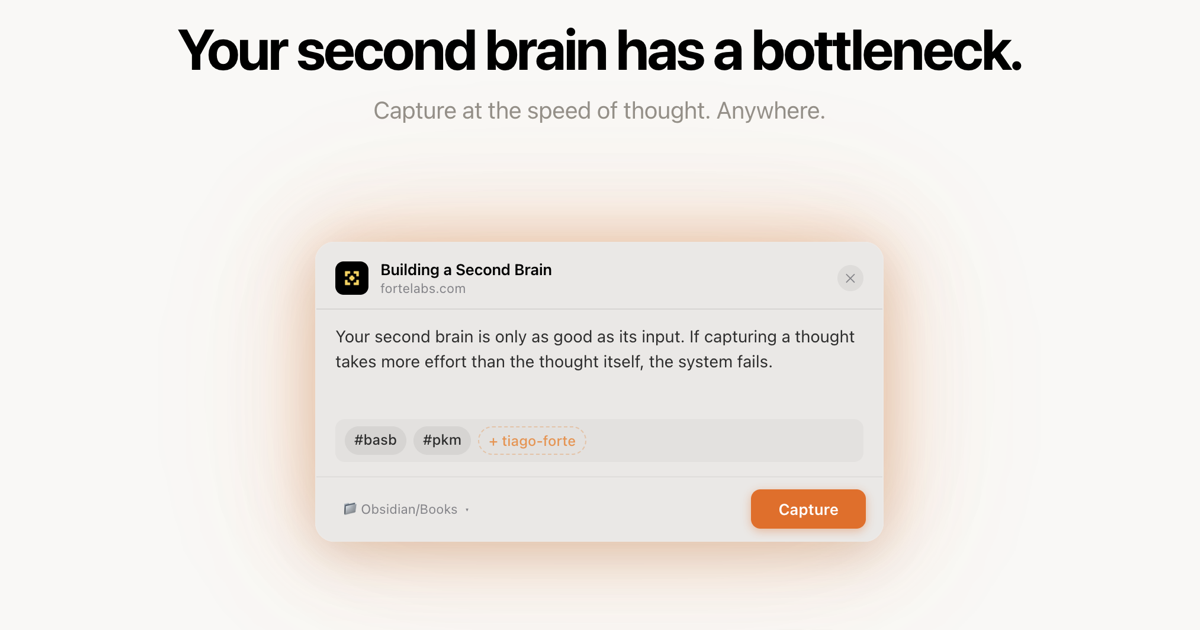
Full disclosure: Capture is made by me. I've been a big fan of Obsidian for a while… but while Obsidian is great at holding information, it's not the smoothest at capturing information quickly. So I made Capture, and early users seem to really like it! Capture is designed to help you quickly capture a thought/link/evil plan to your Obsidian inbox and then let you get back to work. With the press of ⌥C from anywhere on your Mac, it will pop up a small stylish window where you can type out your note, tag it (if you want), and then hit ⏎ Enter to either save it as a new note in your Obsidian vault or append it to an existing note like a Daily Journal. While it works great with Obsidian, it will really work with any collection of folders and Markdown text notes on your machine. It's been an absolute blast working on this project, and I've got a fun roadmap of plans to make it even better. Please go do the free trial if you're at all interested; Hiro Report readers can get 25% off the one-time purchase with code HIROFRIENDS.

Grow: Health & Fitness App - App Store

Grow is a free Apple Watch companion app for tracking your key health metrics in a fun, lighthearted way. It's got a playful design with a customizable cheery mascot that gives you ongoing feedback on your key health metrics throughout the day. The core feature is a "Perfect Day" habit system that tracks steps, sleep, HRV stress, workouts, hydration, and sunlight exposure, awarding a Golden Sun when you hit your daily goals — optionally strict or intentionally gentle, with a nice "it's okay to skip a day" philosophy baked in. I don't think this will replace Bevel, my favorite iOS/watchOS health analytics platform, but it's a fun supplement to it.

Hovercraft for macOS

Adam Lisagor — the Sandwich Video guy who basically defined the modern startup-explainer film — just released a really clever macOS app that lets you level up your screenshares by letting you share your presentation on top of your existing video feed… Nothing too revolutionary there, except Hovercraft gives you the unique ability of using pinch and drag gestures with your hands to adjust the size of whatever you're presenting and move it around on the screen. It looks like a ton of fun; I think I may try it out the next time I need to teach a class online.

macAppLibrary for macOS

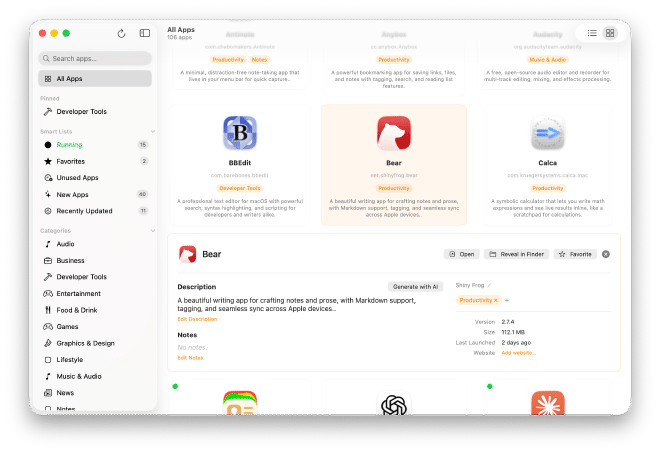
A free, open-source Mac app by Tom Robertson that makes managing your Mac apps way easier— it scans all your installed apps and presents them in a gallery or list with descriptions, developer info, and categories — and lets you add your own notes. You can pull metadata from a community-maintained GitHub database, or hook in an Anthropic API key and let it write descriptions for apps it recognizes. It will also show you which apps you have running, letting you quickly launch, visit the app in its parent folder, or delete it. If you've ever stared at half the things in your Applications folder wondering what they actually do, this is the cleanest solution to that problem.

TinyStart for macOS

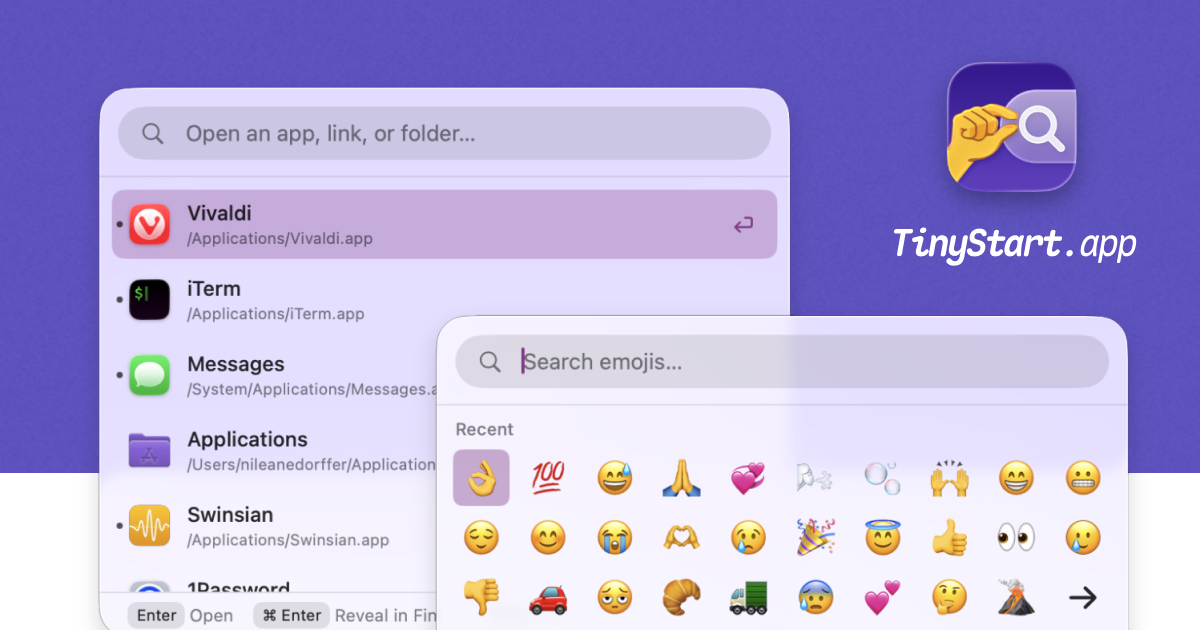
Love the idea of quickly launching apps, picking emojis, searching the web, running quick math or unit conversions all from a universal text field, but don't need all the fancy widgets of Raycast or Alfred? Niléane (co-host of MacStories' Comfort Zone podcast) recently released this really simple but lovely indie app for the Mac. While I'm a bit of a Raycast die-hard, I also really appreciate when indie apps simplify something complex and do it really well. TinyStart looks great.

Avec for Gmail

I have lots of reservations about Gmail overall, but unfortunately, it seems to be the only email service that anybody builds innovative/fun email software for. Avec is a great example of that. It takes an almost dating app–like approach to managing your inbox. Swiping away things to the archive, saving them for later, or, with the press of a button, quickly dictating a response that gets neatly formatted and fired off right away. It's a very simple and clean design that makes it actually pretty fun and fast to triage your inbox. It's worth checking out if you're in the Gmail ecosystem.

Quick Reads

Matt Birchler (of Birchtree and A Better Computer) launched a really lovely read-it-later service this week that competes with Pocket, Matter, Instapaper, Omnivore (RIP), and the like. I signed up immediately. It's got a great distraction-free reader, highlights, reading queue, a full REST API for building your own tools and workflows around it, a Chrome extension, a TestFlight iOS app, and an Obsidian plugin that syncs highlights directly into the vault.

Alpenglow — Sunset & Sunrise Predictions for iOS

Alpenglow is a great tool for photographers who care about getting the absolute best natural light for their photos. It does some impressive atmospheric modeling to let you know exactly how (and where) the light will be at sunrise and sunset at any spot on the planet. It also lets you know exactly when sunrise, sunset, golden hour, and blue hour will be for any given location. I've been beta testing the 10th anniversary update that will be dropping tomorrow (21APR2026), and it's looking polished as ever.

Film(ish) Photo Editing for iOS

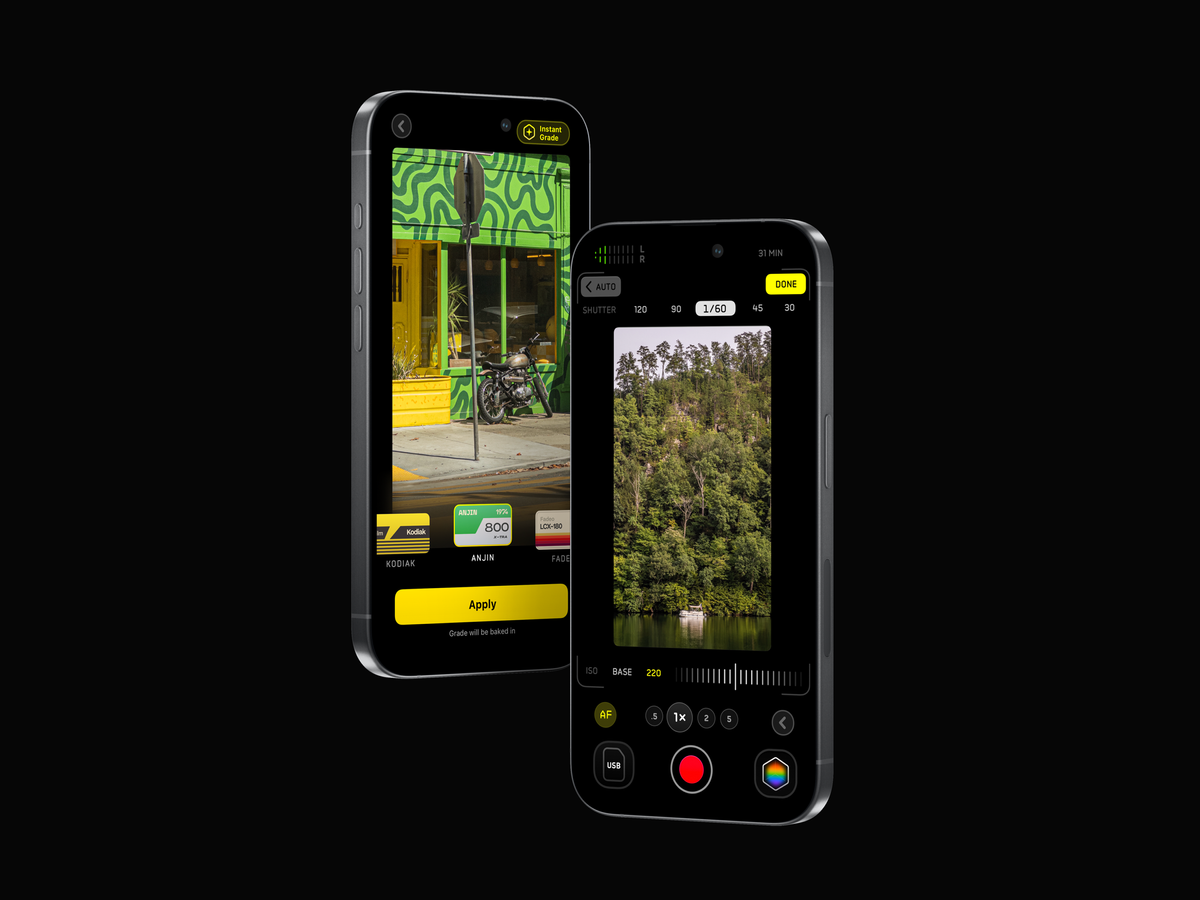
I've been beta testing this iOS photo editor for a bit and have been really impressed with both its film-like presets and (perhaps even better) the stunning amount of control it gives you over your edits. For casual iPhone photographers, you can pick a great-looking film preset, adjust the strength, and export easily, but for folks who really want to nerd out, you can adjust over 80 parameters over an 11-stage processing pipeline with support for masking, frames, and more. Highly recommend checking it out.

AstroPad Workbench

The folks at AstroPad, makers of the excellent Rock Paper Pencil iPad accessory, just launched a really nice tool for remotely accessing and controlling your Mac from your iPhone and iPad. It's got a clean, easy-to-understand UI, and in my early testing was easier and more intuitive to get up and running than my current VNC tool of choice, Screens. Worth checking out if you ever need to quickly remote into your Mac to look something up, control an on-device AI agent, etc.

FloatyDo for MacOS

FloatyDo is a remarkably simple but delightful to-do list app that floats above all your other apps, so that you can always see exactly what you need to be working on next. It is highly customizable with different color, font, and UI changes available. Will this replace Apple Reminders, Things, or OmniFocus? No… but if you just want a simple way to keep track of what you need to do next, this might just be the move.

Keeby for MacOS

Keeby is a new arrival in the last week or two that plays highly customizable mechanical keyboard sounds as you type away on your computer. Perfect for when you're using your laptop away from home, or if you're just wanting to test out the sound of different keyboard switches before you commit and buy one. I've previously used Klack to this end, but Keeby looks to offer way more customization plus the added benefit of spatial audio.

Obsidian

+ Claude Co-Work - While I'm still using Notion for all of my work stuff, I've been using Obsidian lately in combination with Claude Co-Work for a really smart Personal Knowledge Management solution. This video captures the concept well, but in short, you capture thoughts, articles, web clippings, etc. in your Obsidian vault, and then set an automation task in Claude Co-Work to parse your vault and build a robust wiki around the information you capture. By design, you keep all the content you create and capture in one part of the vault, and everything the AI does in a separate part so there's no intermingling. The beauty of this model is that Obsidian is built around plain text files in folders on your computer, which means you can use really any text editor you want AND you can use any agentic LLM you want for the parsing, and you can change both the app and the AI effortlessly.

Sofa 5.0

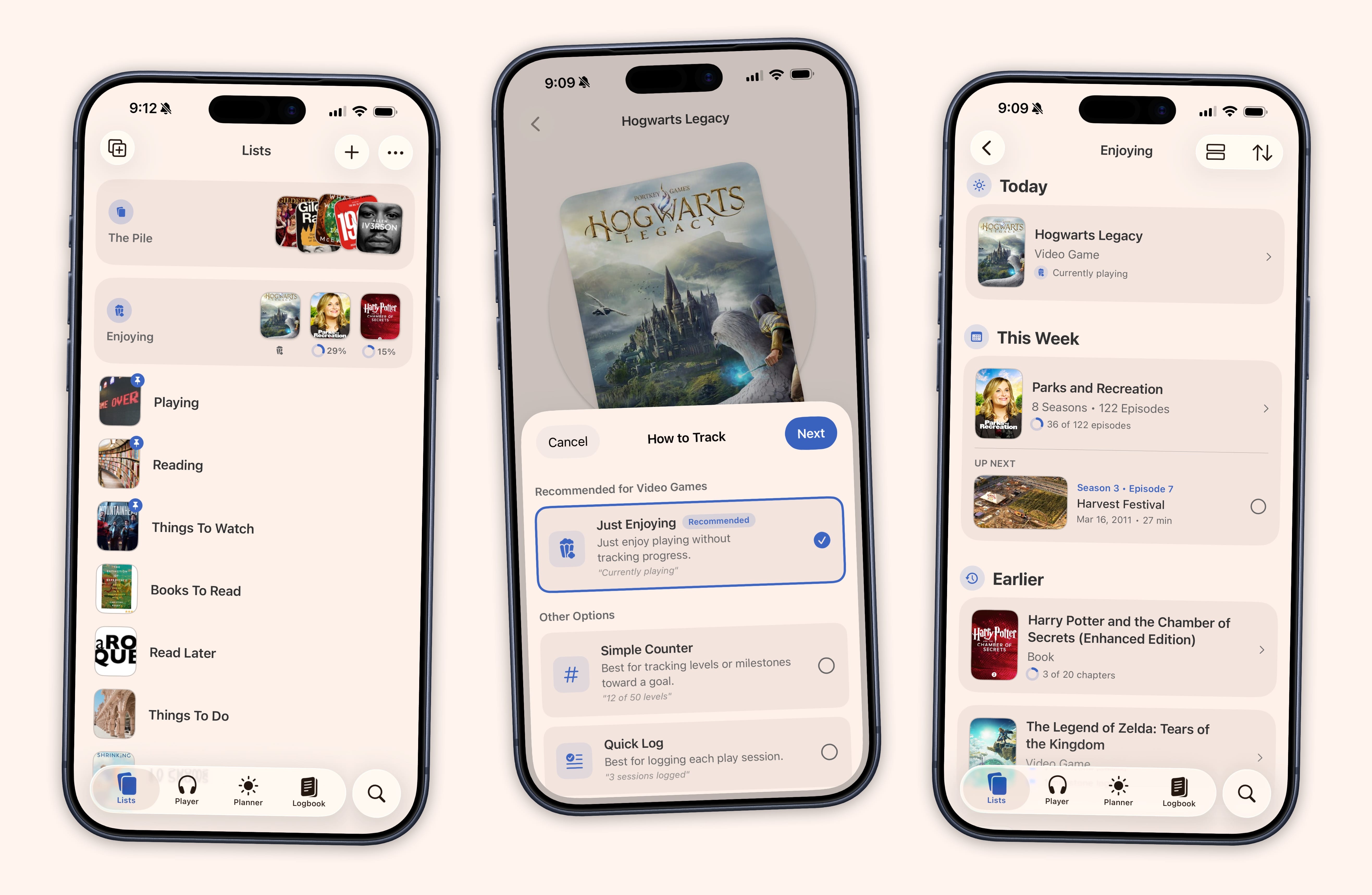
Sofa is a really delightful, indie app for organizing everything you want to watch, read, play, and listen to — and version 5.0 adds a built-in podcast player, trip planning with maps and budgets, and a stats dashboard that turns your consumption history into charts and rankings. If you like tracking the shows / movies / books you watch AND like getting cool analytics about your habits, you should definitely be trying it out.

🟠

Color Snap is a simple but fun web app (an iOS app might be in development too?) that gives you one color a day and challenges you to capture three photos that feature that exact color (or as close as you can get) over the course of the day. You are scored based on how accurately you are able to replicate that color in your photos. It's a fun photographic challenge for folks looking for inspiration, and also a great way to train your eye for the nuances of color.

GamePal for iOS

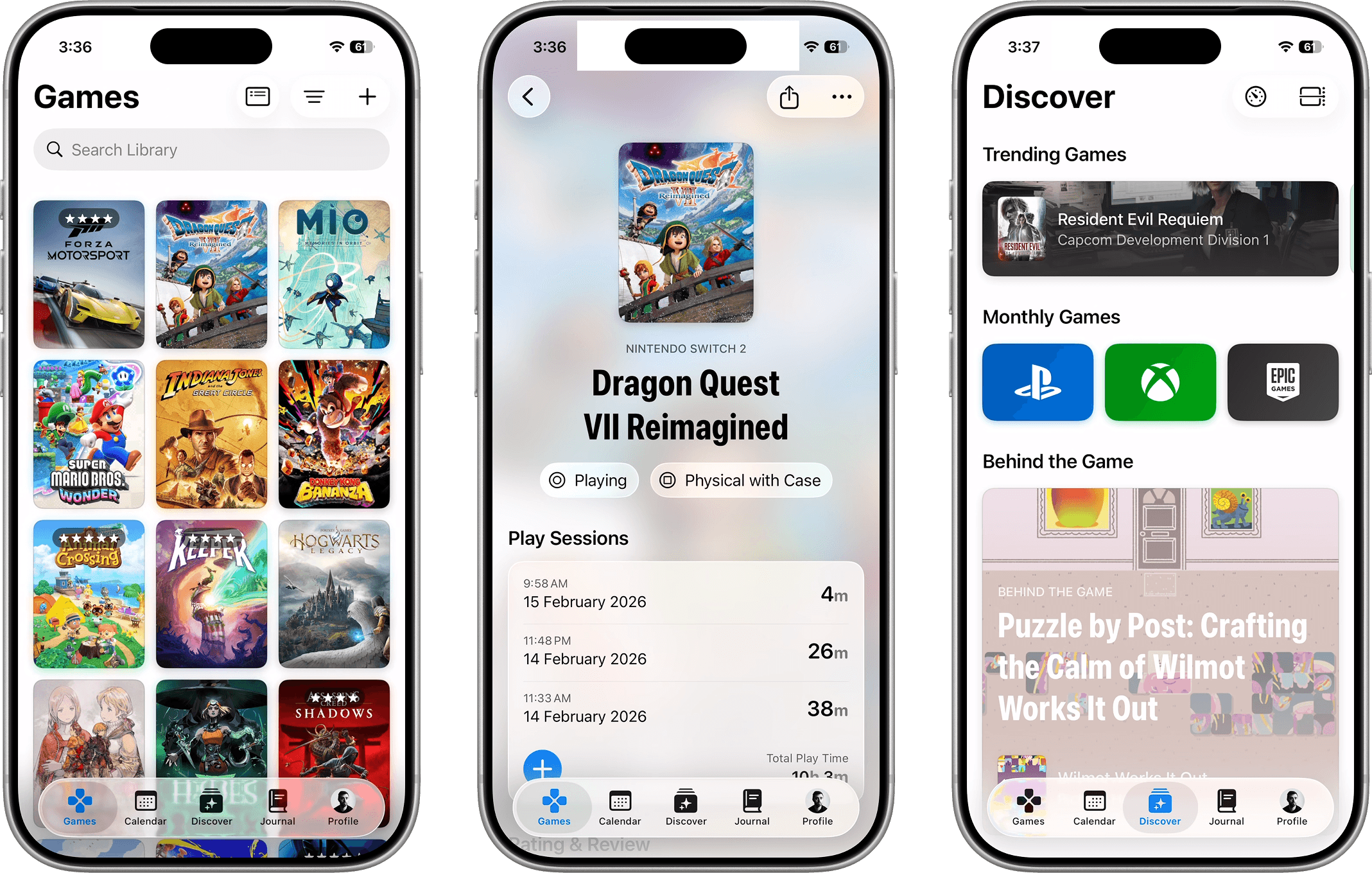
Much like with books, I tend to start way too many games and either never finish them or just slowly make my way through, often forgetting where I was. GamePal is an awesome app for keeping track of your game library, the games you want to play, and your progress through the various games you're actively playing. The creators just released a big update earlier this month bringing Live Activities for tracking how long you've been playing, and a center for staying on top of major gaming events/announcements.

Tempo Focus for iOS

Tempo Focus is a delightful-looking new Pomodoro timer for iOS with a really clean, modern design aimed squarely at helping you get focused work done. It features a fun flipboard-style countdown timer, optional background app and notification blocking, rest cycles, and more, all with nice analytics.

AllTrails

Seeing as we're out ignoring TLC's sage wisdom and chasing as many waterfalls as possible on this trip, it seems like a good time to highlight AllTrails, which is my favorite hiking companion app. In short, you can search for local trails to hike / bike / run on, sorted by terrain difficulty, popularity, and scores, and filter for things like "Dog Friendly," "Wildflowers," "Kid Friendly," etc. Once you've picked your trail, you can download an offline map of the entire trail to your phone AND Apple Watch, and use it to navigate and track your progress as you go. It's just such a delightful app, and has saved our butts numerous times.

Plastic Vinyl Scanner

While I'm far from a pro crate digger, I love visiting vinyl record shops looking for gems. I've been keeping tabs on this app while it was in beta and am stoked that it's finally out in the wild. In short, you use the app to scan any vinyl record album art (or barcode) in your collection or in shops, and it will tell you how much it's worth, the BPM and key for every song, let you pull up the album in Spotify to give it a sample listen, and let you log it to your collection or bookmark where you found the record in case you want to come back and buy it later. Genius concept with a really pleasing UI implementation.

Monologue for macOS / iOS

While I'm pretty embedded in the Wispr Flow ecosystem, I've played with and really enjoyed Monologue, a competing voice-to-text dictation tool for the Mac. It's the best-looking, with a really fun retro-skeuomorphic design, and equally strong at transcribing your voice dictation into any text field on your computer as Wispr Flow. I ultimately abandoned Monologue when Wispr Flow beat them to market with a really great iOS app. However, Monologue has just recently released their own iOS keyboard app that once again looks and works fantastically in my testing. I'm currently experimenting with both and may wind up jumping ship back to Monologue. Both apps are cloud-based, which means much faster and more accurate transcription, with the downside being that your recordings are leaving your device—that said, neither app keeps any of the recordings, and they do not let your recordings or transcriptions be used for training LLMs. (If you want the option of doing local transcription, check out Superwhisper, which is also pretty solid.)

Text Sniper for macOS

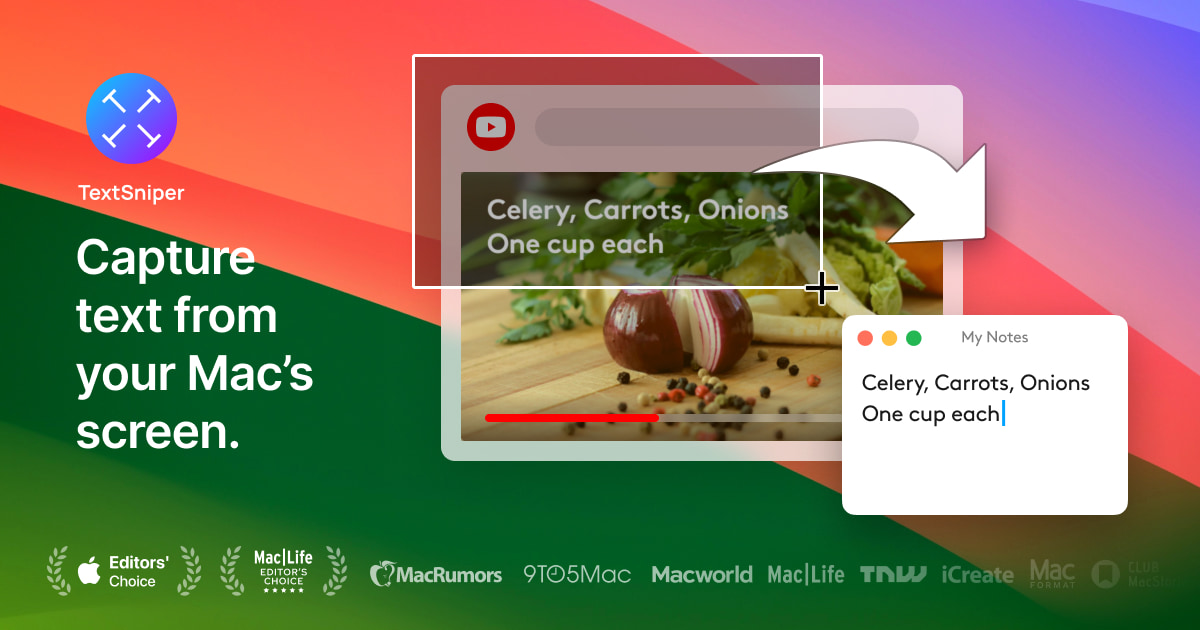
This is one of those little utilities I use a ton and just forget that not everyone knows about. In short, this little applet runs on your Mac and lets you select and extract text from anything on your Mac's display. Handy for pulling text out of photos, PDFs, locked-down websites, YouTube videos, etc. It's my favorite way to OCR.

Current RSS Reader

This peaceful RSS reader has been making the rounds the last week or two since it launched, and I've got it high on my list to try out. In short, rather than filling an inbox with articles from your feeds that you have to work your way through, Current acts more like a river, where things pass through your inbox over time. You can give different feeds different amounts of time they stay in your inbox before they're erased and float away— so in-depth blog posts from your favorite author stick around longer than perhaps breaking news might. The developer, Terry Godier, wrote an epic essay explaining the rationale behind the app.

Mimoto Message Analysis

This is a really clever privacy-first tool for analyzing your iMessage chat history. It uses on-device AI to give you insights on your communication style, the individuals you talk with the most, the state of various relationships, along with things like which emojis you use the most. It seems almost like a Spotify Wrapped but for your own iMessages, with all processing done locally and nothing sent to the cloud. I haven't gotten to run it yet. I'm not sure if I want to know (and am also wary of trusting any third-party software with my message history), but I like seeing developers leveraging local AI more for fun things like this.

Acme Weather for iOS

The folks who brought us Dark Sky (which was subsequently bought and disbanded by Apple) are back with a new weather app, and I'm pretty stoked about it. Instead of giving you one forecast that might be wrong, Acme shows alternate predictions so you can see the range of possible outcomes and how reliable the forecast actually is — which is kinda genius. It's also got community reports where people nearby can share what they're actually seeing, custom notifications for whatever conditions you care about (windy days, high UV, etc.), and beautiful real-time radar maps. Too soon to say if it will replace Carrot, my longtime favorite weather app, but I'm enjoying trying it out.

Analog Reader

Analog Reader is kinda genius— it aggregates all your most favorite newsletter sources (ahem) into a beautiful, printable newspaper that you can physically print and read or load onto an e-reader device for a beautifully formatted, distraction-free reading experience. They've even got a roadmap to eventually offer printing and mailing services, so you can get your custom newspaper in the mail each week.

Dot for MacOS

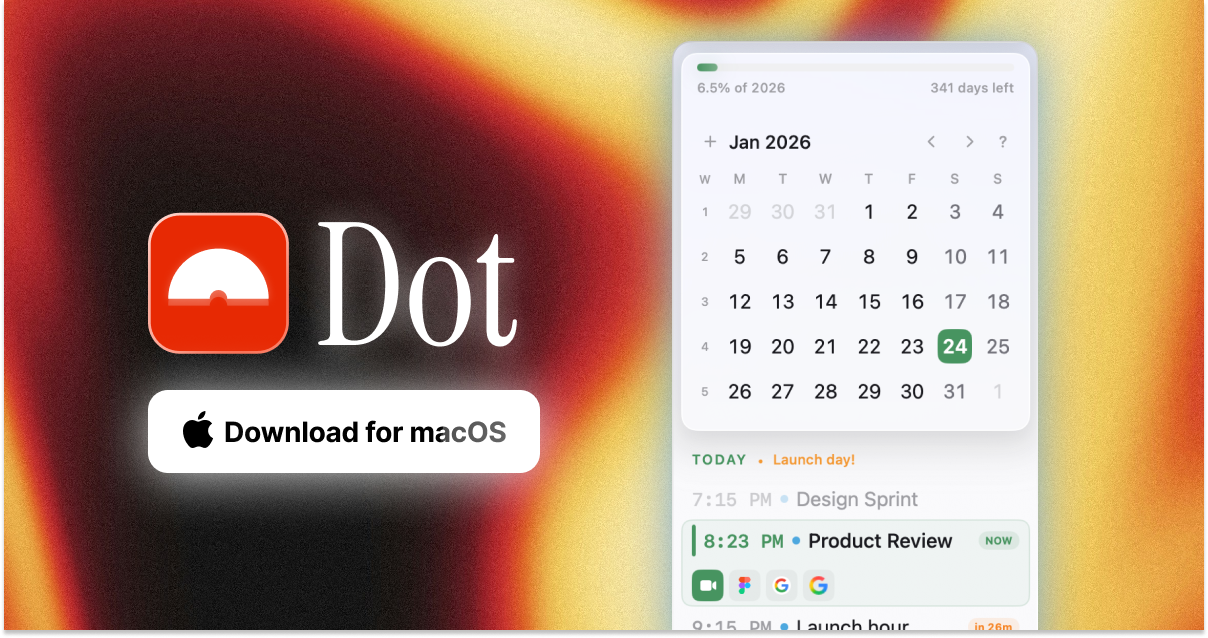
I've been growing increasingly dissatisfied with Fantastical, and have finally found the perfect replacement in Dot, a newly launched indie calendar app. It lives in the menu bar, has great natural language processing (i.e. it will turn "Call with Bobby on Friday at 2pm" into a calendar event), and is highly customizable to look and act in a way that's most useful for you. I will say it is not a full calendar replacement (like Fantastical is); you will still need to set up your calendar accounts via the native Mac calendar app, but this is a really great way to get things done in the calendar.

FilmMeter for iOS

FilmMeter is an all-in-one film photographer's companion app. For film lovers, it lets you track what film stocks you're using in which cameras, when you loaded them, what shots you've taken on the roll, and more. For everyone else, the app also offers real-time light metering, LiDAR distance measurement, flash calculation, and focal length previews with different camera and lens presets. It's got me inspired to send my old film camera rig in for a CLA in time for some summer shooting.

Puck Yeah Espresso Tracker App

I'm a data / tracking nerd, and this app is exactly what I've been looking for. It lets you track all the parameters of the espressos you brew (dose, grind, time, temperature, yield, etc.) and then helps you dial it in as you give notes on the flavor profile, etc. You also can rate/log your shots and beans, track your caffeine intake, and more. It's really thoughtfully done with a clean, accessible UI.

Lost Post

This is a surprisingly heartfelt and delightful app. The premise is simple: Every day you get a prompt with a thoughtful question to answer. Once you've answered it, you will receive someone else's answer to the question from the day before. It's totally anonymous apart from getting to see what country the respondent is from, and they can choose whether or not to share their age and gender info. It's just a sweet way to learn more about other people and cultures, in a lovely app design.

Untired for iOS

This indie-made focus app takes the fun approach of being themed around a tavern straight out of Dungeons and Dragons. It helps you block apps on your phone that sap your attention and energy, and the more you stay out of those apps, the more points you gain to be able to level up your tavern and attract unique travelers and visitors to your tavern. It's a neat concept executed in a fun retro JRPG art style. Well worth it if you're wanting to experiment with limiting your access to social media, etc., on your phone. (Thanks for the tip, Jay!)

Copilot: Budget Tracking for iOS

As is tradition, every January I like to revisit our budget and figure out where the heck all our money went after we get through the Christmas season. My favorite app for this is far and away Copilot (not to be confused with the Microsoft AI). Copilot makes a secure connection via Plaid to all of your financial institutions and credit cards and then uses its own smarts to categorize your spending. You can tweak the categories, or make your own, and then build budgets for how much you want to spend in each bucket each month, easily getting alerts when you're getting close to your spending cap, etc. It looks great, works great, and has killer customer service. I'm a fan.

HabitKit for iOS

I put out a call earlier this week for recommendations for habit trackers to play with for the new year. After downloading half a dozen or so, this is the one I'm sticking with for the next few weeks/months. In short, apps like this help you keep track of whether or not you've completed some habit you're trying to build, or if you've successfully avoided some unproductive habit you're trying to quit. You simply mark in the app that you've done (or not done) the thing that day, and then it presents you a nice chart of your progress. HabitKit is simple but with a lot of deeper features if you want them, and best of all it looks nice. As nice as it is, there's no way I'm going to be able to stick to my resolution this year.

Bear App

Bear remains my favorite writing and note-taking app. There are a ton of great options out there, but it’s the one that best fits how I like to capture information. I still write the first draft of all my weekly Hiro Reports right here.

ChatGPT

I’ve played off and on with Claude, Perplexity, and others, but ChatGPT is the only AI subscription I’ve maintained all year.

Granola.AI

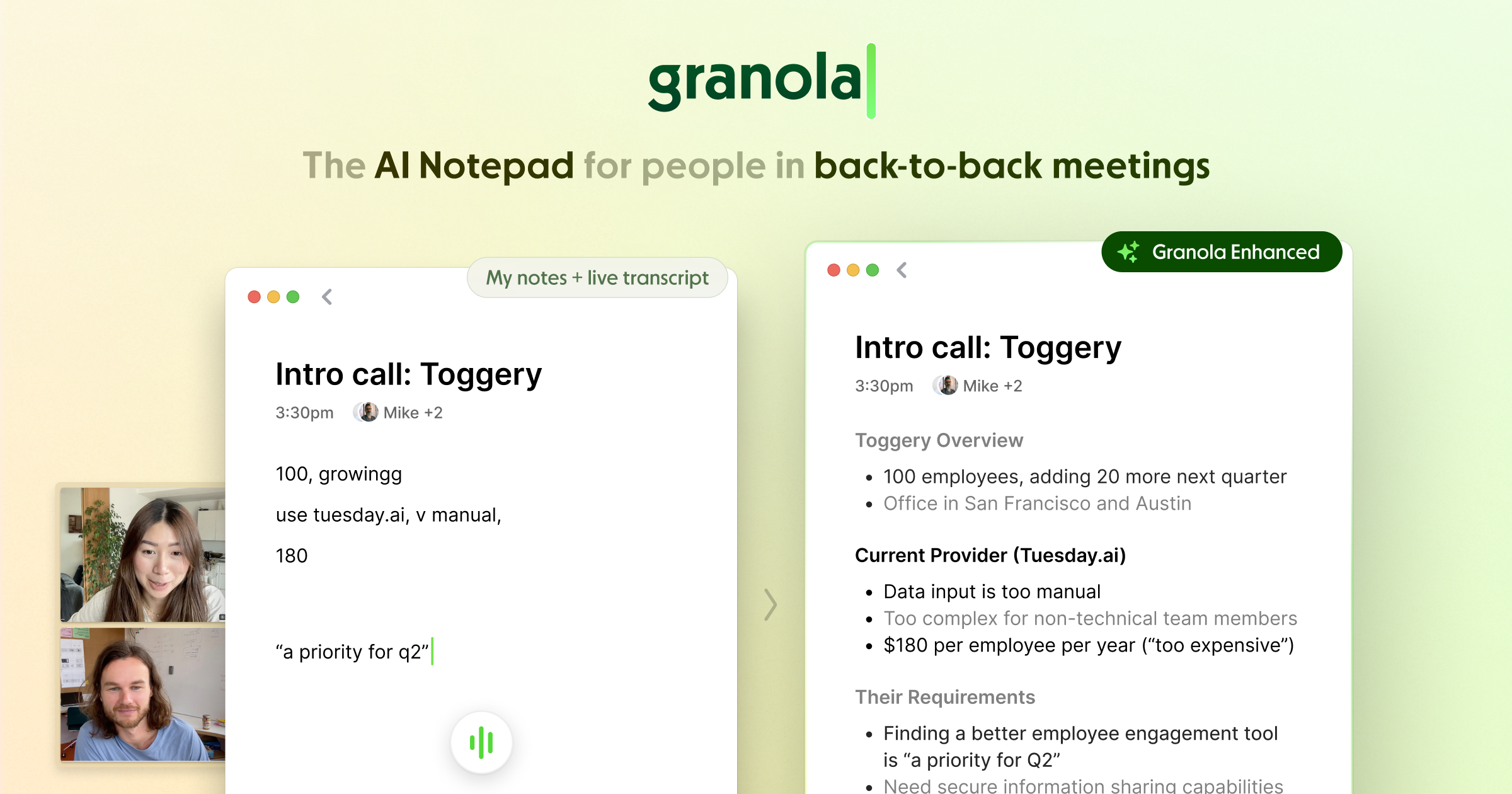
This is easily my favorite AI meeting note-taker app. It runs in the background on all of my calls without needing to invite a bot to your meetings, takes meticulous notes, formats them exactly how I like, and then drops them into Notion or anywhere else I need them. The iPhone app is very handy for capturing in-person meetings. I have been using it happily for months and only recently discovered I was somehow still on the free trial version. I leapt to pay for it as soon as I figured that out, because it’s totally worth it.

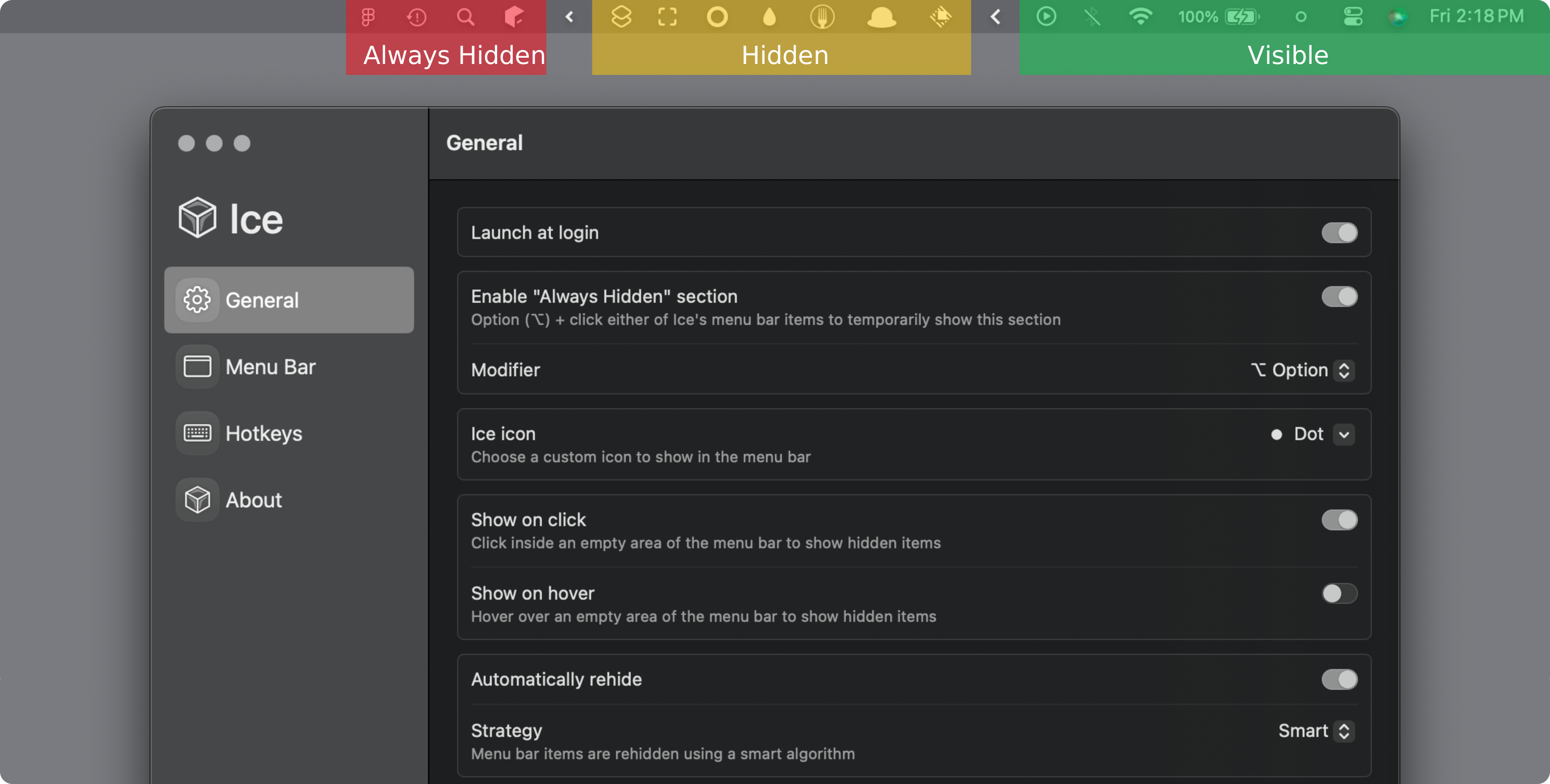
Ice Menu Bar

I switched to Ice after being a Bartender user for years. This app does a great job at hiding all the menu bar items on the top of your Mac’s display until you need them.

Kagi

Apart from being privacy-centric, not running ads, and not selling our information to advertisers, Kagi’s search engine results are easily the most accurate and helpful of all the engines I’ve experimented with.

Notion

I switched from Obsidian to Notion this year and found it to be a huge level-up for my needs. I use it as a personal CRM, an inbox for all my meeting notes, an organizer for my work stuff, and more. There are a million more things I could do with it if I had the time to really get it organized, but one of the things I love is being able to just throw everything into it and let the built-in Notion AI find and organize whatever I need.

Plinky

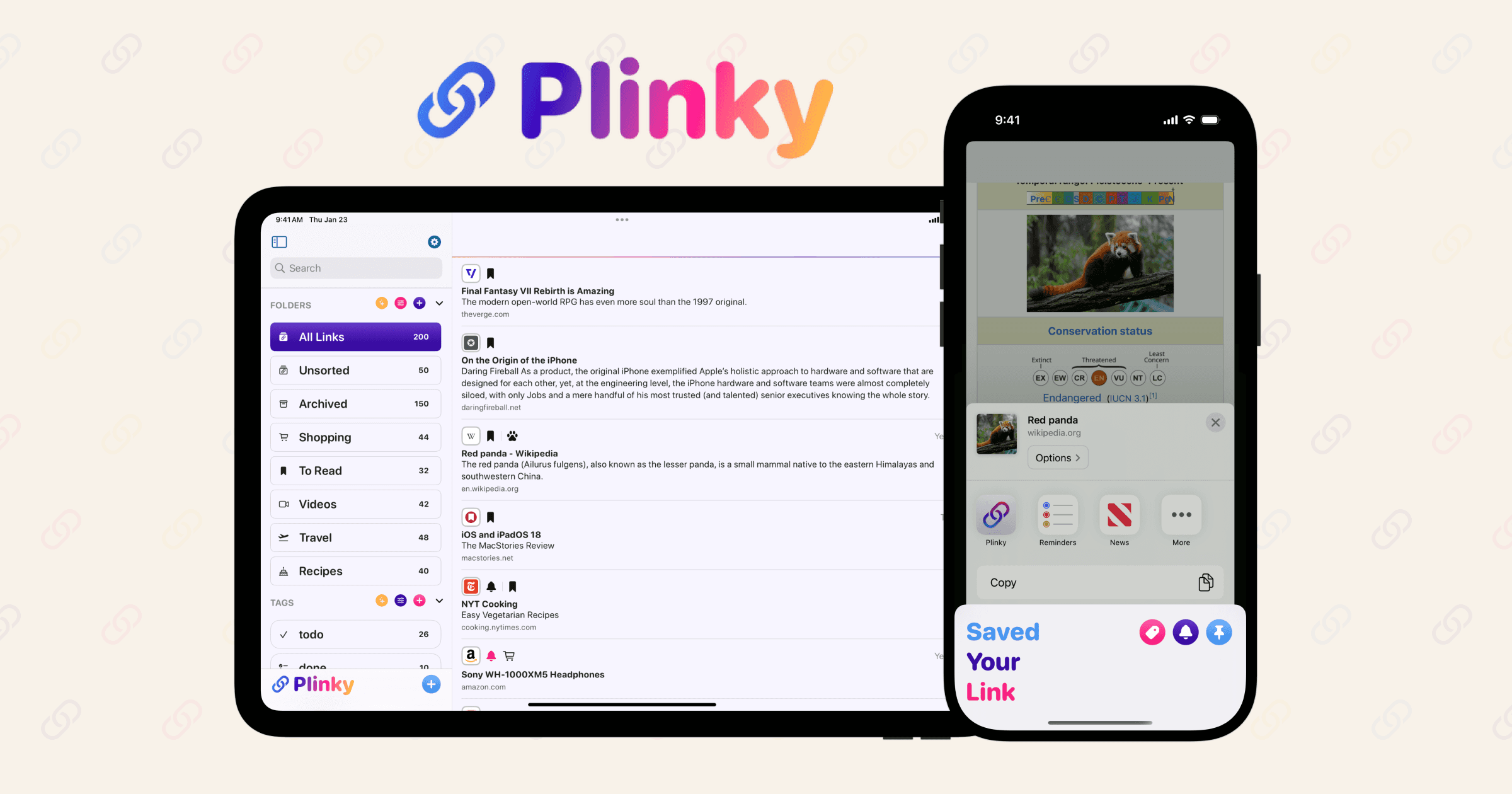
You might be shocked to learn that I collect a lot of links over the course of the day, and Plinky is my strong favorite place to do it, thanks to its delightful user interface and hard-working indie developer, Joe Fabisevich. My only gripe is that it doesn’t have a full-featured Mac app yet, though I understand one is in the works.

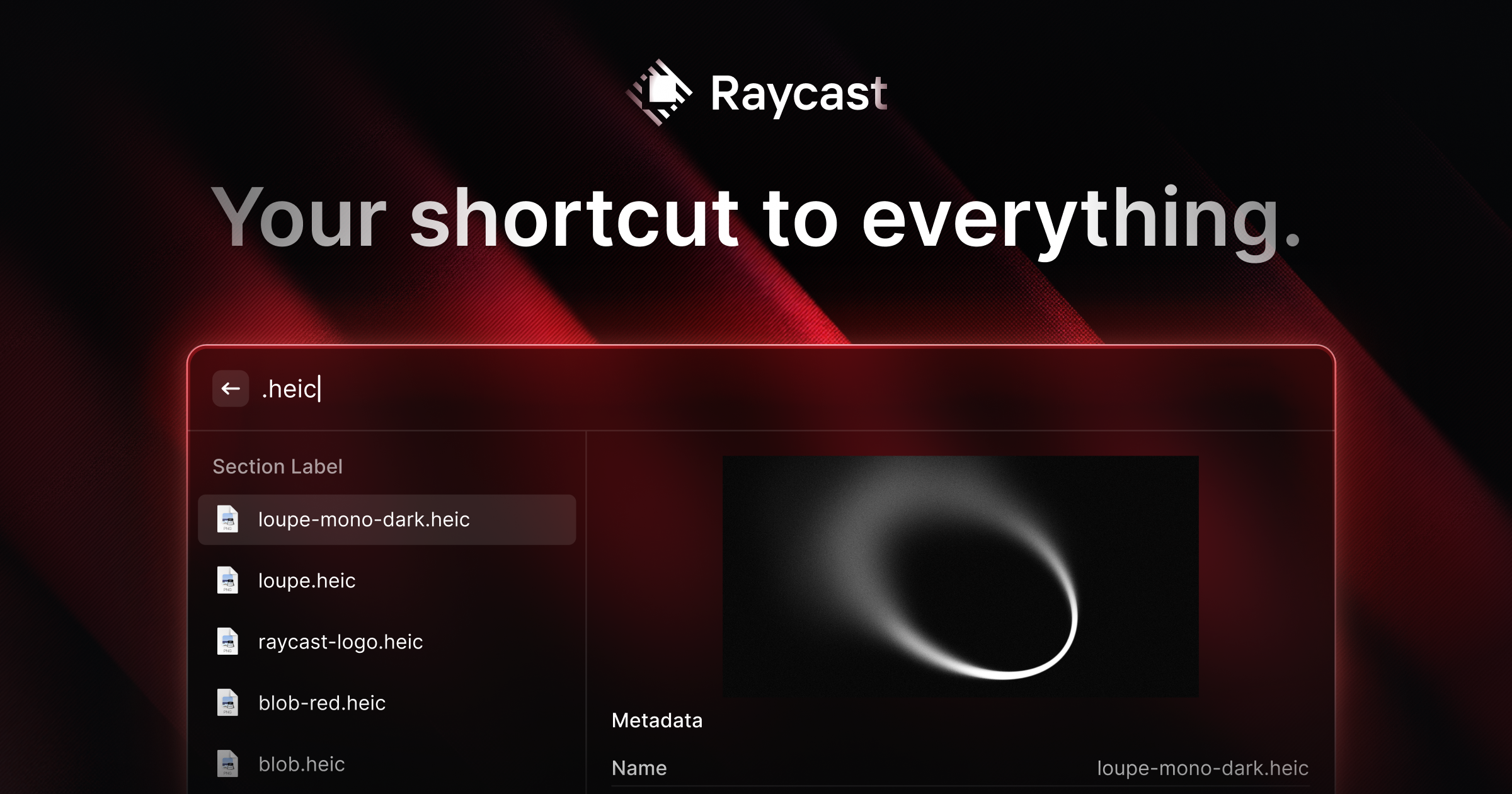
Raycast

This is still my most used app every day on my Mac, and was the first thing I downloaded on my new MacBook this year.

WisprFlow.AI

I tried out a bunch of AI dictation apps this year, and this one was my favorite. With the press of a hotkey, I can easily dictate highly accurate text into any app or text field. With the press of a second hotkey, I can also dictate commands like “Please proofread this text” or “Change this to all caps,” etc. They just raised a bunch of funding, so who knows if it’s going to enshittify or accelerate its awesomeness, but for now I’m a happy subscriber.

YouTube Music

I’ve never been a Spotify user, and my Apple Music algorithm has been completely taken over by my kids’ music choices, so I set out to find a music service that could just be mine. I settled on YouTube Music because it’s included for free with my YouTube Premium subscription. It’s been surprisingly great! I particularly like that you can listen to songs from their catalog as well as obscure indie music that users have uploaded as YouTube videos.

Capwords AI for iOS

This 2025 Apple Design Award winning app is a clever tool to help with language learning—it lets you snap pictures of any object you want to learn how to pronounce in another language, and then it will create a flashcard with both its name, spelling and pronunciation. It also creates a digital sticker of the object that you can collect along with the translation. A really cool use of AI combined with on‑device image processing for privacy.

Paste App for MacOS/iOS

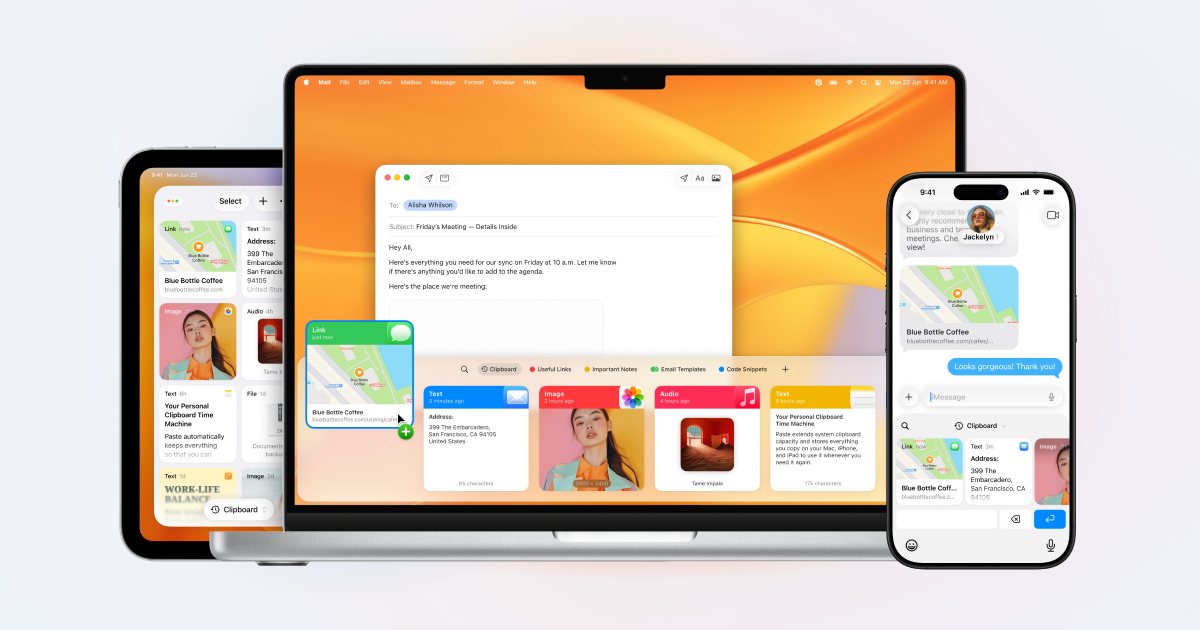
I've been using Raycast's clipboard manager for a few years now and recently decided to give Paste a try... it's a big level up! Whereas Raycast's clipboard manager covers all the basics of letting you quickly search your clipboard history and re-paste your content wherever you wish, Paste offers a great iPhone app and keyboard so you can copy and paste from your clipboard history across both devices. It also lets you copy multiple things in a stack and paste them all together in one place. Like Raycast, you can set limits on how long it remembers things, forbid it from remembering certain types of sensitive information, which is great for privacy.

Chirp for Apple Watch

I don't too often have Apple Watch specific apps to recommend, but I've been really enjoying Chirp. In short, it is a voice-enabled LLM on your wrist. At the push of a button on my watch face, it brings up a microphone button for me to hold and make my request. Chirp then uses Google's Gemini to go search for whatever I need and comes back with a very high-quality voice response. You can also use it to set reminders and dictate messages that you want to send. Best of all, you can get 7 queries a day for free, which is honestly more than I generally need.

Howie Virtual EA

I've just started playing with Howie this week and have been pretty impressed. In short, it's an AI-powered executive assistant that helps with schedule and calendar management. Need to schedule something with someone? Just cc Howie and it will find times on your calendar, coordinate with the other person and send invites according to your preferences/training. The part I like best about it is that it's backed up by real humans who double-check to make sure the AI doesn't do something dumb with your calendar.

Hacktivate

Shout out to Andrew for flagging this cool educational game/simulator that teaches you the real-life fundamentals of offensive hacking, encryption, decryption and more. Even if you're not into cybersecurity, you'll probably enjoy the puzzles and challenges. Best of all, you can try it for free, and then it's a one-time payment to unlock it for playing on your Mac, iPad, and iPhone. I'm having a blast with it.

RunBuds for iOS

RunBuds is a fun, indie take on social running apps, letting you watch both yours and your friends' runs on a track. You can also set up group goals, like collectively running a certain cumulative distance by a deadline. I'm not running much these days (more into rucking), otherwise I'd be all in on this.

Dia Browser

The Browser Company announced the general release/availability of their follow-up to Arc Browser earlier this month. I've been on the beta for months and have found it to be my favorite of the various AI-powered browsers out there right now. It's got a clean UI, the AI is there if you want it but stays out of the way if you don't need it, and is just a nice-looking implementation of a Chrome browser all around. I still don't love that the Browser Company requires you to have a user account to use their browsers—a major privacy strike in my opinion. That said, it's a great option as long as you know what you're getting yourself into.

Raycast Keyboard for iOS

One of my essential macOS apps continues to iterate on its newish iOS counterpart. This week, they released their iOS keyboard which gives you access to your Raycast notes, templates, and snippets right in any text field. Most usefully, they also added an AI dictation feature that way outperforms the built-in Siri voice dictation on iPhones. You can also set up templates for the type of dictating you're doing so that it will format the transcription like an email, a text message, etc.

Bento Focus for iOS

Francesco, one of the creators of Bento Focus, kindly gave me a trial to take a look at the app, and I’ve really enjoyed playing with it. While it’s specifically designed for helping folks diagnosed with ADHD, it’s still just a really relaxing and delightful app for anyone who is feeling overwhelmed with tasks or overstimulated in general. The app has several different modules tailored to your unique motivation style and distraction risks to help you focus, track to-dos, and more. It’s been recently updated for iOS 26, bringing Liquid Glass to its lovely UI.

Notion 3.0

I switched from Obsidian to Notion earlier this year and have been enjoying its cleaner, more user-friendly approach to information and database management. The built-in meeting transcription and note-taking, combined with the beta of Notion AI, have been especially handy. With version 3.0, the AI gets a serious power-up: it can now handle agentic tasks inside Notion and across popular web services, meaning it can actually help you knock things off your to-do list. I’m excited to see what it can really do when I get back from my vacation later this week.

65x24

Héliographe's 65x24 is a stunning panoramic camera app for the iPhone getting a big design and functionality update tomorrow.

Alyx Caffeine Tracker

This is one of my favorite iOS 26 exclusive launches that I've gotten to beta test— It's a really silly, super fun caffeine tracker with personality. It makes good use of HealthKit, Alarm Kit, Apple Intelligence and more to make it effortless to keep track of your caffeine, how it might or might not impact your sleep, and even when you need to cut yourself off from your feel good juice so you can make it to bed on time. It won't officially release until the 15th, but will be worth the wait.

Chronicling

Rebecca Owen's lovely Chronicling is one of the best looking tools out there for keeping track of, well, anything. Keep track of habits and routines, health metrics, books read, when you water your plants, you name it. The iOS 26 update brings a new liquid glass design and Apple Intelligence support for smart event logging.

Cleft Notes

Jonny and Justin's Cleft is an awesome voice note transcription and summarizing tool getting a bunch of iOS 26 features like Spotlight Integration, Apple Watch syncing, speed updates, and even more features coming in Cleft 2.0 in November.

Daylish

Manuel Kehl, creator of my favorite meditation timer app, Zenitizer, has created this delightful day planning app that leverages iOS 26's new Alarm Kit feature to help you make sure to never miss a super important meeting. The app launches tomorrow, but you can catch the preview video at the link above!

Elytra

Nikhil Nigade's Elytra is a simple, private and feature rich RSS feed reader for the Apple Ecosystem that's getting a Liquid Glass glow-up with some new under the hood improvements as well.

Flyleaf

Max Melzer's beautiful Flyleaf is a really clean read-it-later app for saving articles from the web to read in a much more pleasant reading view without pop-ups, ads, etc. The new update brings a Liquid Glass design update.

GamePal

Jeremy Swinnen‘s GamePal is my favorite way to keep track of my gaming back log, and has an iOS 26 refresh all tee’d up for the big day.

Glass

Joao Dordio is the iOS developer behind Glass.Photo, an awesome independent photo sharing platform/community. The app has always been gorgeous and design-forward, and it's getting even better with an iOS 26 update coming out tomorrow.

Glu Sight

Jay’s Glu Sight is a beautiful, iOS native app for tracking your glucose and insulin levels, and it’s getting a Liguid Glass polish this week. Also check out Mira, his cool new video and mood journal app, also getting the iOS 26 treatment.

Keepfully

Alexander Käßner's Keepfully is a clever iOS app for keeping track of things you've loaned out and things you've borrowed, who has them, when they're due back, and so on. It's getting a Liquid Glass update.

MinTask

Rafael Ramos' MinTask is a playful productivity app built around the Eisenhower Matrix for smart task management.

Moonlitt

Flipping Hues' Moonlitt is a beautiful moon phase tracking app that I really enjoy for the Apple Ecosystem. It's got a number of beautiful widgets, watch complications, and more, all getting a slew of iOS 26 updates.

Noir

Jeffrey Kuiken's Noir is one of my favorite Safari extensions on iOS, as it very handily helps add a dark mode to any website you visit. This is perfect for late night scrolling when you don't want to wake your partner or fry your eyeballs by visiting a site that doesn't support dark mode natively. It's ready to go with a new Liquid Glass design. Be sure to also check out his Zelda: Tears of the Kingdom and Mario Kart World Travel Guide apps as well!

Orbit

Joshua Newton's Orbit is a gorgeous app for finding and keeping track of all of your subscriptions, and it's getting a great looking Liquid Glass update. I personally have saved a couple hundred bucks thanks to Orbit helping me hunt down and cancel some subscriptions I forgot about.

Plant Daddy

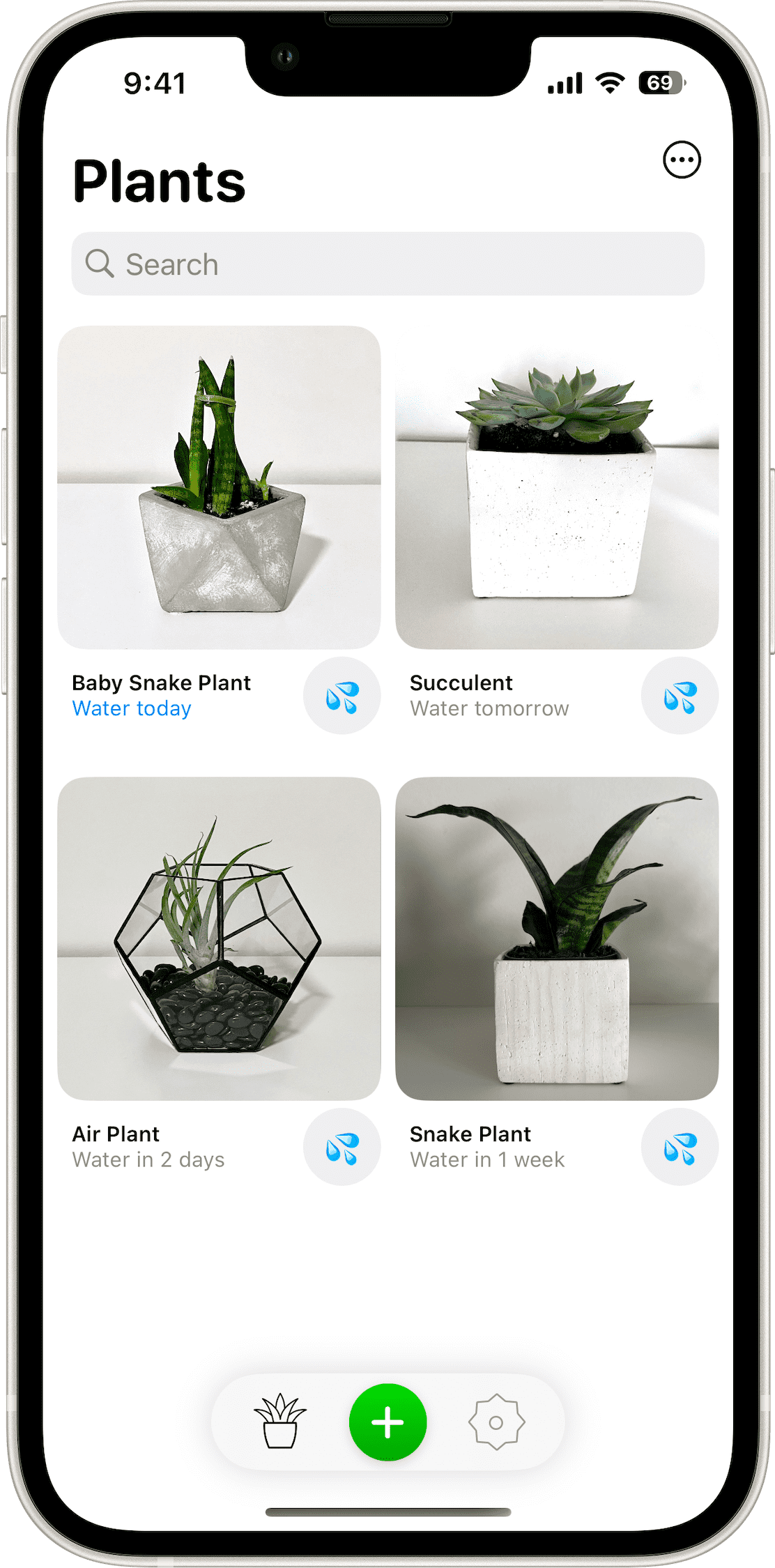
Jordan Hipwell's Plant Daddy is a lean, iOS-forward app for tracking when to water and otherwise care for your plants. Jordan's done a great job of integrating lots of Apple ecosystem features like widgets, iCloud syncing, notifications, and now an updated look for iOS 26.

Quiche Browser

Greg de J.'s Quiche Browser is a beautiful, customizable web browser for iOS that's getting the full Liquid Glass treatment.

Sofa

Shawn Hickman's Sofa is a delightful app for keeping track of things you want to enjoy later— Shows, movies, books, video games, podcast episodes, you name it. It's getting a great iOS 26 boost tomorrow.

Cobot Agentic AI for iOS

Cobot is an app currently in beta that markets itself as a todo app that also gets things done. It does this by combining LLM smarts with agentic capabilities that leverage APIs for everything from Weather and News to things like Github, Notion, Canva, Square, and more. Once plugged into the various services of your choosing, it then allows you to build powerful automations that run at scheduled times like—"Every morning at 7am, send me a breakdown of the weather and my schedule, and a prioritized list of outstanding To-Do's from my various Notion projects, with suggestions for what time during the day I could tackle them." Cobot runs both as a web app and as a very clean and functional iOS app in TestFlight for subscribers.

Mira - Video Journal + AI for iOS

Indie developer, Jay, released a great-looking privacy-focused video journaling app this week. Mira has you recording ~30-60 second videos to document your thoughts, feelings, and recollections of the day, and then uses on-device AI models to transcribe and perform sentiment analysis to catalog your mental and emotional states. One of the best parts, in my humble opinion, is that nothing leaves your device, but Jay still takes advantage of app intents and Spotlight search to help you make the most of your entries.

Cassette: Home Video Player for iOS

Indie developer Devin Davies released this great fun app this week, with a really charming launch video. The app acts like old camcorder tapes that were filled with random family memories all jumbled together. Cassette pulls at random from your iPhone videos to resurface memories in a fun, nostalgic way, leveraging a really fun, skeuomorphic video tape-inspired style. Go watch the launch video—you'll immediately know if it's for you or not.

Macrowave for MacOS

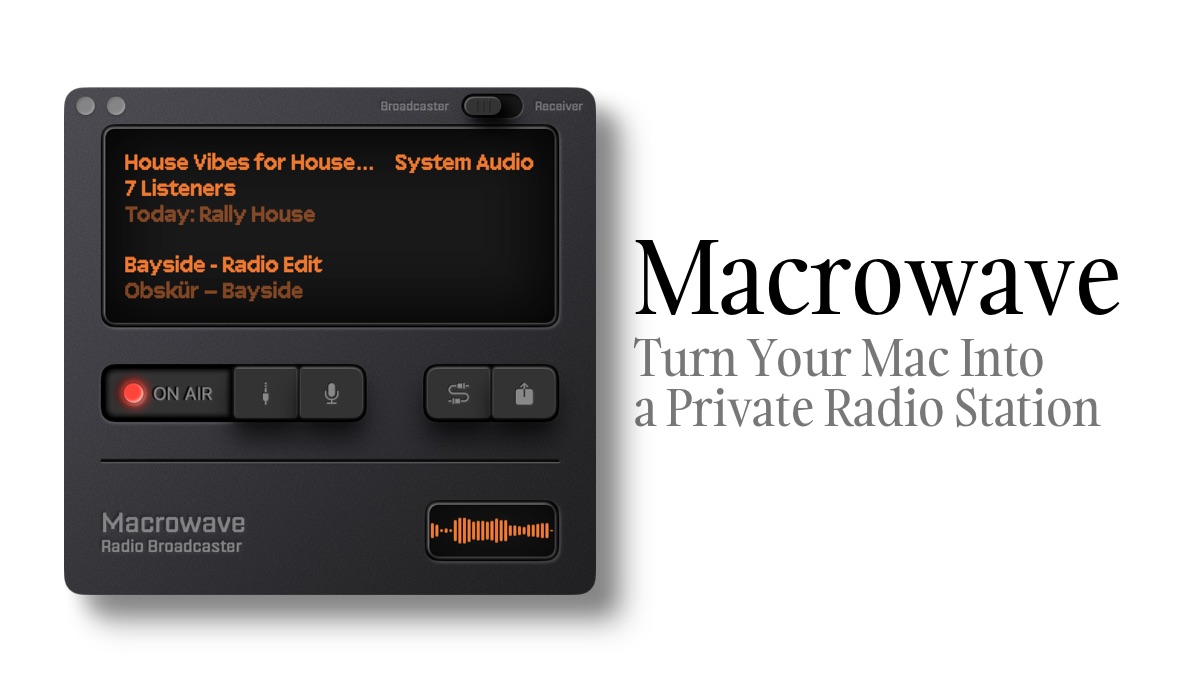
Macrowave is a gorgeous Mac app that lets you create your own private radio station that can securely stream your system audio to anyone you give the link to. This lets you create real-time peer-to-peer "radio" broadcasts of whatever music or video you're watching, and also allows you to voice over just like a DJ. The app is a little pricey if you want to broadcast, but it's completely free for anyone with a Mac/iPad/iPhone to be able to tune in via your link. You can even get push notifications when your favorite stations go LIVE. I'm going to be experimenting with a few small broadcasts this week over on my private station in case you happen to like old school punk, electronica, and hip hop.

Mountain Duck for MacOS

This is a cool little app I'm trying out this week that lets you mount remote servers and cloud storage as a disk in Finder on your Mac, sort of like how DropBox used to work but with any service you want—Amazon S3, FTP, Google Drive, Azure, Backblaze, etc. (Dropbox may still work this way; I've not used it in years.) This lets you quickly access and open remote files like browsing any other files on your computer, or back up files to your remote server with a simple drag and drop.

Mighty Cursor

I've been using this app for just a few days, but I'm enjoying it so far. It turns your mouse cursor into an AI assistant that you can control with voice commands. It will answer questions, provide context-aware analysis, and more. Best of all, you can use your own API keys for the AI provider of your choice and let you bring your own Elevenlabs keys to give it the voice that you want.

Ostand Q3 Air for iPhone

I've joined team "no case" for my iPhone this summer just so I can keep my pockets as slim and light as possible during the hotter months here in Austin. HOWEVER, if I was rocking a protective case, I'd be grabbing the newly announced Q3 Air. It looks to be a major improvement to my favorite case design, featuring a MagSafe-friendly ring on the back that can be used both as a grip aid and as a versatile kickstand for propping the phone up in any orientation, or for magnetically attaching it to any sufficiently ferromagnetic surface. This new update adds a fun high-tech aesthetic, airbag-derived drop protection, and satisfyingly clicky buttons.

Shakkei for MacOS

Rahul (of the excellent Hulry Newsletter) and his wife released a beautiful MacOS app this week that transforms your desktop background with dynamic, relaxing, hand-painted landscape scenes. It also optionally adds nature sounds and chill music to help you focus. It's a great concept, well executed, and a one-time purchase after a free demo. (Remember when all apps were like that?)

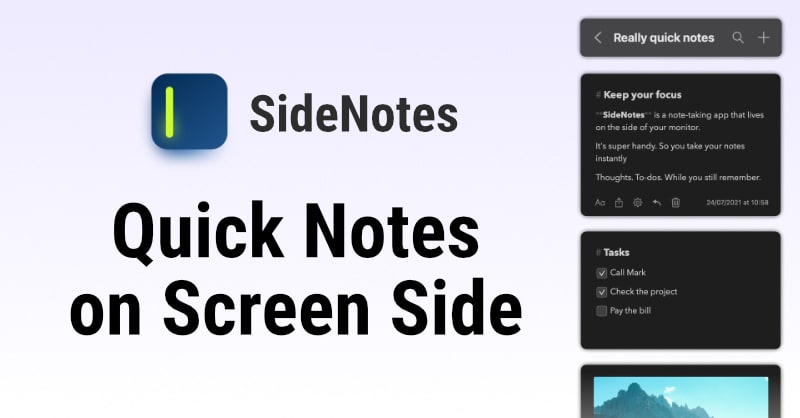
SideNotes for macOS and iOS

SideNotes is a handy Mac utility that lets you keep a really clean, minimalist notepad on the side of your screen. It has built-in Markdown to Rich Text translation and quickly slides on and off the side of your screen by either clicking a little bar or sliding your cursor to the edge of the screen. Your notes on the Mac sync to the SideNotes iOS and iPadOS companion apps via iCloud, and it's only a one-time payment to purchase.

Ghost Reminders Capture for iOS

I saw a few people mentioning this app over the last week and decided to give it a try. It's a really great concept: with the press of a button, you can just speak and it turns whatever you said into to-do items that get added to your reminders app. It's very simple, but it's got a delightful ghost-themed interface, and I particularly like that the voice transcription is all done on device. It does have a neat feature that will integrate optionally with a ChatGPT account that will provide insights and prioritization of your to-do list if you want some AI help. I'm finding it really satisfying to just quickly brain dump my to-do list and have it all show up in Reminders.

FujiStyle for iOS

If you’re at all into cameras, you probably know by now about Fujifilm cameras’ unique film simulation recipes that let you develop custom “looks” for your JPEGs so they can be transferred straight from your camera and be ready to post. The FujiStyle app appears to have cracked the code on a common complaint—that you typically have to manually thumb through a whole bunch of menu settings to build or replicate recipes. With the latest update, FujiStyle lets you effortlessly transfer recipes you find in their growing database of film simulations directly to your camera for quick saving in the C1–C7 slots.

Send to Self for iOS

Shout out to Jay for sharing this fun new indie app concept for iOS that lets you send links, articles, bookmarks, notes and the like to yourself. The difference from just doing this via Messages is this app lets you organize content into categories and more easily search than you can with Apple’s built-in offering. However, like Messages, everything is synced via iCloud so you can access it across devices. It’s all free, with no subscriptions. Fun concept!

📰

I have written about my article-hoarding tendencies: I collect links with every intention of eventually reading them, but most of the time I never do. Alfread looks like a great tool to help me actually start knocking down my read-it-later list. You can save articles directly to Alfread or connect your Pocket or Instapaper accounts. You then set a goal for how many articles you want to read and schedule notifications for when (or where) you want to be reminded to work on your reading list. I’m going to try scheduling some reminders at bedtime for the next week.

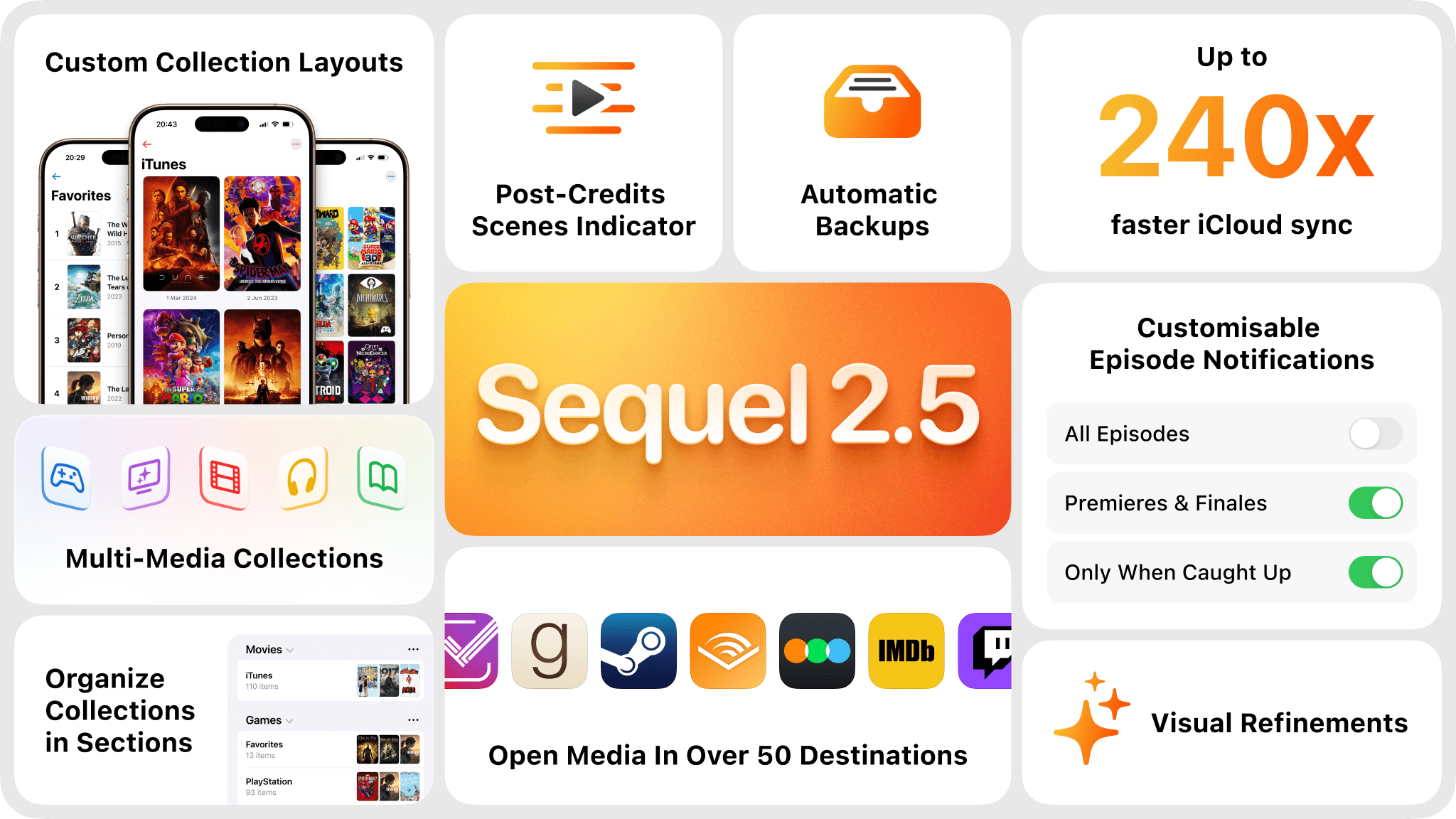
Sequel 2.5 for iOS

My favorite app for tracking movies, books, and shows that I am watching or want to watch has just released version 2.5, which I’ve been beta testing for a while now and thoroughly enjoying. Beyond all the tracking features I enjoy and the great design, it’s added features to let you open media in over 50 destinations, ranging from Goodreads and Audible to Letterboxd and IMDb, for when you want to dig in and learn more or share about something you’ve enjoyed. I also particularly appreciate the integration that lets you know if a movie has post-credit scenes you should stick around for (this helped me out when I finally got to see Sinners recently). Love seeing great indie apps like this continue to grow and flourish.

Diarly for iOS/iPadOS/macOS

I've happily used Day One for my digital journaling for years, but I've been feeling the itch lately to try something different. Diarly offers many of the same great features like multimedia journaling (include voice recordings, drawings, and photos), encrypted back-ups, custom and pre-made journaling templates, and so on. Where Diarly stands out for me is that it lets you sync your journal between your Mac/iPad/iPhone using an encrypted vault in your iCloud files, rather than requiring you to use their own proprietary sync servers. Beyond that, I appreciate that it gives you a little more customization over the look and feel of your journals. They're also being forward-leaning about letting you have the option of incorporating AI in your journaling for running queries, getting writing help, etc. It's only been a few weeks but I'm enjoying it.

PixelDrop for iOS

This handy little free utility lets you easily redact sensitive or private information in your photographs by applying a permanent pixelation effect or black bar to the image. This is handy for things like removing folks faces from photos, or removing private information from screenshots. While there are plenty of other apps out there that will do this, I really like the clean, simple user interface and the smart features like auto detection of faces and text so you can quickly redact and share your photo.

Alma Nutrition Tracking for iOS

I am a sucker for a good nutrient and macro tracking app. The big problem that I usually run into is the old garbage-in, garbage-out issue—meaning if I get too lazy or if it’s too difficult to log the info, I wind up not getting much useful info back, and as a result, I give up on the venture after a day or two. I’m excited to try out Alma because it seems committed to making the logging and entry process as effortless as possible. It does this by leveraging AI to let you either dictate with your voice a description of what you ate or snap a picture, which the AI then analyzes to give its best guess at the nutrients, calories, etc. It also has a built-in AI-powered nutrition coach where you can ask questions to help you make more informed decisions before eating things. Cool!

Not Boring Camera for iOS

The folks from the Not Boring Company have a knack for taking app categories that are pretty oversaturated and finding a way to bring something new and exciting to the space. After making really unique takes on Weather, Timer, and To-Do apps, they are back with their take on a camera app. As usual, they’re bringing really fun and thoughtful design while still providing much-appreciated, good-looking filters for a more authentic look than standard iPhone camera processing allows. My only complaint is that you only get a small handful of test shots before they push you right into a $15/year subscription. I like it, but I’m not sure I’m ready to give up the Leica LUX app for it.

Linear Mouse for MacOS

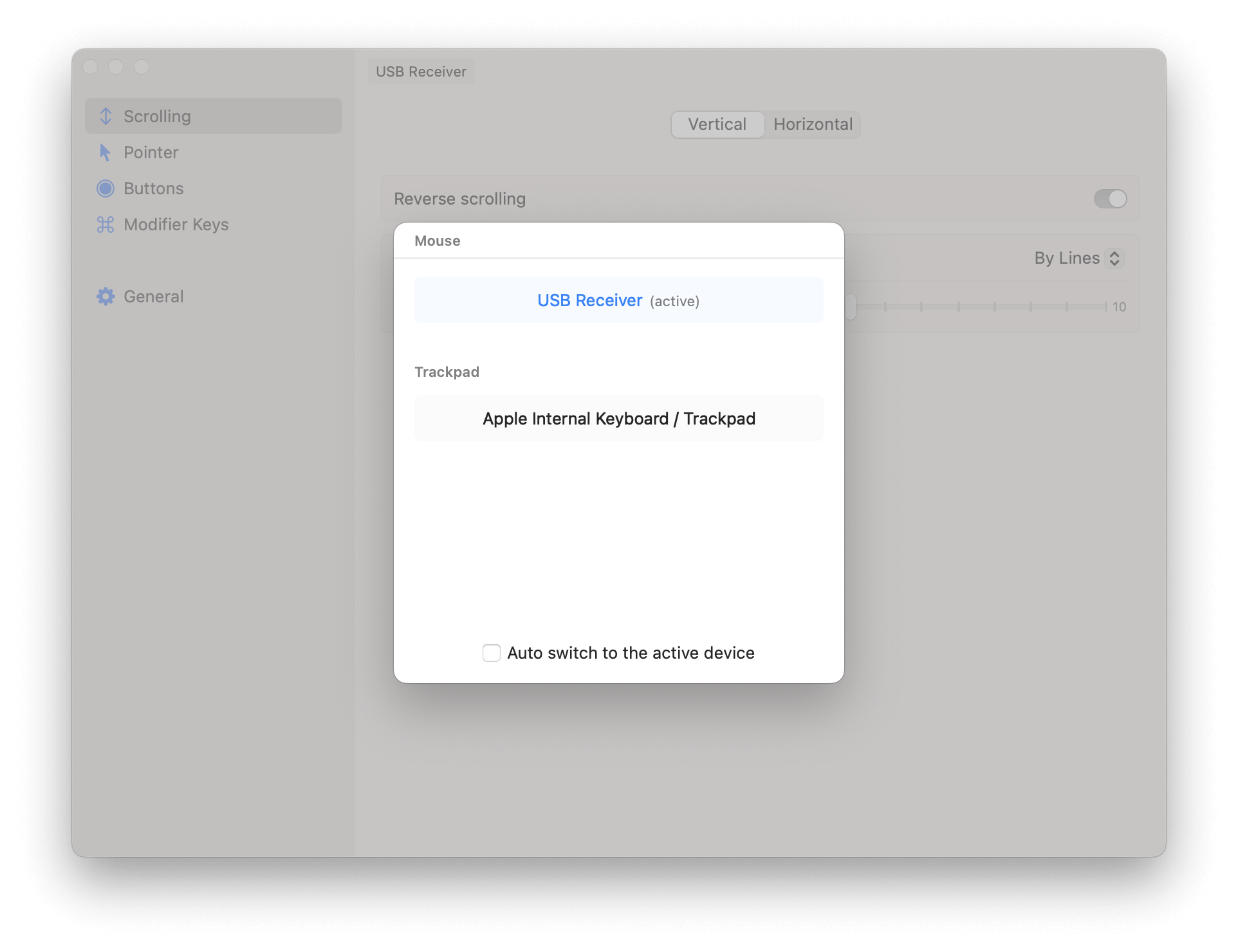
Thanks to Jared Newman over at the excellent Adviserator newsletter for flagging this great, free MacOS app. Linear Mouse lets you customize how your different pointing devices (trackpad, mouse, etc) work. You can set up device-specific scrolling speeds, click rate preferences, and even custom actions for when you click certain buttons within specific apps. I, for one, am using it to customize my Logi MX Master 3S* without having to use the bloated Logi app.

🗺

I've been beta testing this app for a good while and was excited to see that it finally launched last week. In short, it solves the problem of saving Instagram Reels, YouTube Shorts, and TikTok videos that have practical information in them but that you never get around to extracting. For example, my algorithms know I like food so I get a lot of Reels about new restaurants and recipes I want to check out, but it's kind of a pain in the butt to actually write down the recipe or the address of the new restaurant in the moment. With Sortd, you just share these videos to the app, and it "sorts" all your saved videos into different categories (e.g. Restaurants, Recipes, Products, Books, et al), uses AI to extract the practical information and then gives you links to go find the restaurant in the Maps app, go buy the book online, or simply read the recipe without having to squint at the small caption text. It's got a great, friendly design, and is made by a hard working indie dev. Go check it out.

Chance.AI

Chance AI helps you look at things more deeply. Unlike standard AI visual tools that simply report what they see, this app uses a reasoning model to "think out loud" about the scene, providing insights about design, cultural or historical significance, and more. I'm enjoying it as a tool to explore moments more deeply, giving me more to consider as I watch scenes unfold.

Granola.AI

There are a bunch of AI note-taking apps/services out there. This is the one I've been using lately and really liking. It runs in the background on your Mac and records both sides of virtual meetings, but cleverly also presents a notepad on screen that you can take notes in during the call. Once the call is over, it combines the transcript of the call with your notes to give you a nicely organized meeting summary. You can use their default templates, or create your own prompts for how you'd like the AI summary to be formatted, what it should focus on, etc. I like that it doesn't require having a weird bot dial in to your call, it just runs locally on your Mac. Handily, Granola also just released an iPhone app this week. It can't record calls yet, but it can be used for recording and generating notes for in-person meetings.

Particle News

So I almost hesitate to share about Particle News because it feels like the last few times I mentioned a good news app it got acquired and shut down within a month or two. That said, I've been really enjoying Particle. It lets you tailor your news feed to the topics you're most interested in, and then for every news story it starts with a condensed easy-to-read summary of what it is and why it's newsworthy, and then offers more details, along with a list of links to multiple news sources to go read more details directly from them. It's super customizable, all the way down to your being able to choose whether you want the intro summary for articles to be simple bullet points or an "explain it to me like I'm five" description, or some other style.

Clocks App

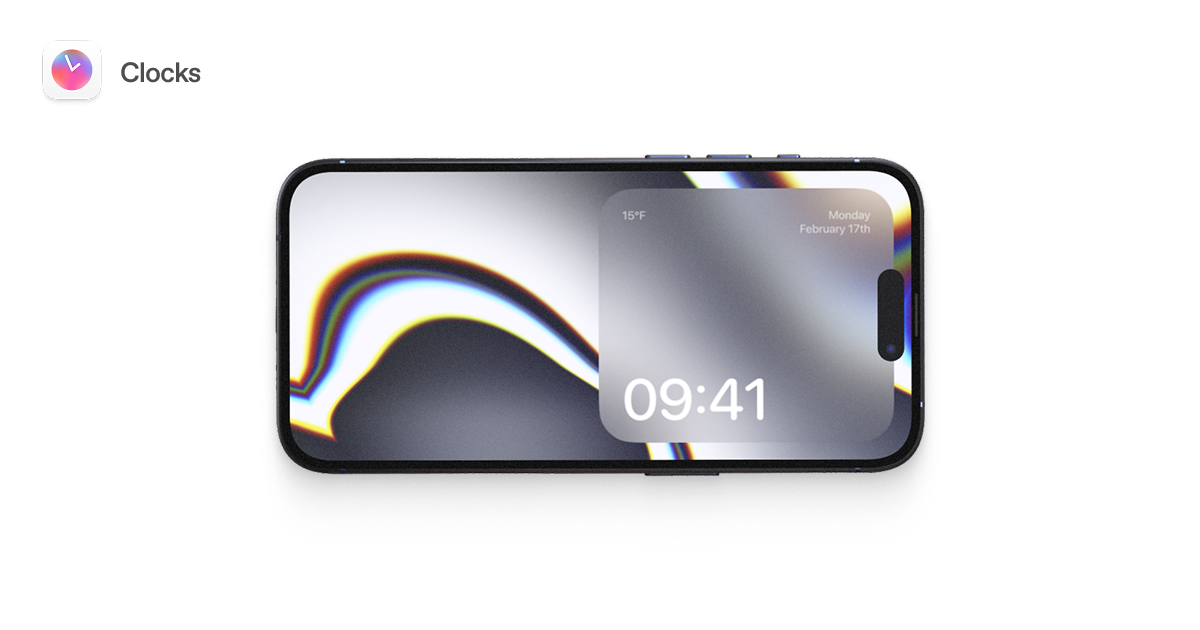
This is a really cool little iOS, iPadOS and macOS app that essentially offers alternative screensavers to replace the default Standby Mode baked into the iPhone. It offers 28 different animations that you can customize with overlays of the time, date, and weather. Thanks to clever use of Shortcuts, the app will teach you how to set up your iPhone to automatically open the app and display the screensaver of your choice when you plug in your device to charge. If you like it on your phone, you can also use these screensavers on your iPad and Mac at no extra cost.

Friendzone Friend CRM for iOS

This new app offers something that I've long wanted- a simple, organized way to keep notes and reminders about the people you meet. In my professional career outside of my secret underground Hiro Report laboratory, I use a Customer Relationship Management (CRM) tool to keep track of my conversations with prospective customers and current/past clients. I've often thought it would be great to have something similar for one's personal life— An easy way to remember things about the people you meet, notes on those casual acquaintances you keep running into at mutual friends' parties so that you don't have to keep asking them where they're from and what they do every time you run into them, the names and backstories of the kind wait staff at restaurants you frequent, etc. Personally, I don't see myself using it for keeping track of my close relationships… but, at the risk of sounding like a total sociopath, I can see it being helpful for being able to build deeper relationships over time with folks that you are not in regular touch with.

Raycast for iOS

Longtime readers will recall that Raycast* is one of my most used and beloved Mac apps. After months of teasing, they finally released their iPhone app this week. On its face, the iOS app is pretty simple— Due to the limitations of iOS, the Raycast team was unable to bring over the full suite of capabilities from the Mac. What they did bring over was their clean, minimalist, Markdown-powered, synced notes capability, quick access to all of the major LLMs via both their voice and chat AI interfaces, and access to your synced text snippets and quick links from your Mac. It's clear this is a first step towards something larger, however, and Raycast has already acknowledged they are working on developing an iOS keyboard so you can access more of this functionality in-line while writing on the iPhone and iPad. That said, Parker Ortolani has already written about the possibilities for using quick links and shortcuts to use Raycast for iOS as a modern day replacement for the vaunted Launch Center Pro. I'm excited to delve in and experiment more.

☀️

On the recommendation of friend of the blog, Slow Brewed Studio, I've been trying out this new GPT-powered hyper-local weather app. I don't think it's going to replace Carrot Weather, my favorite slightly homicidal weather app, but I do appreciate its unique proposition of leveraging over 200 weather data points in combination with AI to help you plan the absolute best times in the day to do outdoor activities like running, going for a walk, taking photos and more. Simply choose what you want to do, Lume will crunch the weather data, and return a time window along with an explanation of why that's the optimal time.

Backdrop

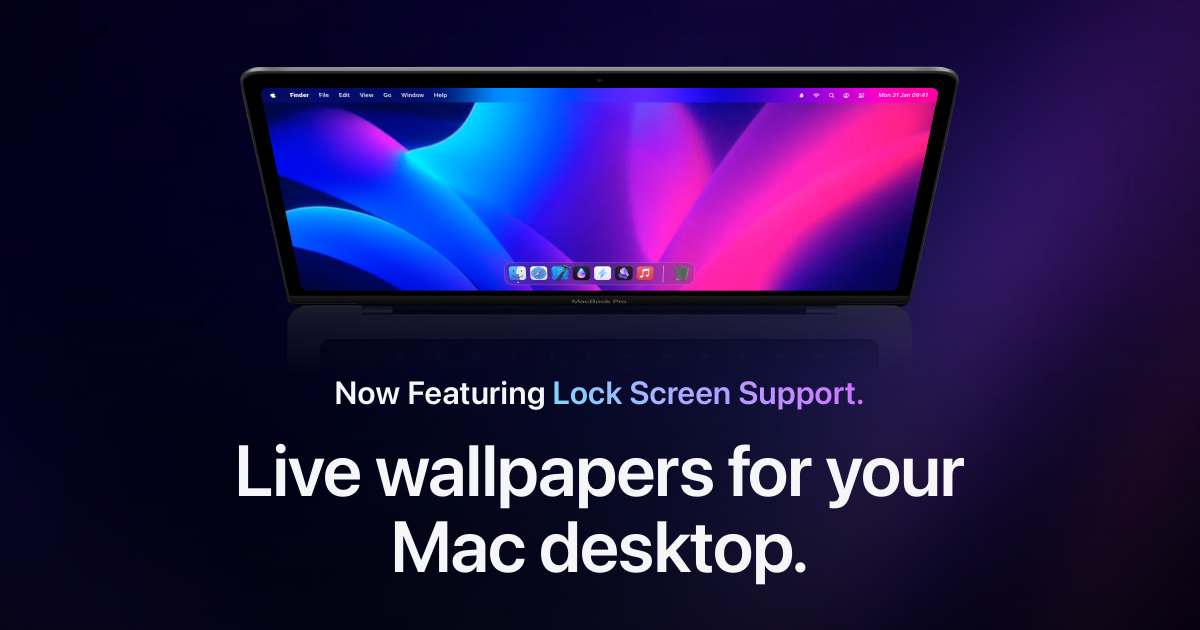
– I’ve been loving this animated wallpaper app for macOS. It offers a vast library of animated desktop wallpapers—from sci-fi to serene nature scenes—and there’s an active community adding new ones all the time. You can try a curated selection for free or opt for a reasonably priced annual subscription. At the very least, it motivated me to finally clean off my desktop so I could enjoy the view.

Leica LUX for iOS

When I first saw that Leica was launching its own iOS camera app, it felt a bit like they were making a cash grab with a gimmick, and then I went happily back to using Halide (my iOS camera app of choice). That said, I decided to give the app a shot on a whim this week and have been really impressed by it. Beyond giving you manual shooting controls and the option to shoot in ProRAW, the app has an "Aperture Priority" mode where you can choose from several classic Leica lenses, pick the aperture you want to shoot at, and it outputs photos with simulated bokeh / lens blur effects characteristic of each of the lenses. The effect is much better than I expected, even capturing the swirly bokeh effect of some vintage Leica lenses. The app is pricey at $70(!)/year, but they have a free trial that lets you shoot up to 38 photos at no cost if you just want to give it a spin.

Text Lens for MacOS

The always excellent indie developer, Sindre Sorhus, released a new app thisweek designed to let you copy otherwise unselectable text from webpages, photos, and more. The little applet sits in your menu bar and when invoked lets you click and drag a box over any text on your screen, which then gets OCR'd and added to your clipboard for easy pasting wherever you'd like. A no brainer pick-up for me.

Paletro for MacOS

Paletro lets you quickly search and execute commands from the menu bar of any app. I have found myself using it most in Lightroom when I cannot remember how to toggle a certain setting on or off. I just hit the global hotkey for Paletro, which opens a small search window where I type out the function I want to toggle and hit return— it immediately executes without me having to click and search through every item in the menu bar to find it. I really like the app, but to be fair, if you're an avid Raycast user like I am, you could just use the built-in "Search Menu Items" function.

Surf by Flipboard

This is not at all sponsored, but the folks from Flipboard have been hard at work making their next big thing, and very kindly reached out to offer expedited access to the beta to subscribers of the Hiro Report— Just use Referral Code "SURFHIRO" at the link above. Surf is a sort of universal feed builder, letting you aggregate RSS feeds, YouTube Channels, Bluesky, Mastodon, and Threads accounts into custom feeds dedicated to your interests. You can also subscribe to curated feeds made by others, like my Indie Tech Writers feed. They're doing some awesome machine learning to let you get super granular about the feeds you build— For example, you can make a feed of writers you like but only include content from those writers when they specifically write about their desk set-ups, but not when they write about pencils. Impressively, distinct from apps like Tapestry, you can interact with content too— liking, retweeting, and replying to Bluesky, Mastodon, and federated Threads messages as you scroll them all integrated in one feed.

Remind Me Faster for iOS/MacOS

While the Apple Reminder's app has made big leaps bringing it closer to being able to act as a full GTD system, one sticking point that lingers for me is reminder entry— it's just too fidgety. Enter Remind Me Faster, which leverages natural language processing to let you very quickly create reminders and add them to any list with any qualifiers right from your keyboard. It's also got a really polished design that I appreciate.

Lifeweeks.app

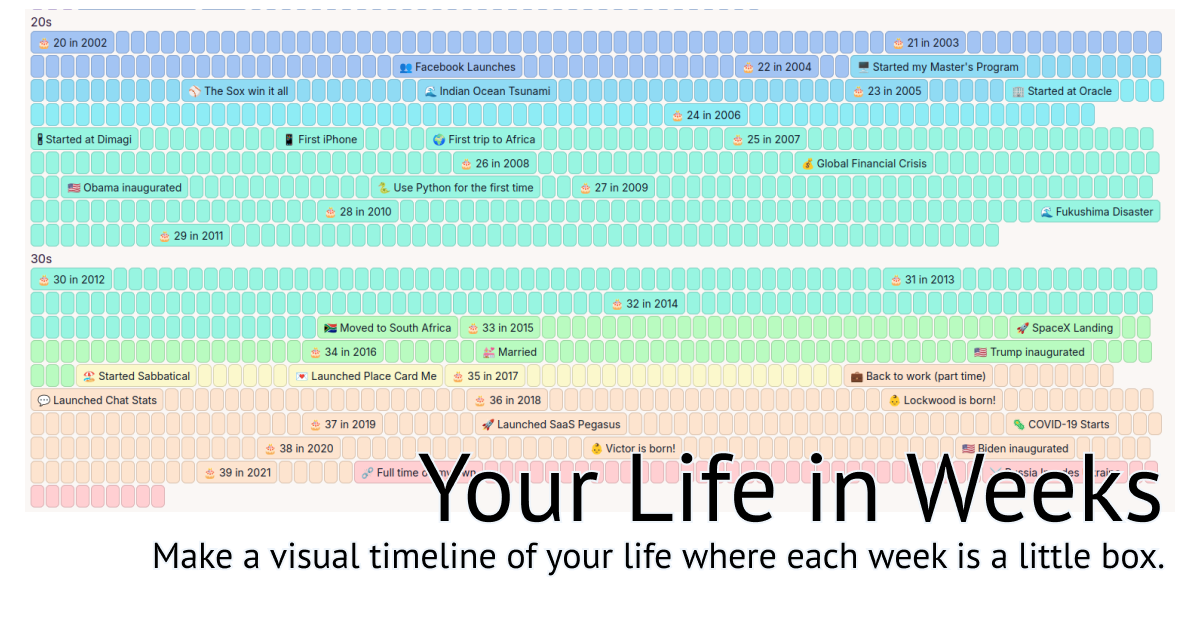
I saw a few folks link to this tool this week, a very clever web app for visualizing one's entire life as divided up into weeks. There are neat customizations you can do to depict where you were during periods of your life, mark important dates, and so on. Whether for sharing publicly or just keeping your own life log, I love this concept.

Stardate Voice Notes for WatchOS and iOS

Shout out to DocPop for the introduction to this excellent Apple Watch and iPhone voice notes app that launched last week. The aptly named Stardate lets you record voice notes of unlimited length and then transcribes them entirely on device with a downloaded large language model (LLM) fine-tuned for audio transcription. I've been using it for journaling, capturing ideas, making lists, and more. I cannot emphasize enough just how much better the transcription is in Stardate compared to Siri's transcription. In my early testing, the quality of transcription is on par with the also excellent Voicenotes app, however I really like that Stardate does not send your recordings off to a third-party AI service and everything is stored in your own iCloud Drive account. In fact, nothing leaves your device unless you choose to share the recording or the transcription with some other app or service. Lastly, the launch video for it has a puppet in it, and I love it all the more for it.

Things In

Thanks to Matthew over at Wimp for turning me on to this great site for quickly exploring the top-rated activities, restaurants, and places to stay in any given town. It doesn't have coverage EVERYWHERE yet, but it does have a good number of major cities for many countries around the world.

Tinker Clock Widgets for iOS

This beautiful little app lets you design/build your own clock widget to keep on your iPhone homescreen. It comes with components you can choose from to build your own design, or you can upload your own images to turn into clock elements. It's such a clever, good-looking little app.

MyMind for Web/iOS

I’ve been trying out MyMind this week, which aims to serve as your external memory— letting you save websites, photos, videos, quotations and more in one central place. There are lots of similar offerings out there, but this one is unique in that it leverages AI to automatically generate tags and categories for you so everything is organized in neat, easily searchable ways. On top of all the AI magic is a really delightful, pretty UI. Too soon to say if it’s going to stick for me or not, but I’m really enjoying it and like the concept.

Foto for iOS/Android

I’ve been enjoying beta testing Foto for the last few months, and am glad to see it finally went live to the public this week. It’s yet another Instagram competitor focused on giving people a beautiful, ad-free place to share their photography—no video/reels, no ads, no algorithm. It’s very similar to Glass, but unlike Glass, Foto is free (with optional paid Pro tiers). I’m @hiro over there—say hi if you decide to check it out!

5 Calls App for iOS

Not to get too political, but we’re living in an intensely political moment in the U.S. I have friends across the mainstream liberal-to-conservative spectrum who are deeply concerned about at least some of the things happening. It’s easy to get caught up in either doomscrolling oneself into oblivion or completely avoiding the news altogether for mental health. I get it. But when/if you’re ready to take action, the 5 Calls app is a great resource. It gives you five phone calls to make each day to your elected representatives based on the issues you care about, complete with starter scripts and one-tap dialing.

Daily Wallpaper for iOS

I am a sucker for simple utility apps like this. Indie dev Leo Mehlig released Daily Wallpaper this week, letting you automate adding a fresh new iPhone wallpaper to your screen every day from sources like NASA’s APOD (Astronomy Photo of the Day) and Bing’s Nature Photo of the Day. I have mine set to pull down a NASA spaceflight photo every morning.

Kagi Privacy Pass

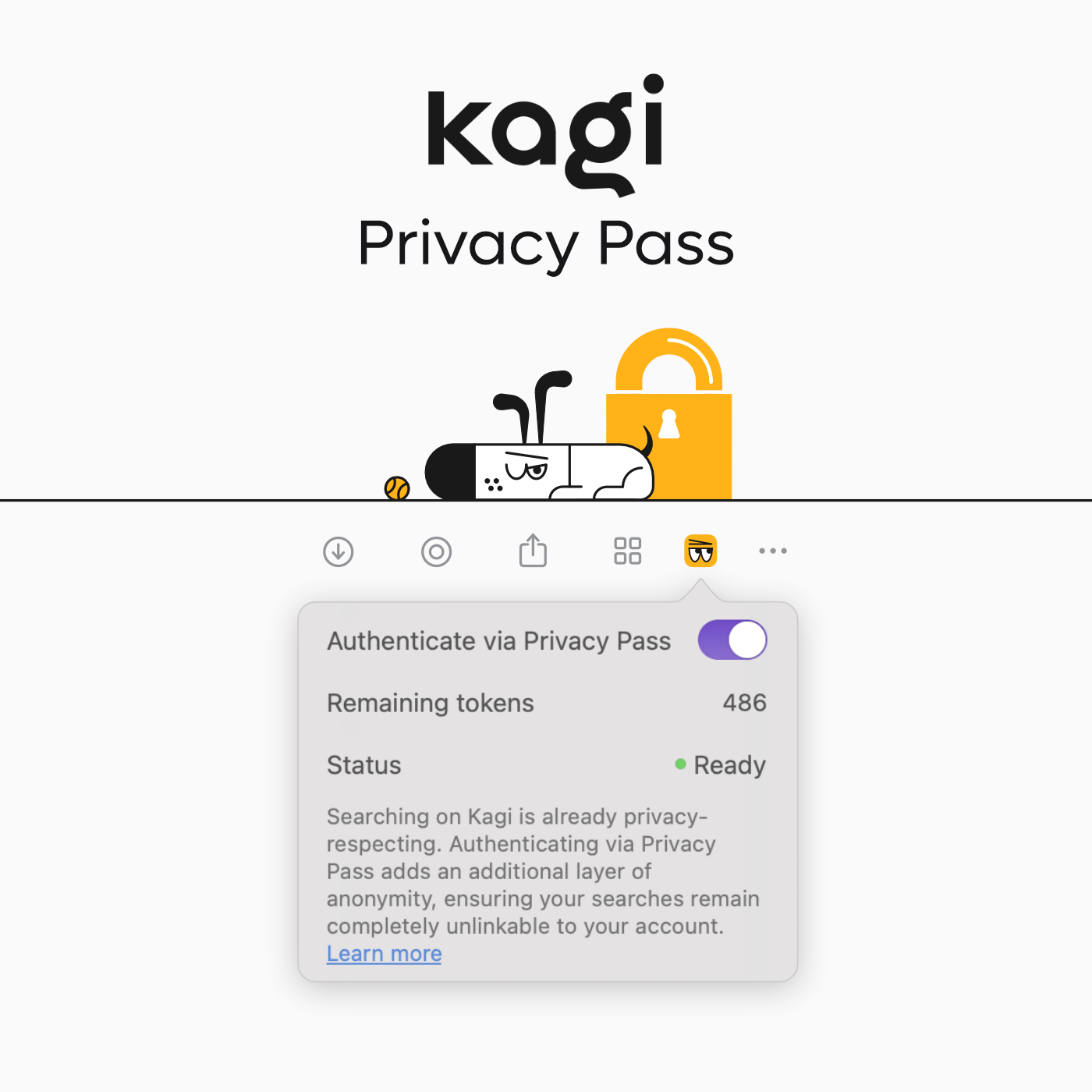
I’ve written before about Kagi, my favorite search engine. I love that for a modest subscription, you get zero ads, superior search results, and strong privacy protections. This week, Kagi doubled down on privacy with Privacy Pass, allowing you to log in and perform searches using anonymized tokens. This means that even Kagi itself can’t see who you are or what you’re searching for, despite your paid membership. Clever stuff.

Pikadittions

It’s been a few months since I’ve checked in on the state of AI-generated images and video, and I was totally blown away when I discovered Pika’s Pikadditions tech. The concept is simple: upload a video, add a picture of something you want to insert, describe what you want it to do, and within about two minutes, Pika delivers a spectacularly impressive rendering of your request. You can try it out for free or subscribe for a few bucks a month if you want to go all in. Here is a koala space pirate at my dining room table, and his little friend jumping on my meditation pillow.

Pieoneer for macOS

This fun new app launcher/switcher brings a unique circular interface to macOS. At the press of a button, it pulls up a wheel of your favorite apps and folders, letting you quickly launch them with a click and then get back to work. What sets it apart is the beautiful UI/UX and sound design from Martin Lexow, who makes a number of stunning utilities like this. I also use his Keystroke Pro anytime I’m doing a screencast.

Tapestry for iOS

I’ve been beta testing this new unified timeline/reader app from the indie app legends at The Iconfactory, and am excited that it's finally live for everyone. It’s a great-looking, highly customizable universal feed reader that lets you curate a fine-tuned feed of RSS subscriptions, social media accounts, Reddit subreddits, and more—all centralized in one easy-to-scroll interface. This saves you from hopping around between apps to get all the content you love. I particularly appreciate the ability to mute keywords and terms you don’t want to see (e.g., if you’re exhausted from the news cycle, it’s easy to filter out certain controversial personalities). All of this is wrapped in a lovely, very Apple-native UI.

Reflect for iOS and macOS

I’ve been experimenting with various personal knowledge management (PKM) and note-taking solutions for a while. I’ve used Obsidian pretty heavily for two years, dabbled with Craft off and on, and use Bear daily for long-form writing. They’re all great! However, I’ve finally found something close to exactly what I need in Reflect. Standout features include end-to-end encryption (so even Reflect staff can’t access your notes), Kindle integration to download book highlights as searchable notes, a daily note-focused setup, excellent AI-powered voice transcription, and AI-powered search for connections and insights. I’ll still use Bear for writing projects, but everything else is going in Reflect… this week.

Fontanello

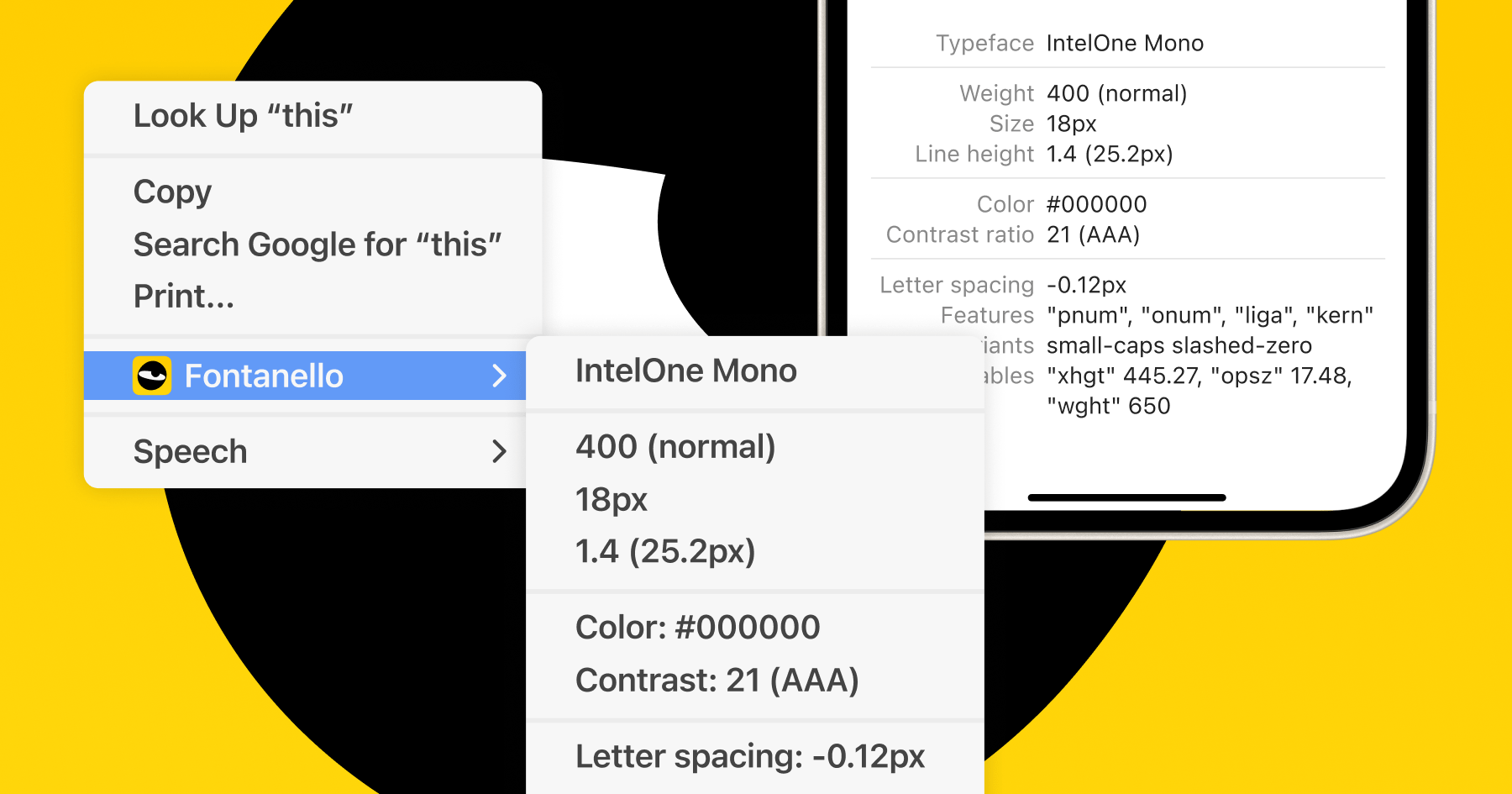
Fontanello is a simple browser extension for Chrome, Firefox, and iOS that identifies fonts on webpages you visit. Highlight some text and it’ll show you the typeface, spacing, size, weight, and more. I’m going to be geeking out with this a lot—though I wish they had a Safari extension for Mac.

Replacicon

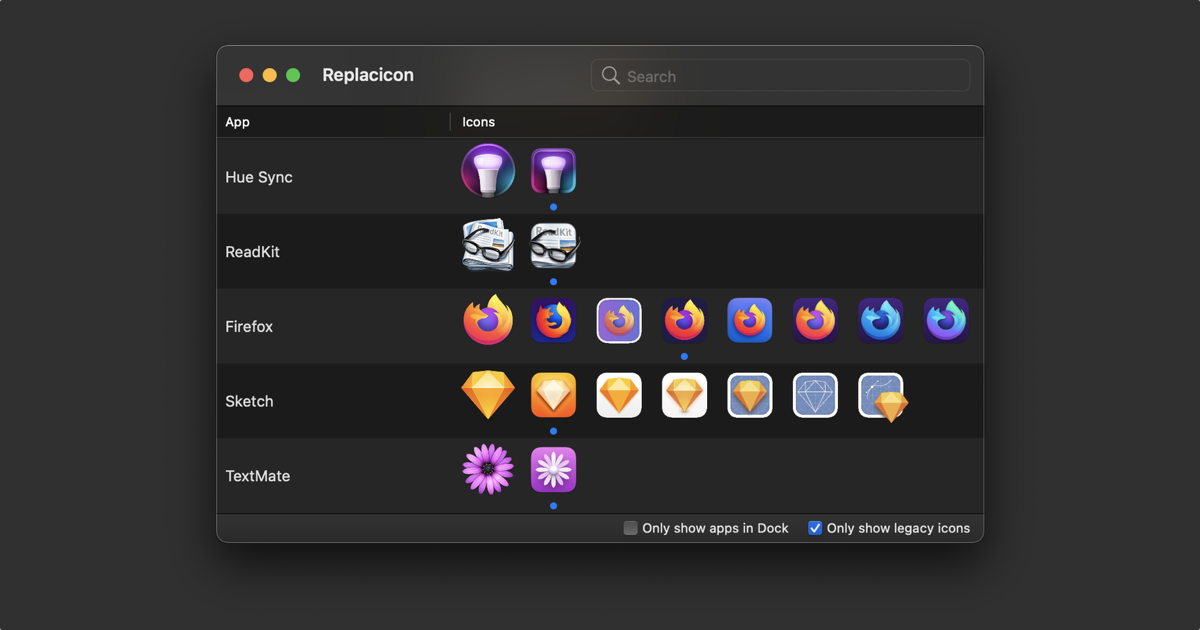
Replacicon lets you swap out the icons on your Mac apps to better fit the theme or aesthetic you’re going for, similar to what’s become popular on iOS. A standout feature is its ability to automatically search the web for alternative icons for your system and third-party apps, letting you pick your favorite. You can even turn any PNG image into an app icon. Fun!

Orbit for iOS

Orbit just launched this week as a beautiful subscription tracker. It lets you quickly input all your recurring subscriptions (think Netflix, DoorDash Plus, etc.), how much you pay for each, and the frequency with which you’re billed (weekly, monthly, annually, etc.). Then, it shows you how much you’re spending each year on subscriptions or the average cost per month. Beyond the beautiful design and easy UX, I also appreciate that it lets you track free trials and reminds you when they’re about to convert to paid. In honoring the spirit of the app, it’s also nice that it’s a one-time purchase after a free trial, rather than being one more subscription to track.

Supercopy

This is a small one but one of those things that can save you a ton of time in the aggregate. As you might guess, I copy and paste a lot of links throughout my day, especially when working on the Report. Having recently switched back to Safari, I’m really appreciating Finn Voorhees’ Supercopy Safari extension. It lets you quickly copy the URL of whatever site you’re looking at with ⌘+⇧+C, rather than having to click or ⌘+L into the menu bar first and then copy it.

Day One

I’ve been using this fantastic journaling app off and on for over a decade and recently started putting more time into it again. It features a beautiful Apple-native design, end-to-end encryption, and lets you document your life with text, photos, videos, voice notes, and other file attachments. It also integrates nicely with Apple’s new journaling prompt APIs and lets you easily import and export all of your entries in convenient formats, including JSON. If you’re thinking about taking up journaling in the new year, I definitely recommend giving it a go.

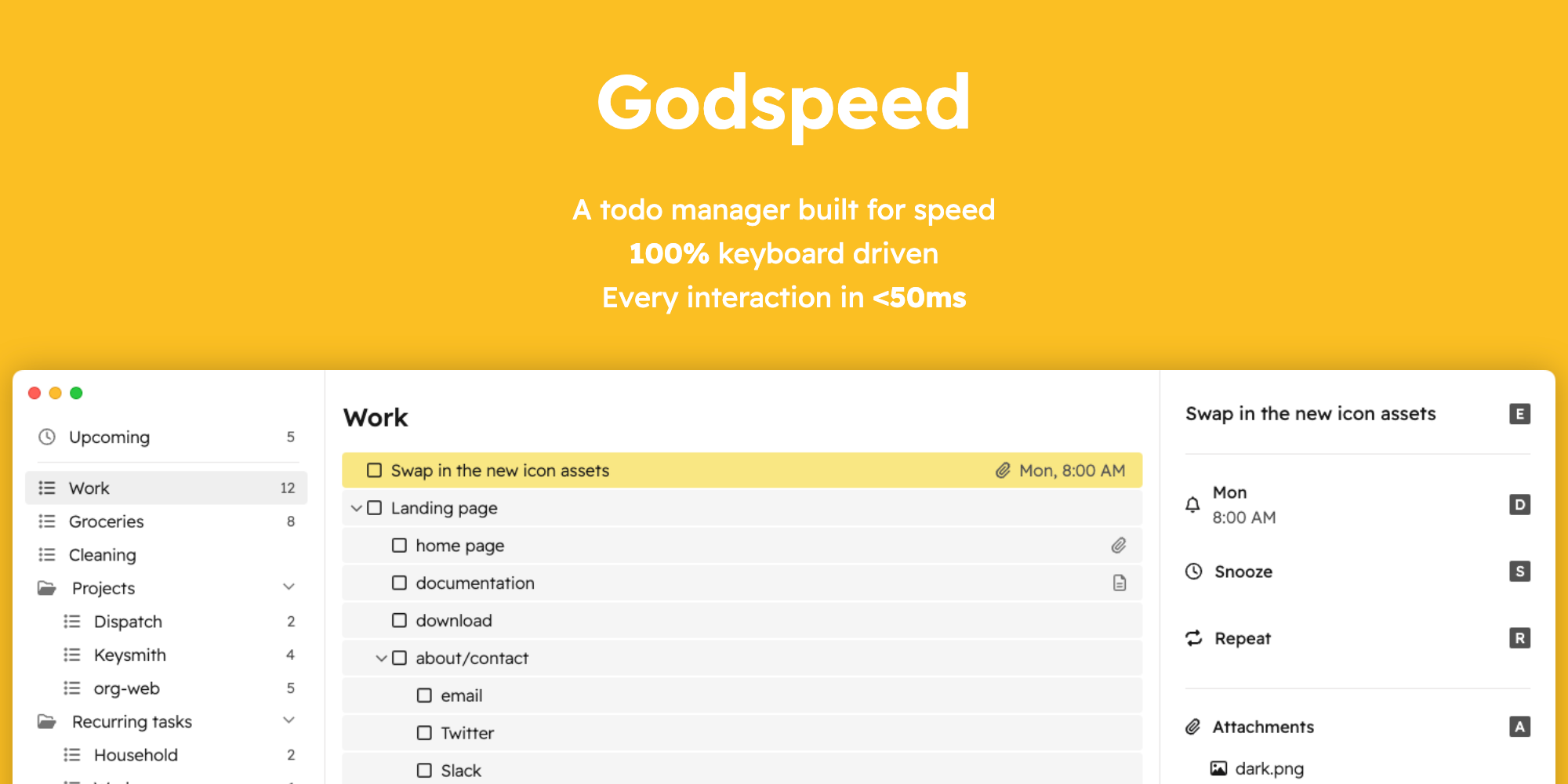
Godspeed

Just when I think I’ve tried every to-do list app imaginable, I find some great, attractive new one to consider. This week, thanks to Erlend, I’m using Godspeed. It’s got a pleasant, minimalist design on top of a feature-rich system. The app’s self-proclaimed focus is on speed of entry, making everything just a keystroke away and hyper-responsive. Personally, I appreciate it having both speedy sync and full offline support, collaborative lists, labels, and Markdown support.

Bear App

Bear is, simply put, my favorite writing and note-taking app. There are a ton of great options out there, but it’s the one that best fits how I like to capture information. In fact, I write the first draft of all my weekly Hiro Reports right here in the app. It’s got a really clean, minimal design that quickly and effortlessly syncs your writing between their Mac, iOS, and iPad apps. It lets you write in both Markdown and Rich Text and export to whatever format you like. It also supports back-linking to other notes within the app. While it’s not as powerful (or complex) as something like Obsidian or Notion, it is aces for my own informal zettelkasten / PKM efforts to track books I’m reading, my favorite things I’ve ordered at various restaurants, movies I want to watch, and so on.

ChatGPT

A little controversial, I know, but I’ve used ChatGPT a ton this year for everything from quickly retrieving information to practicing my Spanish and Arabic, proofreading my writing, and helping me get some starting points for research. Obviously, I have to double-check its math quite a bit, and I’m mindful about what I’m willing to share with it, but it’s been a very helpful tool for me.

Croissant

With Twitter’s accelerated descent into an echo chamber for crypto bros, fascist bros, and crypto-fascist bros, there’s been a fun (albeit slightly chaotic) splintering of the online short-form social space into three front runners. I honestly like Mastodon, Threads, and Bluesky all for different reasons and visit and post to them all regularly. Croissant has been a huge help in keeping my toes in all three ponds.

Fastmail

I transitioned from Proton to Fastmail this year and have been thrilled with the switch. I find it to be way more user-friendly and the email search functionality to be much more accurate (an essential for me). It still also includes lots of great privacy features that I’d previously appreciated with Proton, like support for aliases and anonymous temporary emails.

Kagi

Apart from the fact that it is very privacy-centric, does not run ads, nor sell our information to advertisers, Kagi’s search engine results are easily the most accurate and helpful of all the search engines I’ve experimented with over the last year, consistently beating Google, DuckDuckGo, Bing, and others. I happily pay the monthly subscription.

Raycast

Everybody has that first handful of apps they’d download right away on a new computer. Someday I might write out my full list, but I’ll skip straight to #1 with a bullet here—Raycast. It’s become so essential to many of my workflows for how I use my computer. In short, it’s a quick “everything bar” for your computer—sort of what Apple’s Spotlight is supposed to be but never quite delivers on. Raycast lets you search your computer, convert currency or units, do an AI query, queue up some music, and more, thanks to an extensive free shop of community-built plugins.

Flyleaf for iOS and iPadOS

I mentioned in last week’s report that I am revamping my RSS reader setup. Hand in hand with that, I’ve been playing with different read-it-later solutions. Thanks to Lou’s great write-up, this week I’m trying out Flyleaf, a beautiful new app for storing and reading articles. I like that its default reading mode is paginated, meaning it breaks articles into pages you can flip through like reading on your Kindle. Something about breaking out of the common scrolling mechanic is really soothing.

JoiPlanner for iOS

I’m always on the lookout for new calendar and organizer apps, and this beautiful new one has been a lot of fun to use. It takes a unique approach by asking you to choose your recurring priorities (e.g., meditating, going for a walk, taking a coffee break, etc.) and then shows those as to-do’s that you slot into your existing calendar each day. It’s got a beautiful, very iOS-native design that I’m really digging.

PassCollect for iOS

We recently joined a rock climbing gym in the area, and they gave us the world’s smallest barcode tags to scan whenever coming in for a climb. I knew right away I would for sure lose mine, let alone the kids’ tags, so I went in search of a solution. I landed on PassCollect which just launched in the last week or so and couldn’t be happier. Simply scan whatever library, gym, grocery store, membership, or rewards barcodes you have, and it stores them in a handy virtual wallet, ready to be scanned whenever needed.

Cleanshot X for MacOS

For someone who is not a professional designer, I still take a crazy amount of screenshots each day. Cleanshot X is a utility that makes it easy to capture your screen and then share it in a way that looks nice. It offers all kinds of handy features like adding custom backgrounds behind your screenshots, making easy screen recordings that highlight your clicks, markup tools to highlight what you want to call out, and more. It's one of those remarkably well designed apps that just makes little things easier and more delightful.

Craft 3 for iOS and MacOS

Craft is one of the best-looking apps in the increasingly crowded Personal Knowledge Management (PKM) space. This week, they released version 3, which introduces improved task management, the ability to organize collections within notes, and new styling options for offline and published notes. David Pierce’s excellent write-up dives deeper into what’s new and the company’s philosophy going forward. I’ll be spending a lot of time with it this week. Check out Andy's reading tracker as a cool example of Craft in use.

Leaflet.pub

Leaflet is a delightfully simple web publishing platform reminiscent of the early indie internet. Just visit the site and you’re immediately presented with a blank document. You can then type or upload whatever you like, and publish it with a shareable link, or keep it private but collaborate with others via a secret link. No login, no ads, no subscriptions—just clean, minimalist web pages perfect for party invites, newsletters, zines, and more. Thanks to Ben for introducing me to it via his excellent coffee recipe list!

Raycast Notes

Raycast, one of my all-time favorite Mac apps, recently added a fantastic notes feature. With a simple hotkey press (I use ⌥N), you can pull up a floating notes panel anywhere you are on your computer to capture thoughts, draft journal entries, or jot down reminders. It supports Markdown, is fully searchable, and lets you export notes in HTML, rich text, or plain text. (Interested in Raycast Pro? My invite link gets you 10% off.)

Sky Guide for iOS

With the sun setting earlier, we’re entering peak stargazing season. While there are plenty of excellent iOS apps for checking out astral bodies at night, my personal favorite is Sky Guide. It’s beautiful and packed with features: point your phone at the night sky to identify celestial objects, learn their mythological origins, or their scientific significance. I especially love its ability to identify passing satellites—though I’m consistently disappointed to discover they’re not UAPs as I secretly hope.

Alcove for MacOS

Alcove is a beautiful, simple utility that recreates the iPhone’s Dynamic Island on your MacBook Pro’s notch. It displays info like the current song, volume changes, screen brightness, and more. I’ve seen other apps try this, but Alcove’s attention to detail and animations make it a standout. Thanks to Tyler for the tip!

OneTap for iOS

Ever find yourself typing out the same text over and over, or constantly sending the same images or files? Whether it’s a standard customer support reply or directions to your house, OneTap is a game-changer. Unlike Text Replacements, which can handle quick phrases but not long blocks of text, OneTap is a “magic clipboard” that sits in your iPhone’s keyboard, letting you insert frequently used text, code snippets, URLs, photos, PDFs, and more into any text field. This app has saved me so much time over the last month.

Capture for iOS/Mac

Capture does one thing incredibly well. It lets you “capture” anything—a quick thought, a reminder, text, a webpage, a phone number, a photo—and save it to an inbox. You can later go through your inbox and send items to various apps—send a reminder to the Reminders app or Things, send a thought to a note or email, add a webpage to a Bear note, and so on. It’s a simple concept, but it’s great for freeing up mental space and ensuring you don’t forget anything.

GamePal for iOS

GamePal launched this week, offering a beautifully designed way to track your modern and retro game collections, log playtime, and journal your progress— No longer having to waste time trying to figure out what quest you left off on, or what you were planning to do next time you fire up your game. iCloud sync and iOS 18 widgets make it even more delightful. I’ve only just started using it, but it feels like this will be my new go-to for tracking my games.

FoodNoms for iOS

FoodNoms is my favorite macronutrient tracker. It’s clean, minimalist, and makes tracking everything from calories to protein, fiber, and caffeine a breeze. Whether you’re cutting pounds, packing on muscle, or just want a sense of your daily intake, this app has you covered. The developer, Ryan Ashcraft, just dropped a killer update that lets you import recipes or take a picture of your food for an AI-powered nutrient breakdown.

WidgetPaper for iOS

WidgetPaper is a clever new app that launched this week, designed to create transparent widgets on your home screen, letting you hide other stacked widgets when you don’t want them cluttering up your carefully curated screen. Here’s a demo from the app’s creator on Threads.

Long Ago Tracker for iOS

Long Ago is a neat utility for tracking how long it’s been since you’ve done, well, anything. You set up activities you want to track, document the last time you did them, and the app displays how much time has passed, both in the app and via lovely home screen widgets. It also offers reminders, goals, and metrics for each activity. I’m tracking when I last finished a book, how long it's been since I got some quality outdoor time, when I deep cleaned my espresso machine last, and when I last took my wife out on a date.

Yoink for MacOS

Yoink is one of those little apps I install immediately on any new computer because it just makes life easier. Whenever you click and drag files, Yoink opens a small drawer on the side of your screen where you can drop them temporarily. Then, you can navigate to a new destination and drag it out of the drawer. Such a small thing, but it’s way better than trying to hold onto the file while searching for where you want to put it.

Cachly for Geocaching

With cooler weather finally arriving, I’m feeling the call of the outdoors— Which, for my family, means lots of geocaching. For those unfamiliar, it’s like a global Easter egg hunt. People hide “caches” (small containers with logbooks or trinkets) in trees, under rocks, or in hidden urban spots like park benches or drainage pipes all over the world. You can find a catalog of caches and learn where to look for them (usually either via geocoordinates or solving a series of puzzles) by subscribing to Geocaching.com and using the official Geocaching app. It’s a blast. That said, if you’re a fellow Apple nerd and like nicer apps, check out Cachly which is a much nicer interface for the service, with handy features for helping you map, hunt for, and log caches.

OK Video

Does anyone else remember the Flip video cameras from the mid-2000s? I loved how simple and fun they made capturing videos and montages on the go. OK Video for iOS brings back that feeling. It’s a simple, well-designed app with a full-screen camera view. Tap anywhere to start recording, lift your finger to stop. Slide your finger up or down while recording to zoom in or out. The magic? It saves all your clips into a project you can export as one full-length video. Perfect for travel vlogs, stop-motion, or capturing moments from your day. I’ve been using it for daily video journal entries, which I then export straight into my journaling app of choice.

Ooh.Directory

Burnt out on bite-sized algorithmic content? Looking for something a little deeper? Ooh.Directory is a great web project that curates high-quality indie blogs across various categories. It provides insightful details like the author’s country, how often they post, when they last posted, and how long the blog has been online. I’ve been filling up my RSS reader with lots of excellent long-form writing thanks to this site.

Flighty: Live Flight Tracker

This is my go-to app for tracking flights. It keeps me updated on departure gates, delays, and all the nitty-gritty of air travel, and now, with the iOS 18 update, it also supports Live Activity tracking on the Apple Watch. You can see exactly how much time is left until boarding or wheels-up and track your flight progress from the Watch. Super handy for frequent flyers.

Focused Work: Pomodoro Timer

Focused Work is a Pomodoro timer that helps you structure your work in sprints– There are lots of apps in this category, but this on is just nice. The design is clean and minimalist, making it easy to stay focused and productive. The iOS 18 update lets you quickly start or pause timers from the Control Center, and you can view your current session and timer as a Live Activity on your Apple Watch. Bonus Point: The developer gave me a very helpful tip to make my website better– Thanks Mike!

Plinky: Easily Save Links

Plinky is a great, design-forward app that makes it dead simple to keep track of links/bookmarks/articles you want to be able to find again down the road. It’s the best looking of all the bookmarking apps I’ve used, and with the new update they now have some fantastic looking widgets to be able to quickly jump to your most recent or favorite bookmarks. They've also added integration with Apple’s spotlight search so you don’t even have to open the app to find that article you started reading 3 months ago but never finished.

Zenitizer: Meditation Timer

Zenitizer is easily my favorite meditation timer and meditation habit tracker... and I’ve tried dozens. Manuel added handy interactive widgets, Control Center and Lock Screen controls, and lovely new Dark Tinted app icons with this update.

Reeder App for iOS

Silvio released his total rethink of his already stellar RSS app, Reeder, this last week. I've been beta testing this new version for months as it's been developed and have really enjoyed this fresh approach. In short, Reeder lets you create a scrollable feed of all your favorite RSS feeds, plus basically any other feed you want— YouTube creators, Reddit subreddits, podcasts you follow, social media accounts you want to follow, and so on. It remembers where you are on your timeline, and then you can just scroll through updates as you like. If you're burnt out on algorithmic content, and just want to see the stuff you like, I highly recommend checking it out.

Goodlinks

I'm something of a digital hoarder. I encounter way more articles, videos, and links than I can ever absorb. Do I use these as opportunities to practice mindfully letting go? Absolutely-freaking-not. I stuff every one into a database on the OFF CHANCE that 8 months from now, I'm stuck in a waiting room and finally ready to read the hot gossip from the February 2024 Apple Shareholders meeting (or whatever). I've cycled through Pinboard, Pocket, Instapaper, Readwise, Anybox, Plinky, and many others. Right now, I'm using Goodlinks, and it's very good. Simple, delightful iOS and Mac app versions, great share sheet extensions, and a nice reader view, with a one-time purchase make this a winner for my preferred way to stash digital ephemera this week.

Supercluster's Astronaut Database

I stumbled across this slick database by Supercluster that catalogs every astronaut ever, detailing their time in space, spacewalks, and more. It includes not just humans, but also dogs, monkeys, and even larvae(!) astronauts, along with their mission details. Super fun tool!

PastMaps

PastMaps is a cool site that overlays historical maps over modern ones with very high accuracy. This lets you see what used to be in places you visit, discover old settlements for metal detecting outings, find old, unmarked paths to explore, or uncover entrances to long-forgotten mines. Sadly, it’s US-only for now, but I’d love to explore other countries’ historic maps when they eventually get added. This has my treasure hunting heart aflutter.

VoiceNotes

VoiceNotes is a unique app designed to help you ditch the cognitive load of trying to remember everything. It lets you quickly capture a voice recording and uses powerful transcription tools to perfectly transcribe your notes. (If you have an iPhone 15 Pro, you can have the Action Button launch straight to the voice recording feature.) The app builds a personalized AI model based on your notes, letting you ask questions like, “Make a list of all the books I’ve mentioned in my notes” or “Pull together all the things I’ve said about XYZ topic and use that to build an outline for a speech on the subject.” This would be killer for supplementing class notes, or capturing highlights from talks at a conference. Thanks Maique for the tip.

iStat Menus for Mac

I’ve been using iStat Menus on my Macs for years, and they just released version 7.0 this past week. The app runs in your menu bar and offers a customizable stack of readouts on all kinds of things—local weather, CPU/GPU usage, memory/storage, and more. The new version looks like another fantastic iteration. It’s super helpful for figuring out which app is causing your fan to spin up or quickly checking if you have enough space to download that movie for a flight. You can buy it directly from Bjango or get it as part of SetApp’s subscription catalog of Mac and iOS apps.

Quick Journal

QuickJournal is a minimalist iOS journaling app created by an indie developer looking to simplify and beautify the journaling process. It’s bare-bones and text-only but has everything you need to jot down thoughts, feelings, or important notes throughout the day. While Day One remains my favorite long-form journaling app, it’s great to see others exploring this space. This could be a cool solution for someone just looking to get some thoughts down in a clean, delightful interface.

📦

Parcel is my go-to app for tracking packages. It’s simple, lightweight, and features handy widgets and notifications for tracking mail through 300+ global carriers, including DHL, FedEx, UPS, USPS, and Royal Mail. Simply copy and paste your tracking number into the app or use the share sheet plug-in on your Mac or iOS device, and you’ll get notifications as your package makes its way to its destination.

Widgy

If you ever used custom skins for WinAmp back in the day, you’ll love this. Widgy lets you create custom widgets for your iOS home screen to track whatever information you want. There’s a massive community making free and premium widget designs. The app has a discovery section where you can explore widgets made by others, but I’ve personally been using and enjoying ones from Lokki, as well as some cool ones I found on the Widgy subreddit.

Done for MacOS

This is a unique take on productivity tracking. Instead of a to-do list, it’s a “done” list to track everything you’ve accomplished during the day. I’ve been doing this off and on in my note-keeping system, but I like having this little app running in the menu bar to celebrate my wins (however small) throughout the day.

Lazy Weather for iOS

I love weather apps, and this minimalist concept for iOS is fun. It tells you if it will be warmer, colder, or the same as the day before, and if it’s going to rain or snow. All of this is done with a clean, lean aesthetic, and it gives you more data if you want. It’s a nice change from the information overload of my usual weather app, Carrot (which I still love).

Simple Scan

From Greg Pierce, the creator of the excellent Drafts app, Simple Scan is my favorite iOS app for quickly scanning documents. It effortlessly auto-detects the edges of your document, cropping and stretching appropriately, lets you make black & white, grayscale, or color scans of multi-page documents, and quickly exports in whatever format you want to wherever you want it to go. Lovely.

Bear App

Bear is my favorite writing and note-taking app. There are many great options out there, but this one fits how I like to capture information. It has a clean, minimal design that effortlessly syncs your writing across its Mac, iOS, and iPad apps. It also handily supports back-linking to other notes within the app. While it’s not as powerful as Obsidian or Notion, it excels for my informal zettelkasten / PKM method for keeping notes on books, my favorite things to order at various restaurants, my friendly mechanic’s name and backstory, etc. Easy to write and easy to reference— In fact, I draft all my weekly Hiro Reports in Bear.

Music Match

I love music and sharing it with others. However, as an Apple Music subscriber, I often get sent Spotify songs and albums, which can be a pain to look up in my streaming platform of choice. Music Match solves this problem. Set your default music platform (Apple Music, Spotify, YouTube, Tidal, etc.), and it redirects any music links you receive to your preferred app via its Safari and share extensions. Likewise, when you want to send a friend some music, you can use the share extension to create a universal link that will let your friends decide what service they want to listen in. Simple. Magic.

Upscayl

Upscayl is a handy web utility for increasing the resolution of old photos. Think of the “enhance” button in old cop procedurals when zooming in on a suspect’s license plate. Have old digital photos from the 90s you’d like to view without wincing on your fancy iPhone Retina display? Give it a try. Thanks to Marco for flagging this.

Trip Tunes

This one is for Apple Music users—this nifty app uses machine learning to create custom playlists for your road trips. Enter your starting destination, where you’re driving to, what genres of music you want included, and a brief description of the vibe you’re going for, and it will create an Apple Music playlist just for you. It’s been spot on in my experiments so far.

Ente - Private cloud for your photos, videos, and more

I haven’t tried this yet, but I’m intrigued by the concept. I’ve been growing increasingly nervous about having ALL my photos in one basket (iCloud). I have a local network attached storage (NAS) device that I’ve backed up many of my pre-iPhone photos on, but most of the daily memory photos from the last decade+ are in one cloud service. I need a good backup solution. Ente offers end-to-end encryption on photos, mirroring Apple’s security model, which would give me peace of mind about storing my photos offsite while having a redundant backup.

Vanilla

This is admittedly a little niche, but there was some brouhaha earlier this month over one of my favorite Mac utilities, Bartender, changing ownership without proper communication to the user base about intentions, new owners, etc. Like many others, I went looking for alternatives and found that another indie Mac developer that I adore, Matthew Palmer — the maker of the excellent Rocket for Mac, has a menu bar manager substitute. Vanilla lets you rearrange and hide the menu bar icons at the top of your display, much like Bartender did. With about 20 different utilities running at any given time on my machine, Vanilla is a simple solution to replace Bartender’s functionality and clean up my menu bar so I only see the ones I need to use exactly when I need to use them.

Kino - Pro Video for iPhone

I’ve mentioned before my love of Halide] for complex iPhone photos. Now, the team behind Halide has released their take on a beautifully crafted, manual control video app, and it’s dreamy. I particularly like their integration of real-time color grading features (LUTs), which let you achieve the “look” you’re going for in-camera while shooting, while still preserving the raw LOG video details for later editing.

Up Ahead App

With Apple’s World Wide Developer Conference coming up next week (aka Nerd Christmas), I was reminded of how much I like and appreciate this little iOS app that lets you see how many days remain until dates/times of your choosing. I have it set up to show how many days until WWDC, key family birthdays, major holidays, etc. Is this essential information? No, but it’s fun to see, and the fun design of the app makes it enjoyable to check via widgets on my home screen or in the app itself.

AllTrails

This app is a suburban hiker’s dream, akin to Google Maps for local hikes and trails. It lets you quickly see all the trails around you, their lengths, difficulty levels, reviews from other hikers, and pictures of the sights along the trail. It’s pretty handy for discovering new outdoor adventures nearby.

Due

I use this app constantly. It’s a countdown timer app on steroids. Yes, iOS has a built-in one, but this is so much better. It lets you use natural language input to set a named reminder for a specific date/time, and then it will politely alert you at the appointed time. If you ignore it or dismiss the reminder without marking it “Done,” it will remind you every minute until you do the task or hit a time-specific snooze button (“Snooze for 1 hour,” “Snooze for 1 day,” etc.). It’s fantastic for things you absolutely cannot forget. I have automatic recurring weekly and monthly reminders to take the trash to the curb, do my timesheets, pay my credit card bills, and more. It just hounds me relentlessly until I do them—exactly what I need.

Omnivore

Omnivore is one of those quiet hero, open-source apps. It lets you effortlessly collect and save an online reading list. All those articles you encounter during the day but don’t have time to read? Simply use the Share extension to add them to Omnivore on your phone or computer. Later, you can pull them up and read them in a very readable format, free from all the usual modern internet cruft—ads, pop-ups, and auto-loading videos. It can even read articles to you, making it great for listening to long-form journalism or short stories while driving or sweating it out on the rowing machine.

Cleanshot X

For someone who is not a professional designer, I still take a crazy amount of screenshots each day. Whether it's capturing a quote from an article, a great piece of design I want to show someone, a screen recording to show a friendly how to do something on the computer, or capture a weird error message I need to share with the IT department, I just wind up having a lot of times I want to share something from my screen with others. Cleanshot X is a little utility that makes it both easier to capture your screen, and makes sure that you screenshots look nice. It supports all kinds of handy little features, like letting you add custom backgrounds behind your screenshots, easy markup to highlight or draw arrows pointing to what you want to call out, or even make little animated GIFs of your screen recording to make the file smaller. It's one of those remarkably well designed apps that just makes little things easier and more delightful.

The Way App

I've tried a lot of different meditation apps over the years, and almost always tend to favor the ones that just let you sit in silence, only chiming in with pleasant bells when you want a reminder to refocus or when you want to know that it's time to get on with your day. No distracting voice prompts, etc. My favorite of this pleasant style of meditation aid is still Zenitizer. That said, I had heard positive things about The Way app by Zen Master, Henry Shukman, and decided to give it a try. I've been using it daily for about 2 weeks now as a complement to my regular practice, and have really enjoyed it so far. For me, the stand out feature is that there is a set path of sessions for you to follow-- no decision fatigue figuring exactly which type of guided calm or focus you're looking for in the moment. Instead, this app provides a practical guided course in Zen meditation, with a set curriculum of 10 minute guided lessons every day as you make your way through the course. I appreciate that I not only am getting to sit, but am also learning a new modality for meditation practice as I go. Worth checking out if you're at all curious about meditation, mindfulness, or practical Zen, as the first 30 lessons are free and can be repeated forever.

FoodNoms

I've tried a bunch of different apps for keeping track of my food and nutrient intake, but most of them are either too bloated with monetization schemes or oriented strictly around weight loss. FoodNoms has a clean, minimalist design, and makes it crazy easy to track everything from calories to protein, fiber and caffeine regardless of whether you want to cut some pounds, pack on some extra muscle, or just want to get a sense of what you're eating each day. They recently added some cool, AI-powered features that let you get a rough readout on the macronutrients of a meal simply by taking a photo of it and/or describing it.

Plinky

Plinky is a great, design-forward app that makes it dead simple to keep track of links. Why use Plinky instead of the Bookmarks folder on your browser? Well, for one, it can go with you everywhere, you don't have to worry about copying over bookmarks from your work browser or your personal browser, you can add to it from any app, and it makes it dead simple to search for and organize your links. I've used similar offerings from Delicous, Pinterest, and Raindrop.io in the past, but Plinky definitely has the most fun and simple design.

Stop the Madness Pro

At the other end of the design spectrum, but still also great, is Stop the Madness, a browser plug-in that puts you back in control of your web experience. Some of my favorite things it does: Skips YouTube ads, blocks auto-playing videos on websites, re-enables Copy/Paste on websites that have disabled it for some reason, bypasses URL-based tracking, and more. It's very powerful and totally great despite the 90's Microsoft-aesthetic of its design.

Perplexity.AI

I mentioned Perplexity back in August last year in this space, and I've found myself using it more and more lately. It differentiates itself from ChatGPT in that it searches the web in realtime, and cites its sources in-line. It's also getting to be pretty darn fast. It integrates with Raycast so you can search right from the Command Bar on your Mac, and also has a nice iOS app that integrates directly with Siri via Shortcuts. While I still use Kagi when looking for something particular on the web, Perplexity has become my first stop for when I quickly need to gather information but don't know where to look (or what exactly I'm looking for).

District

I just discovered this app this week, and am intrigued by the concept. It's sort of a Reddit for marketplaces. In other words, if you're in to a niche thing, you can go find or create your own marketplace dedicated to just buying or selling that thing. For example, as a bit of a bag nerd, I was pleased to find there's a group for selling and buying your used performance backpacks/pouches/messenger bags, and the like. There is also a community chat for discussing potential buys, new releases, etc. Alas, I didn't see any groups for some of my other interests (Pens, Knives, Flashlights, etc), but fingers' crossed one comes soon.

Halide app

A few friends got upset with me for not sharing about this app before the eclipse last week. It's my go-to iPhone app for difficult / complicated photographic situations as it gives you a lot more nuanced controls for things like controlling the exposure, manual zoom (including macro shots), great RAW shooting options, and more. It's also just really thoughtfully designed, with a great user manual.

Indie App Sales!
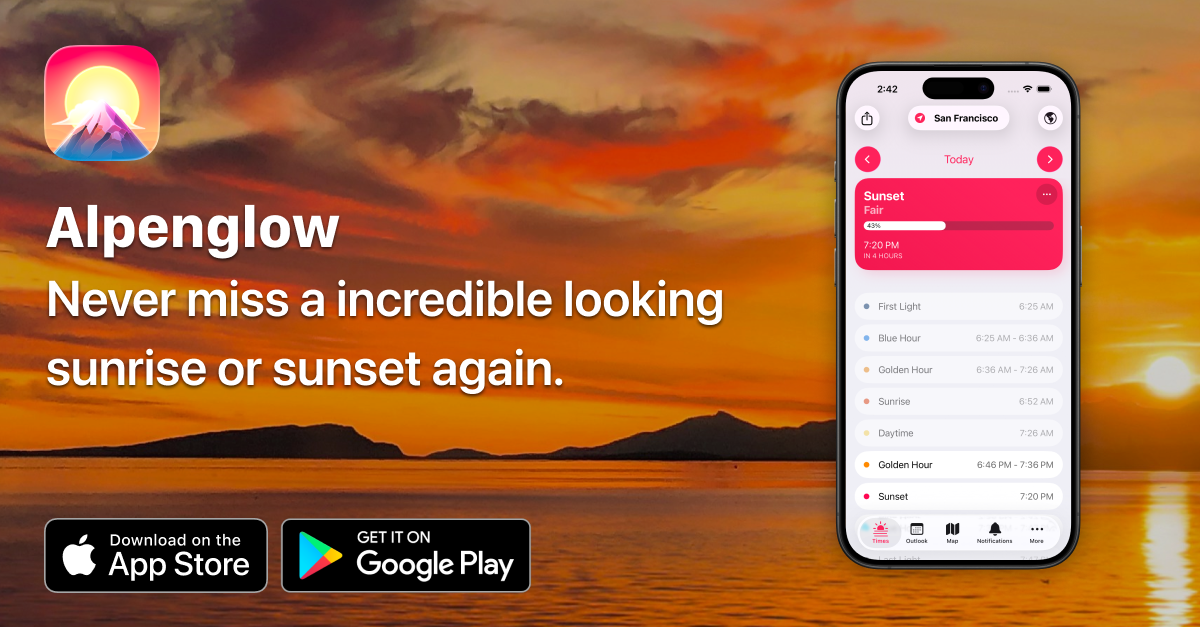
On Tuesday and Wednesday this week, Indie App Sales will be doing their annual event, where hundreds of indie app developers will run very nice discounts on their great software. Check out the website for the full list of participating apps and developers. Here are some apps that I personally have and recommend that will be participating in the sale March 12-13th-- CardPointers, Cardio Bot, Day Peek for VisionOS, FoodNoms, Longplay, My Vinyls, Paku Air Quality Monitor, TextSniper, and ToothFairy.

Galactic Compass

Have you ever wandered which direction the giant black hole at the center of our Galaxy is and exactly how far away it is? ME TOO. This handy iOS app uses your location and the Earth's location in its cycle around the sun to point you in the right direction if you wanted to travel the roughly 26,000 Light Years to visit it. As of this writing, on Sunday night, the center of the galaxy is down through my living room floor (i.e. on the other side of the planet from here).

Bulletin Smart RSS Reader

After the premature death of Artifact news reader, I've been going back down the RSS rabbit hole, and was excited to find Bulletin launching this week-- It pulls together news sources of interest to you and then uses AI to cut through clickbait headlines and create actually useful article summaries for you to quickly parse your news feeds. I'm just digging in to it, but really liking what I'm seeing so far.

Slate App for iPad

The good folks at Astropad (who make my favorite paper-like screen protector for the iPad), just released an iPad app that lets you use your iPad as an input source for your Mac-- Using an Apple Pencil as a mouse/trackpad, drawing on your Mac, handwriting and signing documents on your Mac, etc. Very clever as usual from this team.

Project Tapestry by The Iconfactory — Kickstarter

The good folks at The Iconfactory are responsible for making many of my favorite apps and games for Mac and iOS. They've recently launched a Kickstarter for a new app / ecosystem they're working on that will serve as a universal reading aggregator, pulling from RSS feeds, podcasts, Federated content (Mastodon, Threads, etc), and so on. I'm excited to see where this goes, and backed it within an hour or so of launch.

Arc Search

I've been using The Browser Company's Arc Browser for months now and it's quickly become my favorite browser for the Mac. They've just released (tonight) a new iOS app that combines browser, search, and AI together in one app. The premise is you can ask a question and it will search the web for realtime results and then build you a website that answers your question. Interesting concept. I've literally just downloaded it, can't vouch for it yet, but I'm looking forward to trying it out.

📱

So, years ago, there was a fun, colorful, and very simple todo app on the iPhone/Mac called Clear. It eventually fell by the wayside, but has recently been revamped and it's great fun. They have really figured out how to tap in to our collective dopamine addiction with fun sounds, colors, and the ability unlock new themes and app icons by getting stuff done on your lists. Linked up above is a referral link that unlocks some additional themes and stuff when you start out with the app, if you wanted to try it out. Want to take a look without a referral link? Here's their website: UseClear.

Google Has Gotten Worse

A year long study by German researchers has concluded that the little voice in your head asking if Google search results have been slowly getting worse and worse is actually on to something. Apparently SEO-related SPAM is tanking the quality of their results compared to other search engines. As I've mentioned before, I switched to Kagi months ago and haven't looked back- the results are SO good, and I like knowing that my search data isn't their monetization strategy.

Planta iOS App

New Year, new opportunity to not slowly, painfully murder every plant we bring in to our home. We've been trying out this app for keeping track of our plants, their watering schedule, sunlight needs, etc. I've been really impressed with its AI troubleshooting features-- Take a picture of your plant, it will identify it, tell you what's wrong with it, and how to fix it.

Choosy App

A very niche but handy utility for the Mac, it lets you set up custom rules to decide what kind of links get opened in which browser. Example use case: I have Safari set-up as my default web browser, but there are some sites I know just don't work well in Safari, so I have any links that belong to those sites automatically routed to open in Arc Browser whenever I click on them.

Omnifocus 4

The Omni Group makes my favorite Task Management software, and finally released this week the long awaited fourth version of Omnifocus. It’s honestly overkill for a lot of folks (myself included) but even just using a small fraction of its features has been a huge help for keeping track of my personal and professional to-dos over the years. Version 4.0 looks to be filled with a lot of great quality of life upgrades for the app on Mac, iPhone, iPad, and  Watch.

Talk Dim Sum

As the app’s creator confesses, Talk Dim Sum is a language app disguised as a food app. In short, the app is chock full of pictures of amazing different dim sum delicacies along with what they’re called in English, and both written and audio guides on how to pronounce their Cantonese or Mandarin names. Everything is sortable by the various regions of China they originate from, and other useful categories. It’s a delightful little app to poke around and explore— I’m already scheming my next dim sum outing so I can put it to good use.

Zenitizer

I've been using InsightTimer for years to time and track my meditation, but I've not been a fan of their recent turn towards "premium classes" and guided meditations. Looking for alternatives, I've come across Zenitizer after asking for suggestions on Mastodon. The developer of Zenitizer was kind enough to reach out after someone else mentioned the app as a good alternative, and made a good pitch for using it. I've only gotten to try it out a few times this week, but so far it's been great if, like me, you're looking for a simple timer with Apple Health integration and some nice options for timing and intervals.

Newji

Speeeeaking of Emojis, I stumbled across this fun little iOS sticker app this week. The pitch: Type whatever emoji you wish, and it will generate a sticker that looks exactly like a system emoji. Ever been disappointed there's not an emoji for a Squirrel riding a Dirt Bike? Newji. Ever been frustrated about not having an emoji for doing a backflip in your pajamas? Newji.

Rocket Emoji

A super simply Mac utility app that lets you type a colon + any keyword into a text field and it will present you with a list of matching emoji, ASCII emotes, and unicode symbols to insert. So, for example, typing ": + shrug" gives me a dropdown list and I can use the arrow keys to choose ¯_(ツ)_/¯ or 🤷‍♂️ and hit enter. Boom! Emotion. It's free, and is one of those apps that once you start using, it just completely disappears from your consciousness and becomes muscle memory. I have been using it for about a year now and honestly forget sometimes that it's an app, and not just something happening at the system level.
Rooms

I honestly am not super sure what this is... but I really like it. It's both a site and app that lets you easily browse and create interactive virtual rooms in a cool pixel-art style. Really fun to just poke around and see what creative things folks have come up with.

Duolingo for Music

Duolingo launched their Music course this week-- it's a new course available within the language app itself. I don't know much about music theory or anything about reading music, so these are great for me.

Day One Journal

Apple's just released iOS 17.1, which you should totally update to, and very shortly after released the first betas for iOS 17.2. In these new betas, they've got the earliest release of their forthcoming journaling app. Early reports are saying it's... fine. The consensus from the tech cognoscenti is it's just not as good as Day One, which I've been using and loving for about a decade now. It's just a really delightful little app for both long form journaling about your experiences, dreams, travels, books you're reading, etc but also for very quickly capturing micromoments you want to remember as they happen with photo/video/voice memos, etc.

Monkeytype

A bit nerdy, but I've really enjoyed playing around with this-- Monkeytype is a really delightful typing test that I saw Andy Carolan mention over on Mastodon. Ever curious how fast you can type? Their free test will tell you. (If you do it and let me know your score, I'll send you mine!)

Cleanup Buddy

Mac security researcher and developer, Guilherme Rambo, released this fun little app/utility that locks your keyboard and mouse so you can clean your keyboard and trackpad without inadvertently typing a bunch of nonsense or deleting your entire Photos collection. It even includes a little snarky animated character to encourage you as you clean.

iMazing

iMazing is a great iPhone back-up utility for the Mac that I've used off and on over the years. Unbeknownst to me, they recently integrated Citizen Lab's software for detecting NSO's Pegasus and other iPhone spyware into its tool set. In case you're ever curious, the process takes about an hour and is done on your Mac with your iPhone plugged in to it– no data is sent to iMazing's creators. The free trial of the software includes the Spyware detection function.

Postmarks

As a long time user of various bookmarking services (Delicious, Pinboard, etc), I’m very interested to see where this federated, self-hosted alternative could go… especially if we can eventually get Google Reader-style social commenting, etc.

Callsheet

Casey Liss has a new iOS app out this week called Callsheet designed to make it easy to quickly look up cast and crew information for movies and tv shows— It’s way, way cleaner and faster than using IMDB or Rotten Tomatoes. I've already found myself using it at least once a day to check what else some actor has been in, or who wrote an episode of a show we're watching. Definitely worth checking out.