After an extended beta that I've really enjoyed participating in, Outerline finally went public this week. It's a native Markdown writing/editing app for Mac and iPhone that offers a lot of the basic functionality of Obsidian but with a much leaner, cleaner interface. Every document is a .md file that you own and that lives on your computer, and it can be synced with iCloud. You can create wiki links between notes, maintain version history for documents, and live-preview the rich-text output of your Markdown in a split-view screen while you write. My favorite part is the built-in MCP server, so you can point your AI assistant at your vault to read, edit, and organize your notes. Outerline also has a cool publish feature that lets you publish your work straight to the web from the app. (Also, I lied: my absolute favorite feature is that my quick note capture app, Capture, works great with Outerline right at launch. Just point Capture at your Outerline folder and you're off to the races.)
113 tech items curated from The Hiro Report
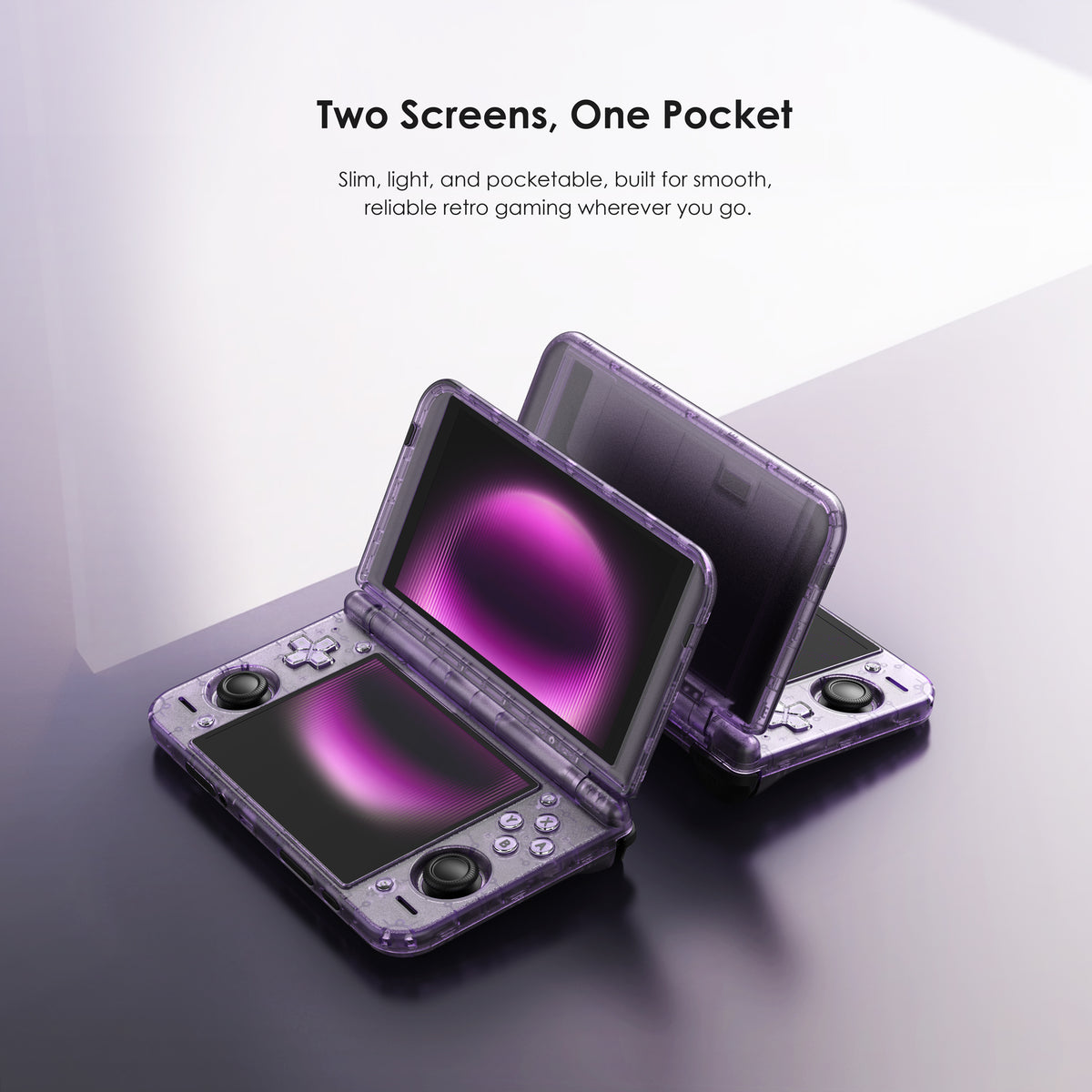
OK, Apple wasn’t the only company releasing a much-awaited product called Duo this week. I’ve owned several Retroid Pocket retro gaming handhelds over the years and have long hoped they’d tackle something in the Nintendo DS/3DS format to compete with the pricier Ayn Thor. This week, they announced their entry in the space, and it looks pretty fantastic. The handheld features two stacked 120Hz OLED panels, a 16:9 screen on top and a 4:3 one below. The system runs on Android and is capable of comfortably emulating most retro gaming systems all the way up to the Nintendo 3DS and PlayStation 2.

Blast Radio is a cool combination of hardware and software that lets you create your own "pirate" radio stream from anywhere. They offer a box you can plug in to a record player / CD player / mixer, etc. and it will broadcast whatever signal it receives to an app that any of your friends/followers can use to listen to your jams. They also offer a mic that connects to wifi and offers the same functionality in case you want to do some field reporting, run a live podcast, etc. It all goes out in lossless audio and is archived as .wav files. Listeners can get notifications through the app when you're going live and can send tips during the broadcast.
Dock is a beautiful, simple film scanner from Lento in Spain. Unlike some of the archaic and frustrating film scanners I've used over the years, this one has no sensor inside — instead it advances frame by frame of the film, detecting each one as it goes, and triggers your attached digital camera in bulb mode to take super high resolution photos of the film frame. Because it controls the light source and the timing of the exposure, it can perfectly expose each scan, and typically can work through a 36-exposure roll in a little less than two minutes. For us film geeks, this is cool in its own right, but on the tech geek side: instead of using white LEDs that smear across all three dye layers, Dock uses narrowband RGB tuned to each layer individually, reading the film base first to calibrate to the stock's own neutral, and (by way of the included Dock Connect app) it lets you change a color value and physically rescan the frame under new light rather than messing with white balance or color grades in post. I want one.
The evil geniuses at Dyson are back with a ridiculously expensive, beautiful and (probably) highly effective if non-conventional product. The makers of $1000+ air purifiers and portable vacuum cleaners released the $499 toothbrush this week. It, uh, brushes your teeth. It also has a "100k pixel" (.1 megapixel) camera in it that analyzes your teeth as you brush, and when it spots a gap between teeth it "blasts" it with a conical jet of fluid like a water pick to simulate flossing. Look, this is an absurd amount of money for a toothbrush, but I'd be lying if I said I wasn't curious to try it out…

SoleDust for iOS - This is a really lovely, simple app that helps you keep track of how much wear and tear you're putting on your favorite running shoes. You can track the history and mileage on every pair of running shoes, set goals for when you want to replace them, and get a cool visual of each shoe's running history pulling from Apple Health data. It's also got some cool, highly customizable filters and overlays for sharing your run data ala Strava. It's a small, one-time purchase, and totally worth it to help me make sure I'm not doing undue damage to my joints by running on worn out shoes.
Afterglow is a free Mac app that lets you bring the classic After Dark screensavers from the early 1990’s to your modern Macs. For those Mac geeks amongst us of a certain age, seeing Flying Toasters, Fish!, Starry Skyline, Bad Dog, etc. flash across the screen triggers a TON of nostalgia.
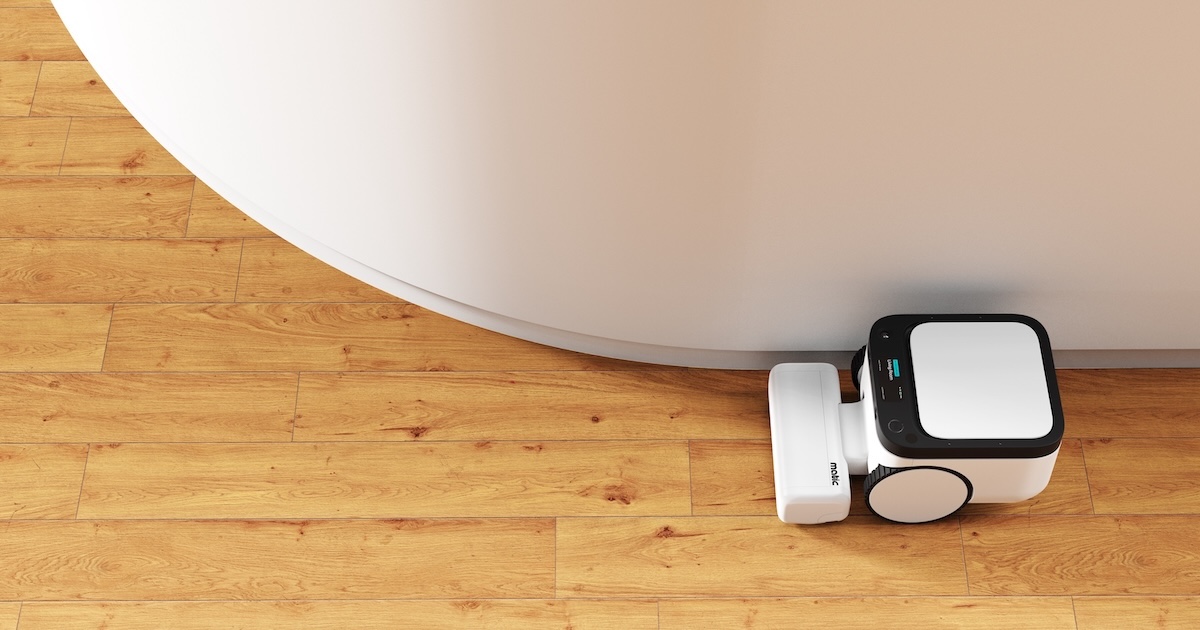
I’ve written before about how much I love this smart, home cleaning robot. One of the best things about it is how committed the team is to continuing to push out new software updates for it. Apart from recently adding HomeKit integrations, so that you can use Shortcuts and Siri to give the robot home automation commands, this week they rolled out Matic cues and gestures. Now it can listen on device for a wake phrase ("Hey Matic") and then it will response to voice commands like "vacuum the kitchen" or "mop all the tile floors." It also supports gestures, so you can say, "Hey Matic, please clean up this mess," and you can point at the exact spot on the floor where you want it to come vacuum and/or mop. It’s super impressive tech, and my kids absolutely love being able to give the robot chores.
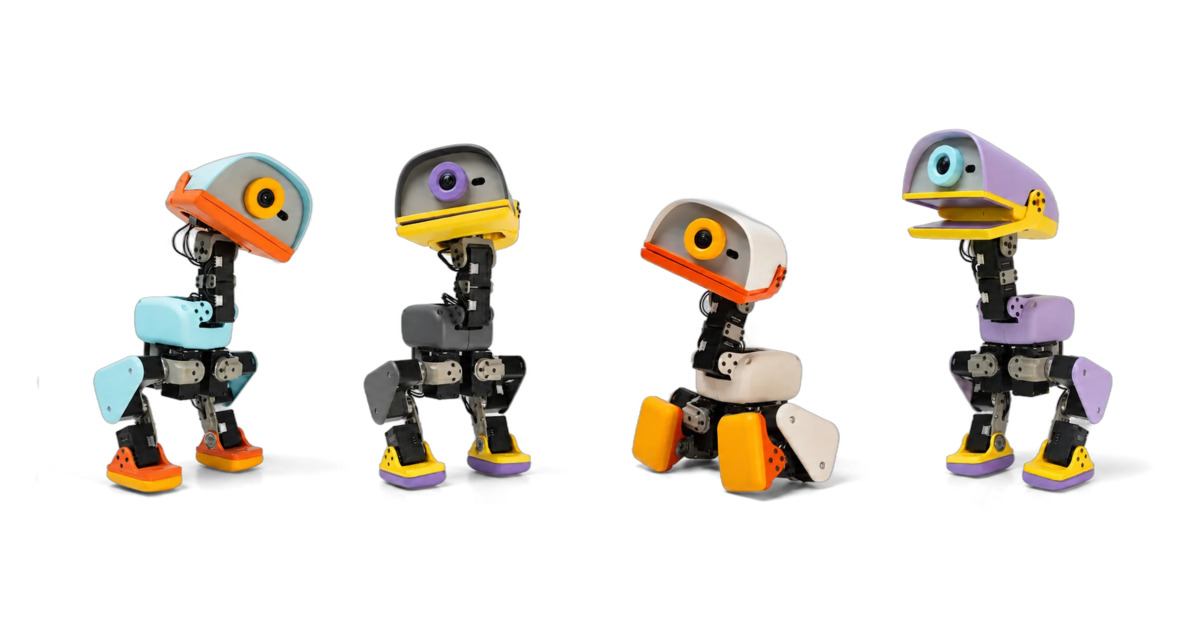
Pollen Robotics launched pre-orders for the Microduck this week. It’s effectively a 10-inch-tall robot that features a camera, LiDAR, 15 motors, and a beak that can quack and grab things. It comes equipped with a bunch of basic tricks like walking, kicking, roller skating, and standing up from a fall, but the REAL magic is in the reinforcement learning that you can train it on in a virtual simulator on their website. People have already created a bunch of new skills for it like doing headstands and dancing. It looks like a ton of fun and is due to ship before Christmas.
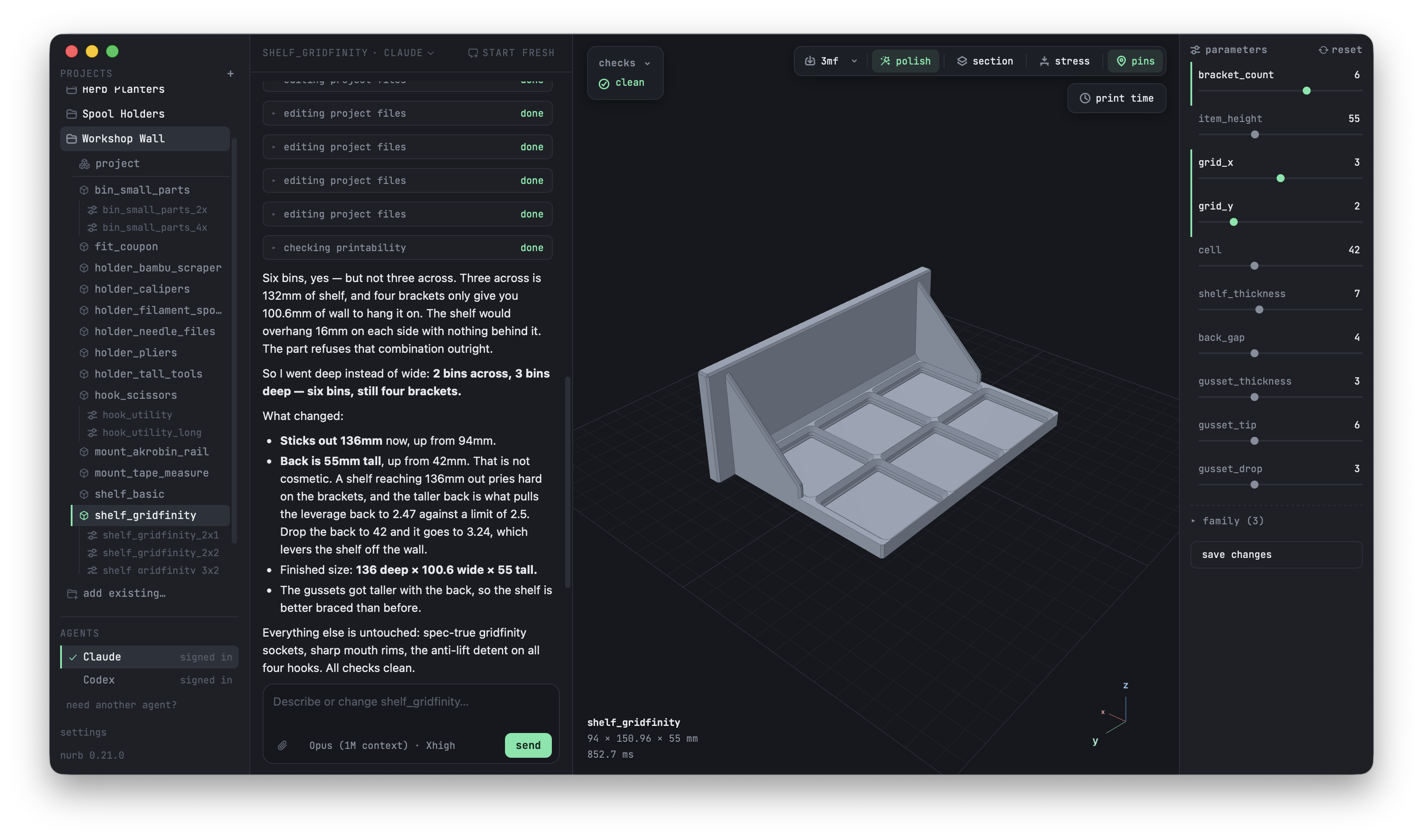
I’ve been slowly teaching myself CAD for 3D printing via various YouTube videos and Shapr3d on the iPad. It’s super fun, but I suck at it, and iteration is slow and a pain in the butt. I asked folks online what AI-powered 3D print software they’ve been using for utilitarian print design, and someone recommended nurb… I’ve been totally blown away. You basically plug in the AI service of your choice (Claude, ChatGPT, etc.), and then just describe what you want and it will mock up a 3D model for you. You can then just describe the changes/fixes you want it to make, and it will do so. It will also double check that the file is 3D print ready (no hanging pieces, steep overhangs, etc.) before spitting out an STL or 3MF file for you. Best of all, it can look up the dimensions of things for you and/or use photos and 3D scans you take with your iPhone to get even more accurate in its modeling. It’s free and I’m totally loving it.

The Sticky is a magnetic e-ink/e-paper display that’s about the same size as my beloved Xteink X4. The Sticky features a touchscreen, a microphone, USB-C, temperature/humidity and gyro sensors, and heavy duty magnets, all packaged up and ready to be flashed with one of the many great custom display and/or reader firmware options out there like CrossPoint Reader, SnailOS, TRMNL, CrossInk, and more. This looks like a great option if you’re wanting something a little more capable than what Xteink is offering right now (and at a lower price).
This week I’ve been playing with Element, a macOS photography app built by an F1 photographer who was so tired of longing for Apple's long-dead Aperture that he built it himself. To be fair, it’s early days, and it isn’t up to full feature parity, but it does offer really fast culling, a clean design, responsive editing/processing controls, and a cool collaboration system that lets teams or collaborators share edits through Dropbox/Google Drive/iCloud/etc. Best of all, it’s a one-time payment after a free trial. I’m not ready to give up Lightroom for it yet, but I’m rooting for this project.
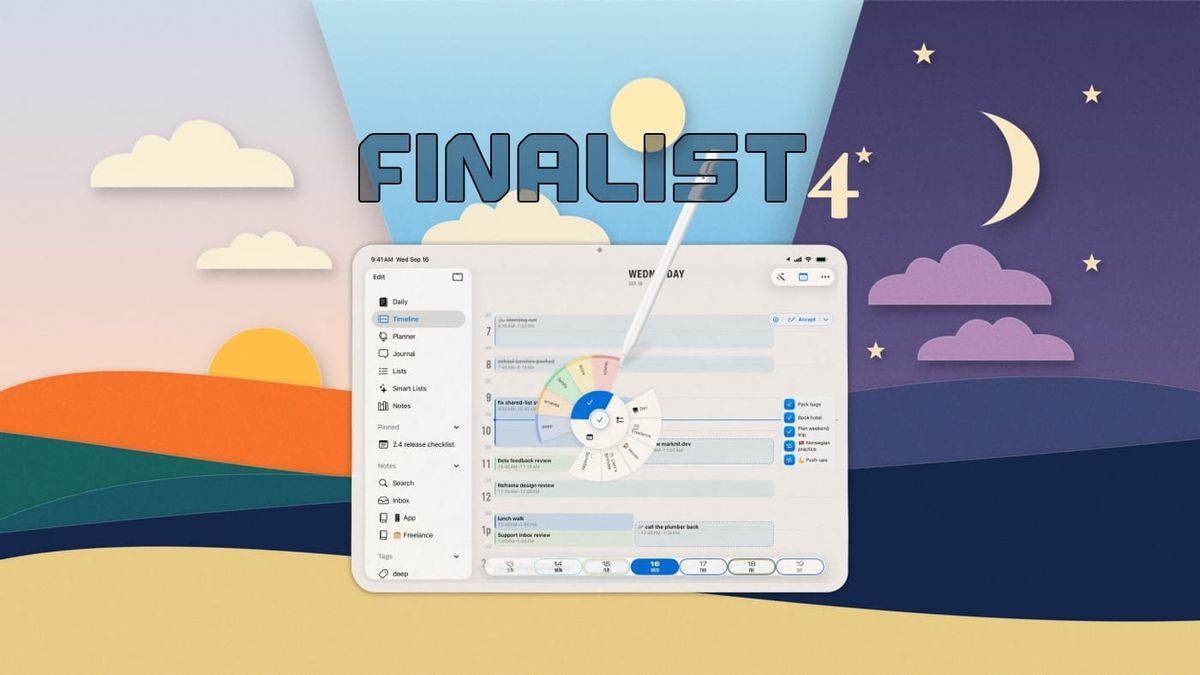
Finalist is a really cool digital planner that uses Obsidian-compatible markdown notes to put your entire day on a single page: events, tasks, habits, weather, and journal all in one daybook or broadsheet layout. Finalist 4 just released earlier this month and brings a standalone Apple Watch app, a rebuilt time-blocking timeline tool, and on-device AI that turns screenshots into dated tasks.

The Lil Sancho Bolt Action Pen BigIdeaDesign×Knafs - I’m a long time Big Idea Design fan and also really enjoy my little Knafs pocket knife, so I was really stoked to see that they were teaming up to make a bolt-action pen together. The Lil Sancho is sort of a Swiss Army Knife Pen that conceals a pair of stainless steel tweezers and a toothpick in the all-metal body. Speaking of the body, you can choose from titanium, brass, or copper, and it will hold any D1-style refill. I’m a sucker for a good EDC pen, and this is kind of next level.
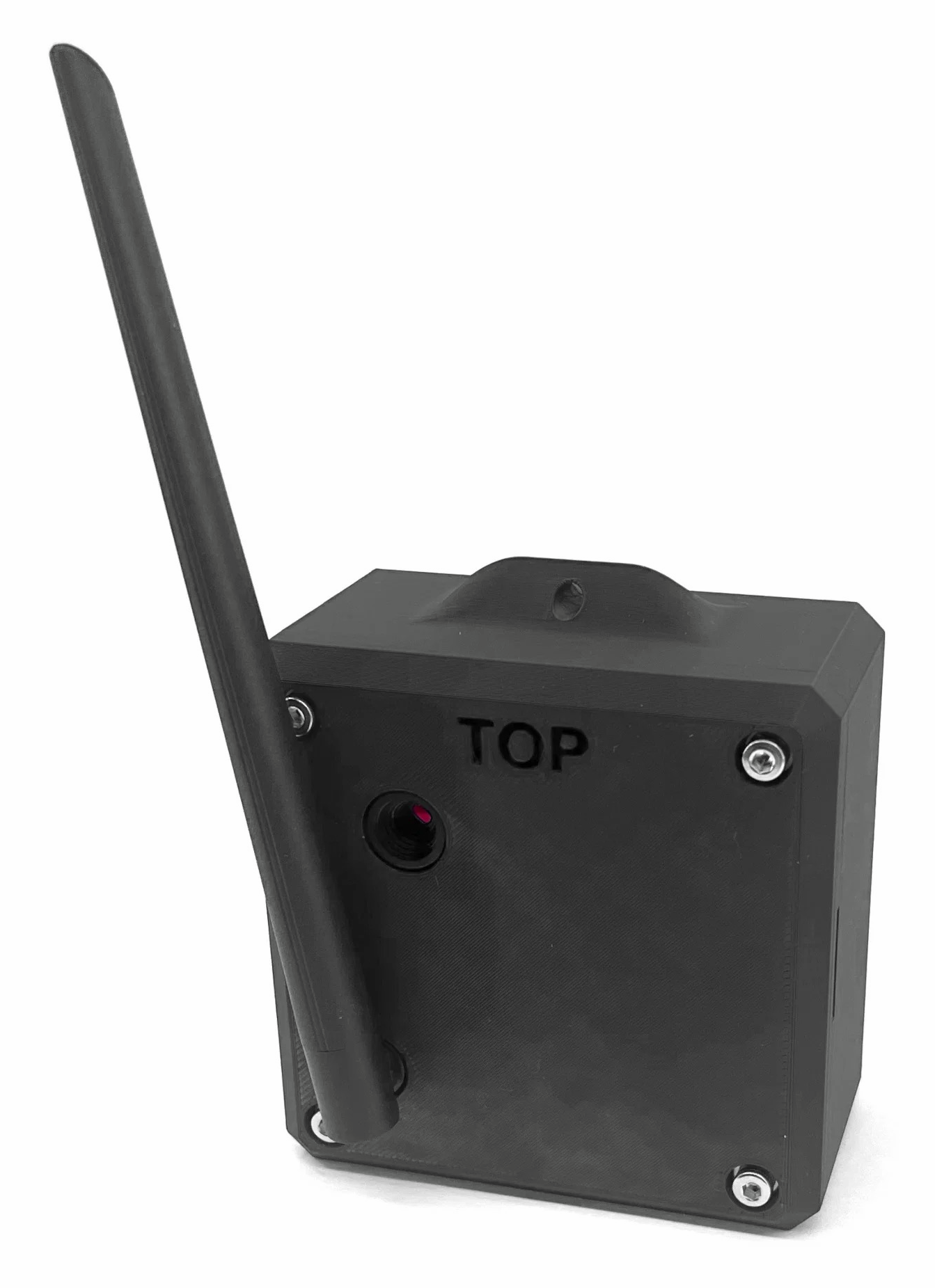
Midnight Make is a really cool DIY-kit shop run by a robotics PhD, and they are in the midst of finalizing this at-home HabSat that you can strap to a balloon to send up to the edge of space to get sweet photos of the curvature of the earth. The HabSat streams GPS, atmospheric telemetry, and photo thumbnails back to a mission-control app that gives you constantly updated predictions of where it's going to land when the balloon inevitably pops and it deploys its parachute. Because the HabSat is under 300 g, there is no license or FAA permit required to fly it in the U.S. (Which seems, uh, slightly concerning?) In any case, I totally want one— they're targeting a late 2026 ship date.

Nendo is a really well done web app that turns any sketch or drawing you give it into a full-color 3D-printed figure. All you have to do is upload the drawing, give it a few minutes, and then it will generate a detailed 3D model you can spin around, or even send to your phone to look at in augmented reality with your camera. If you like what you see, you can order an actual, full-color 3D print of it. I've seen other services attempting to do this, but in my early experiments, this makes the cleanest 3D models of any I've played with.

Shout out to Bobby for finding this awesome recycled-ABS notebook shell that lets you recycle/reuse your old piles of scrap paper for note-taking at your desk. The shell clips up to 60 sheets of scrap Letter/A4 paper into a refillable notebook, with three section dividers and (best of all) a built-in cutter to cleanly cut your 8.5x11" paper in half. Love the look of this thing and the ethos of reusing scrap paper for notes.

This stainless steel colander is my new product obsession this week. Sōri Yanagi (a postwar designer who had a major hand in defining modern Japanese industrial design) designed these beautiful, award-winning colanders with the intention of making a buy-it-for-life type tool that fixes a lot of the problems with standard wire mesh strainers. By using punched steel holes, it makes it harder for little bits of food and water to get stuck in the mesh, and also allows water to flow out into the paired stainless steel bowls he designed to pair with the colanders. I love stuff like this.
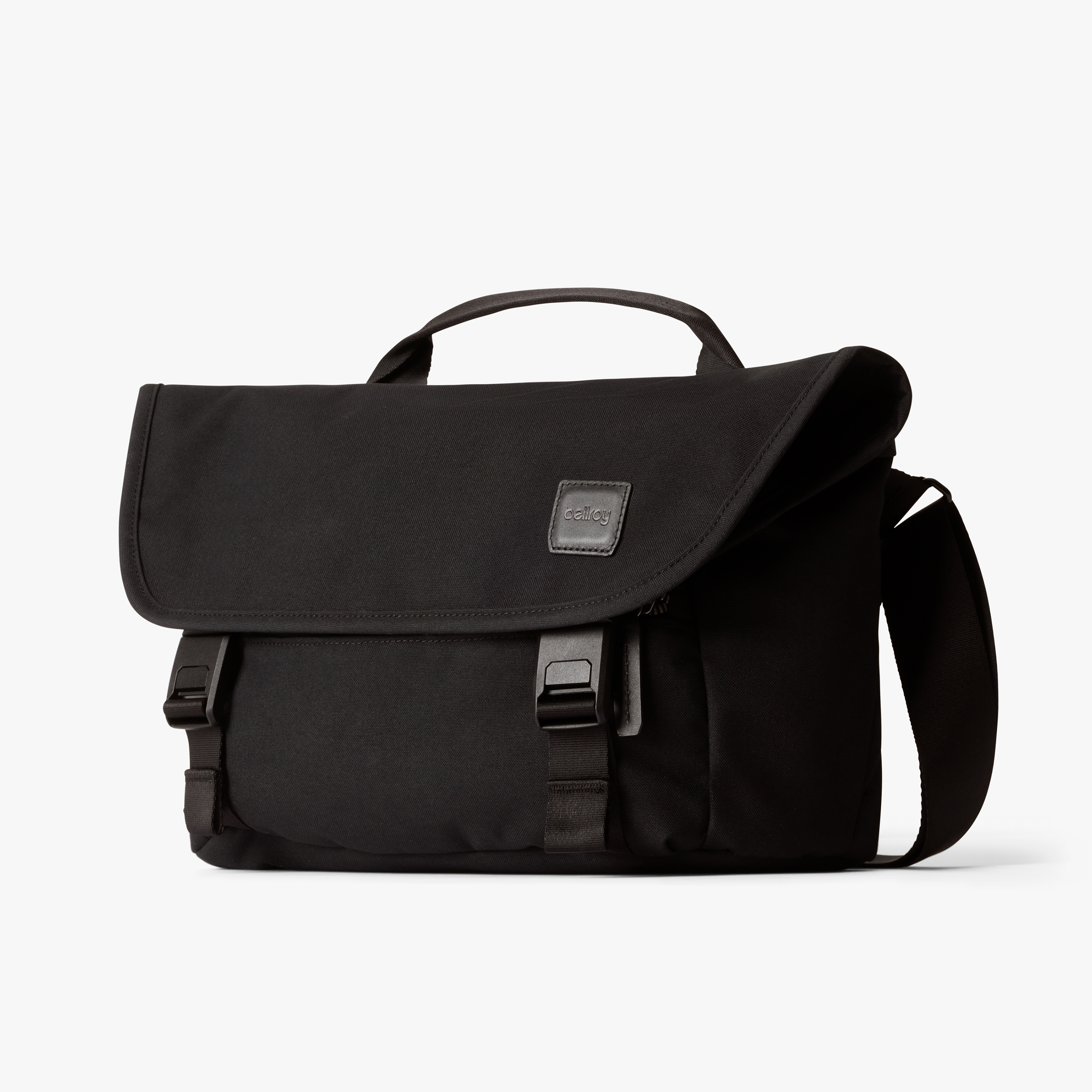
I love Bellroy’s stuff, and have had countless wallets and other accessories from them. Their new 8L gaming messenger is looking mighty tempting. They took their heritage-looking Classic Messenger and basically rebuilt the inside for a Nintendo Switch: a soft-lined padded pocket that fits a Switch 1 or 2 in its case (or a big boi Kobo e-reader), stretch-mesh pocketing with eight game-card slots, a front zip pocket with a key clip, and a discreet AirTag pocket. You get all the grown-up look of the classic messenger but all the fun on the inside. I dig it.

With all the wildfire smoke and other air quality issues of late around the world, I was pleased to discover Breathable, a really thoughtful, free air quality app for all your Apple devices. You plug in your own free API key from IQAir, PurpleAir, the World Air Quality Index, and/or AirNow, and then the app will give you all the local air quality data you want, stored and charted locally on device. Version 4.0 just launched in the last few weeks with air quality trends, automatic location detection, and Siri and Shortcuts support. As usual, I really appreciate that the developer does not track any of your location data; any location data exchange is between you and the air quality data provider of your choice.
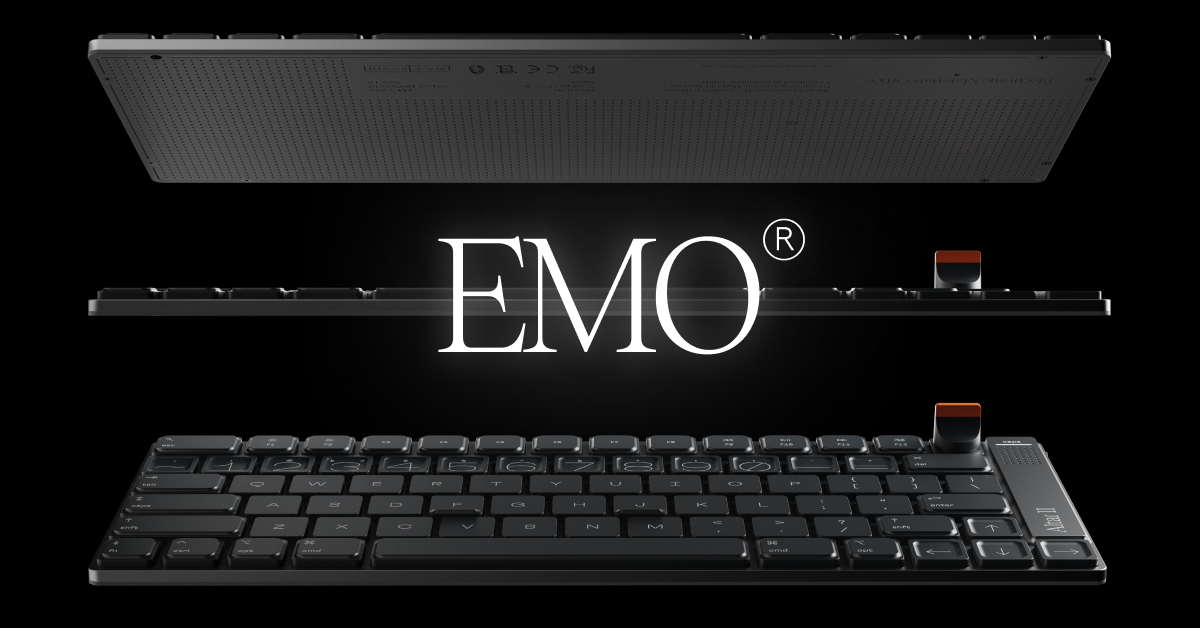
This is an absurdly pretty and ridiculously thin mechanical keyboard I stumbled across this week. The team at Electronic Materials Office somehow got their mechanical 75% keyboard down to just 4.75mm thick, less than half an Apple Magic Keyboard and roughly a third of a NuPhy Air75. It also has a magnetically detachable, clickable dial you can 3D print your own version of once they publish the files, a haptic engine that hums while you hold a modifier and taps you when your Mac gets a notification, and they are claiming a 30-day battery with two days' use from a two-minute charge. I’m always wary of preorders from new companies, but I’m sorely tempted on this one.
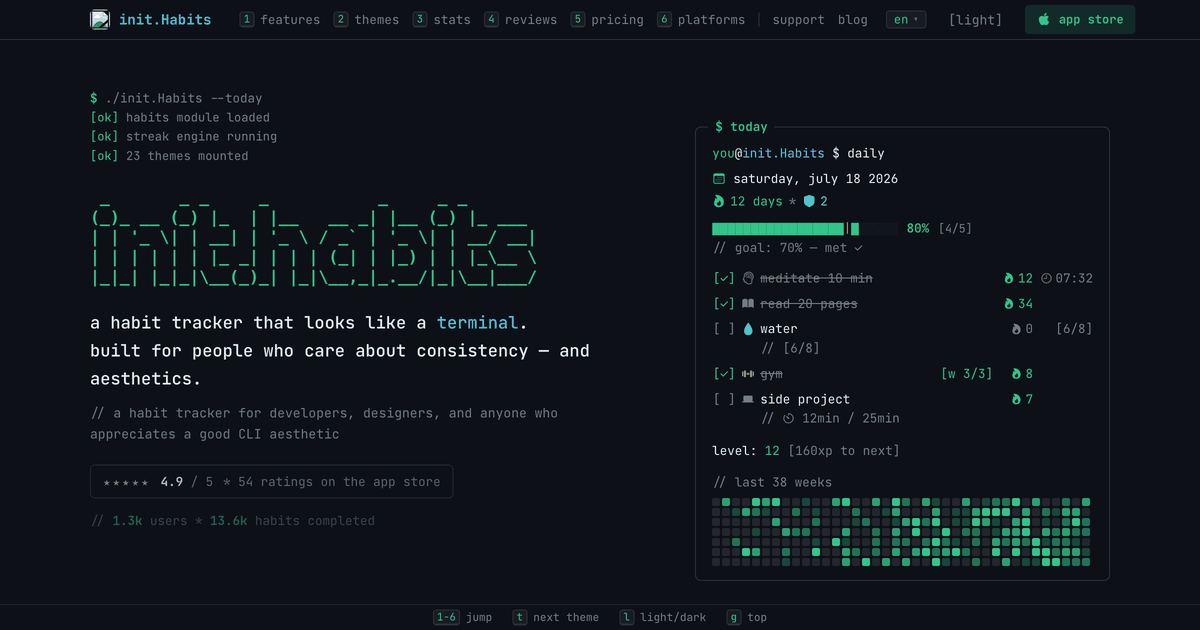
I tend to fall in and out of the habit of using habit trackers. I’m not currently using one, but the look and feel of init.Habits is so fun it’s certainly got me thinking about picking it back up. init.Habits adopts the format of the Terminal or CLI: monospace everything, 23 editor themes, and five different tracking modes (checkbox, counter, number, timer with pomodoro, and HealthKit auto-logging). It also lets you build routines that bundle into one block (so you can stack your stretching, meditating, and glue sniffing into one morning ritual), earnable streak freezes for when you have an off day, and a GitHub-style heatmap you can put on your home screen to visualize your progress.
A good friend recommended one of these to us this week, and I’m seriously tempted. The BedJet is a simpler (and slightly cheaper) solution than the EightSleep for giving you zone temperature control in your bed. The BedJet consists of a small fan unit that sits at the foot of any bed, no tools required, and pushes cooled air or warmed moisture-drying air through your sheets. I’ve not gotten to try it out yet, but as someone who tends to run hot at night but who also appreciates a cozy blanket, this sounds like an awesome solution.

Creality, makers of affordable consumer 3D printers, launched the Pika this week. It’s a pocket-sized 3D scanning camera that pairs a 7-line blue laser with NIR for markerless scanning at up to 0.03mm accuracy — point it at a broken part, a figurine, or anything else and get a printable 3D model back. Best of all, it’s small enough to fit in a jacket pocket. I am extremely tempted by this one… it would be a blast at museums.
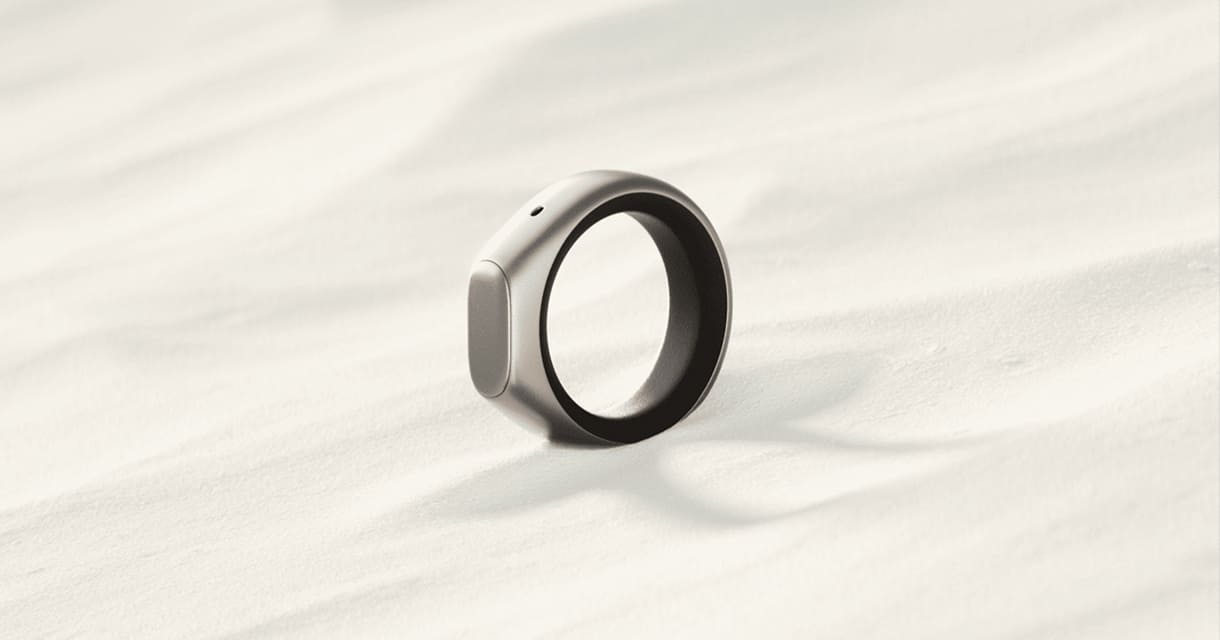
David Pierce did a great write-up on this smart ring, which is essentially a microphone, a battery, and a Bluetooth radio on your finger. You raise the ring to your mouth, click the touchpad, whisper whatever you want dictated, and it’s captured to an accompanying app. Naturally, it can also be used to record meetings, etc. It looks like a more refined take on the Pebble 01, and it seemed to impress David, which bodes well for it. I like the idea of gadgets like this that help you think out loud without having to risk the siren song of opening your phone while out and about.
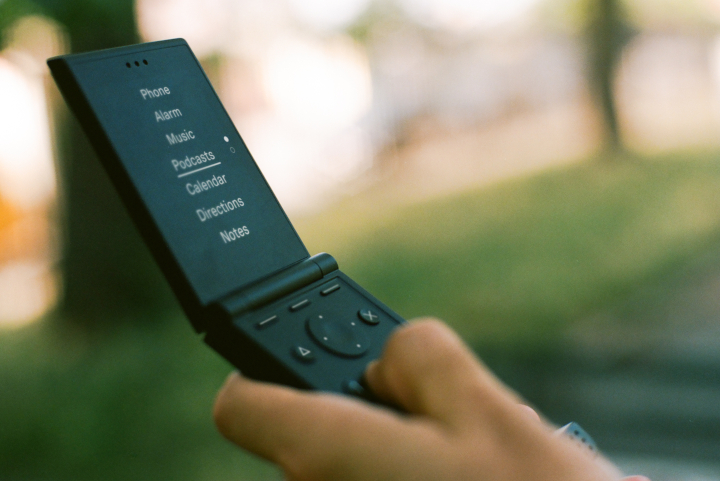
The makers of the OG minimalist, distraction-free phone announced their new take on a flip phone this week and I’m honestly pretty intrigued. It looks great, comes in six different colors, and has all the essentials like Calendar/Directions/Music/Text Messaging plus niceties like voice-to-text dictation and USB-C charging, but none of the addictive crud that I personally tend to stuff onto my smartphone.

I love innovative takes on cars and transportation, and this is a fun new entry into the space. The Chip feels like a cross between an EV, an SUV, and a golf cart, if it were designed by Pixar. It is street-legal, super compact, tops out at 25 mph/40 kph, and does 100+ miles/160+ km on a charge. The fun "tech-y" bit is "Chip Go!", a self-driving mode that drops you and your homies at the door of your destination and goes to park itself. It's pre-order only right now, so it remains to be seen if they can stick the landing, but this would be super fun. Shout out to Andy for the tip on this one.

Interested in dipping your toes into vibe coding but don't know where to start? The mad men and women at Raycast finally launched Glaze earlier this month, and I think it is an awesome place to start if you just want to do some quick experiments without having to jump into the Terminal or worry about coming up with the perfect prompt. I came up with a quick experimental prompt, and it asked me a few follow-up questions to clarify my goals, and then 10 minutes later I had a full standalone Mac app doing exactly what I'd asked. It also didn't have that generic AI-design look that most of these things tend to generate. Worth playing with the free trial if you're at all curious.
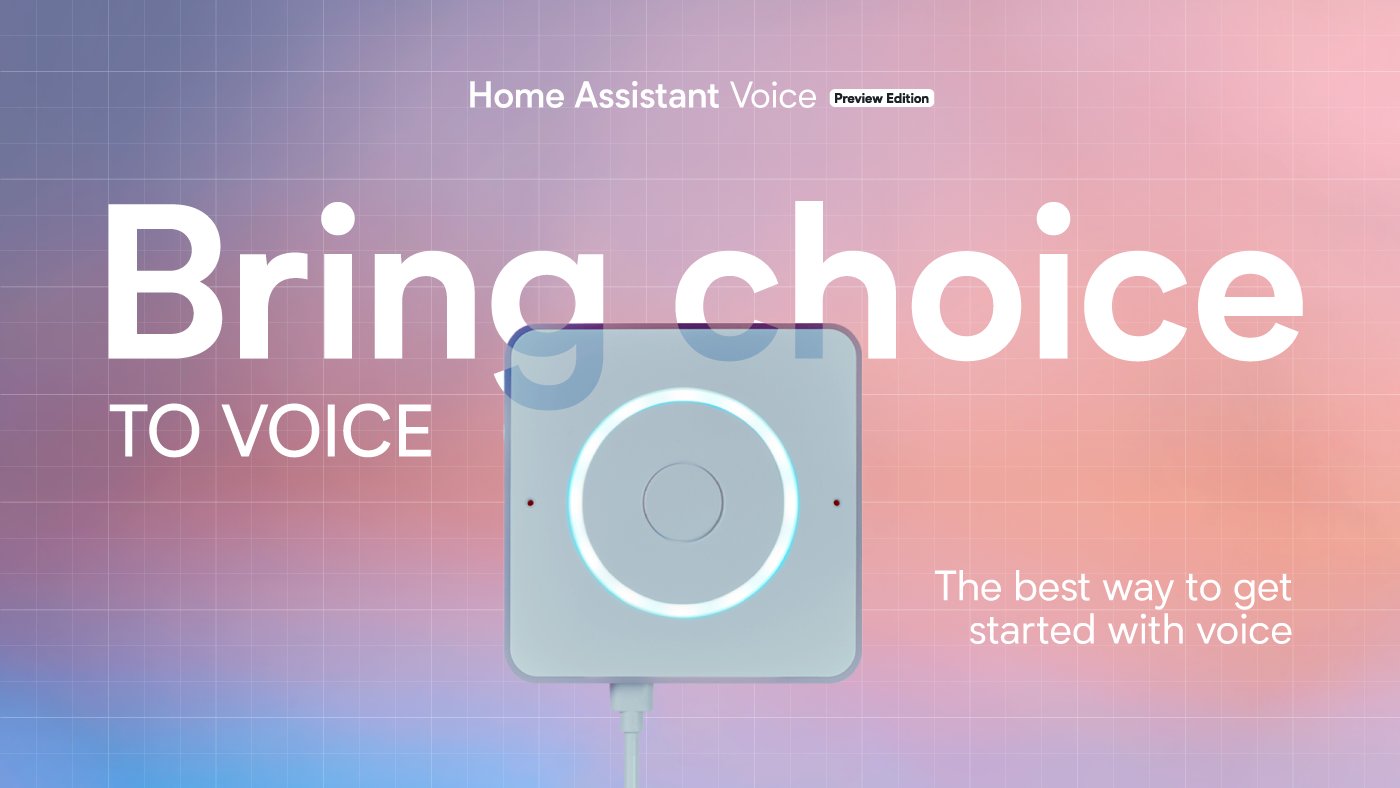
I am embarrassed to say I've had this thing sitting around in its box for a few months, but I finally got around to setting it up this week. In short, it's your own personal/hackable Alexa or Siri box that you can use to control your smart home and optionally answer questions about the world/news/weather/etc. via the AI assistant of your choice. Best of all, you can use it with your own local AI models and keep the entire thing on your own network, or you can hook it up to Claude, etc. The hardware is by no means on par with a HomePod Mini, BUT it does have dual mics, a physical mute switch that cuts power to the microphones, a rotary volume dial, and a speaker. It's been a lot of fun to play with.
Hypertexting is a new social news feed built on the open social web that lets you follow the blogs, news outlets, podcasts, and YouTube channels you like in a plain reverse-chronological timeline with no ads or algorithm. Best of all, you can use your own website as a posting platform on Hypertexting that others can follow. It doesn't require any accounts to use, and all of your data is stored locally. It's nice to see more players entering this space, building what feels like super-powered RSS readers. If you like this, you might also check out Surf and Tapestry as well.

This is a really cool concept for an integrated tent and sleeping pad that packs down fairly small and inflates in minutes into a rigid, lightweight campsite on the go. It comes with a portable electric pump that inflates/deflates the whole thing in about two minutes. Apart from the speed and consolidation benefits, I like this for helping simplify the camp set-up and tear-down in poor lighting conditions that we often seem to run into when we go camping. I can imagine this working amazingly with my absolute favorite car camping sleep pad.
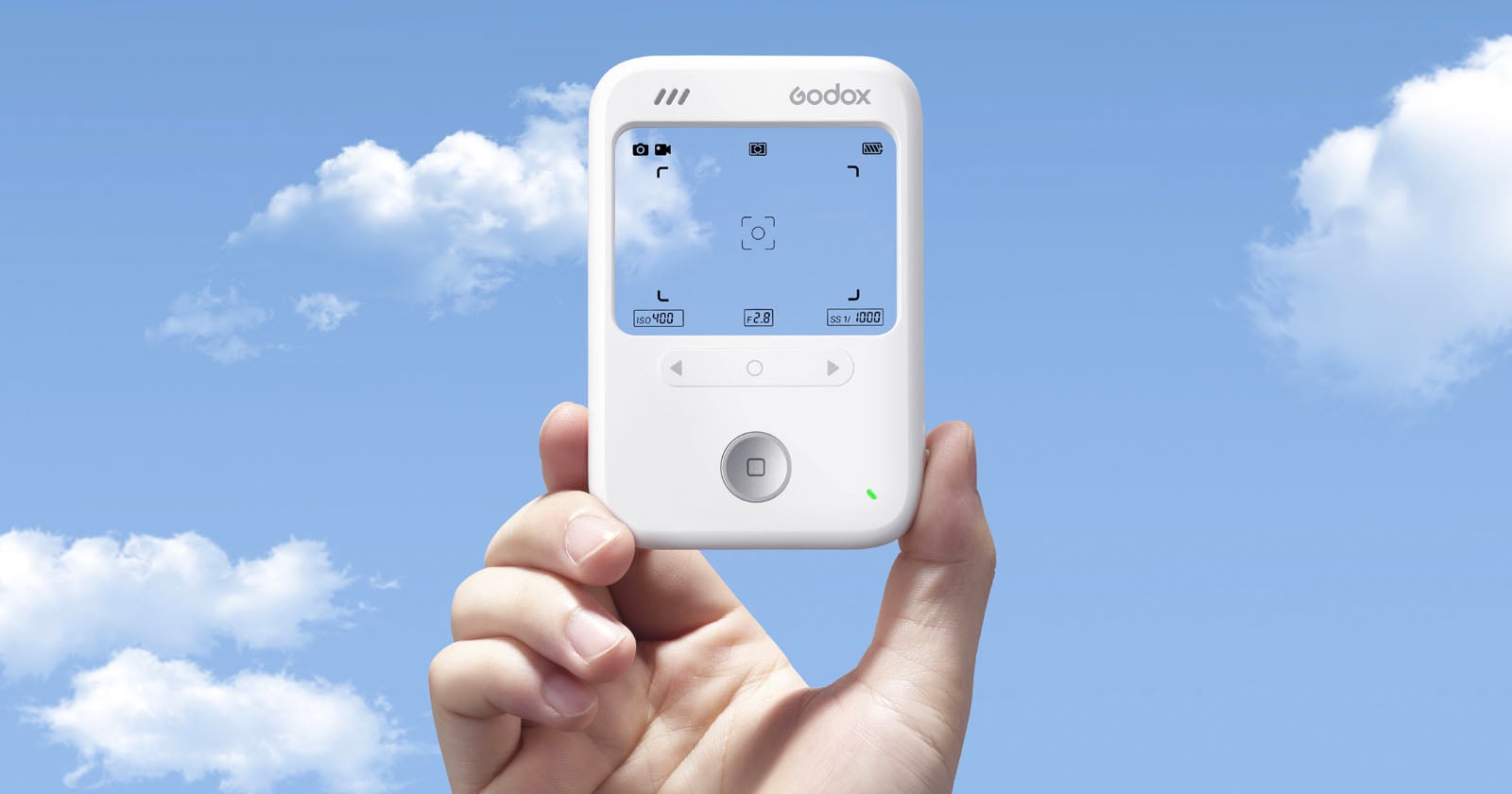
Godox, esteemed maker of affordable camera and lighting accessories, announced their own barebones compact camera this week. The Godox C100 is a 65-gram camera with no LCD, just a giant transparent window through which to frame your shot. However, that transparent window has a Fuji X100-style overlay showing live exposure info, frame lines, and battery right onto the scene as you look through it. I wouldn’t expect this to be competing with any of the heavyweights in terms of resolution, but at a ~$29 launch price, it does look like it would be fun to try out.
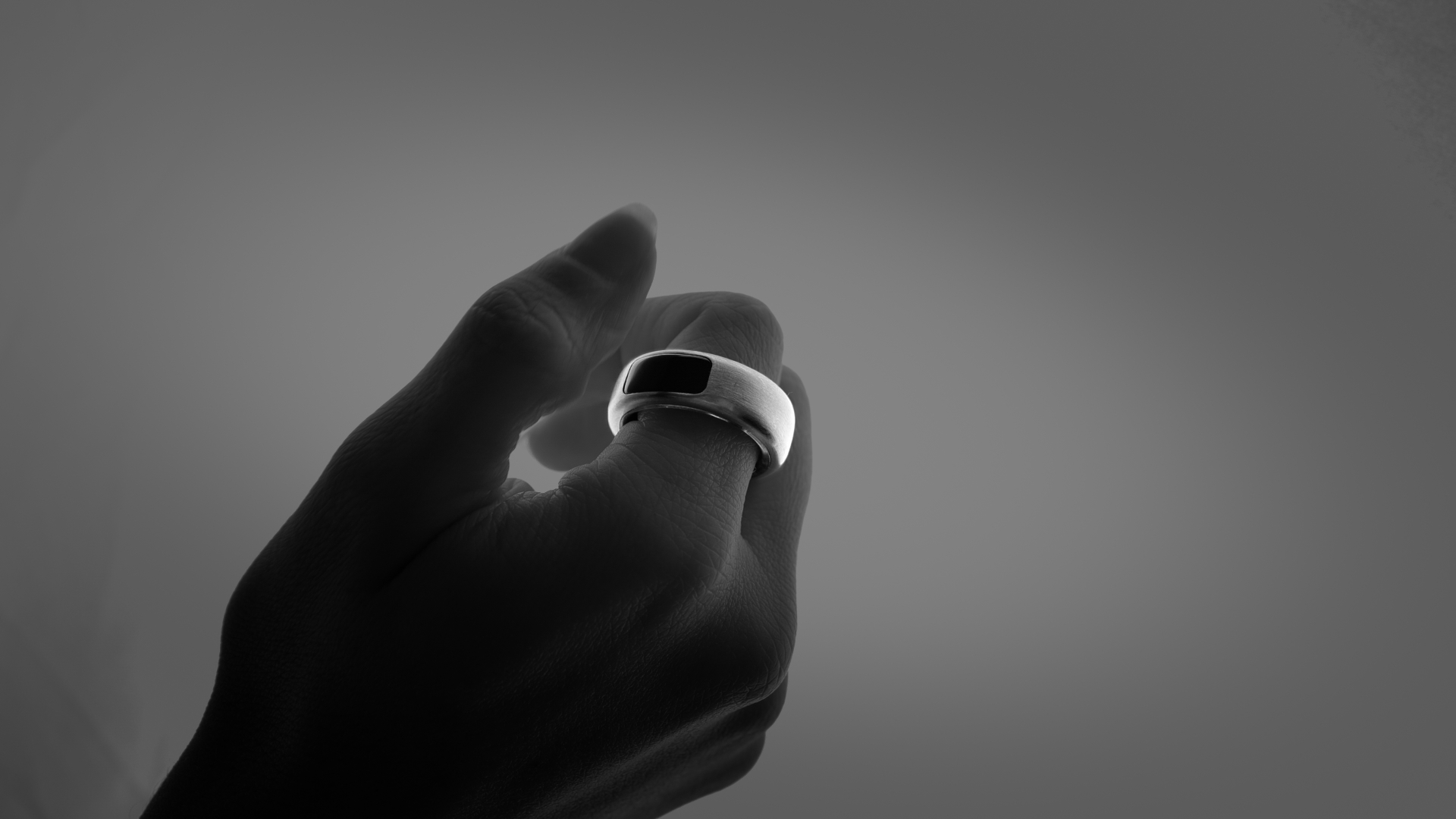
I’m not necessarily advocating anyone preorder this ring yet, as it’s untested, but I continue to find the wearable space an interesting corner of tech with a lot of potential. Unlike the Oura ring that I rock every day, which is focused on health metrics, the OASIS is a compact input device for recording voice notes (including with a built-in Wispr Pro integration) and acting as a minute track pad with haptic feedback. It interfaces with iPhones, Macs, and the beleaguered Vision Pro. I could see Apple releasing something like this to use with their rumored smart glasses in the next year or two.
The makers of one of my favorite Mac writing apps (Bear) launched the public beta of their new gorgeous Markdown editor this week. Lettera has all the beautiful, Mac-native polish that I love about Bear, but with the open local Markdown file format support that I appreciate about Obsidian and the forthcoming Outerline (which I also really am digging beta testing!). Unlike Obsidian and Outerline, which focus on providing rich support for internal linking and complex file hierarchies, Lettera is primarily focused on just providing a really clean Markdown writing and previewing experience. I see it working excellently side by side with either of those two apps, and as a bonus I've found that my quick capture app, Capture, works beautifully with it.
Last week was the nerd Super Bowl that is Apple's Worldwide Developer Conference. This year they previewed iOS 27 featuring the new and improved Siri AI. Many folks have written way better wrap-ups than I can, however I will say that after a few days of running the beta on my daily-use iPhone (like an idiot)— it is really, really good. The new Siri is not doing leapfrogs over Claude or ChatGPT, but it is a night-and-day improvement, and giving perfectly serviceable answers to many of the quotidian questions I had been peppering other AIs with throughout the day. I'm most excited about the secure and private integration with all my files and data that the new Siri provides— as one example, while visiting family this week, my mother-in-law gave me a handwritten grocery shopping list. Rather than risk losing it on the way to the store, I took a photo and asked Siri to add all the items to my Grocery list in Reminders. It very promptly OCR'd the cursive handwriting and added everything. Extremely handy to have these capabilities baked in at the OS level. It's not perfect, however. Apart from being a beta with some rough edges, there is still plenty of room for better/tighter integrations. This morning I asked Siri for a list of Wu-Tang songs that would be good for my running workout. Siri quickly produced a great list, and then I asked for that list to be made into an Apple Music playlist. Siri tried several times, but was ultimately unable to do it, and instead offered to search for some good running playlists instead.

I really dig the look of this combination side table and lamp that features what looks like the taillights of a late-'80s/early-'90s Japanese import sports car. The satisfying flickable switches to control the lights are perfect, and the price isn't bad (at least before you add in the cost and tariffs for shipping it from the design studio in Taiwan).

Man, I really want one of these. Grovemade makes gorgeous desk organization accessories, and this new desk cart is no exception. It's a rolling cart with three tiered storage areas, beautiful customizable wood accents, and a unique two-sided sliding drawer mechanism for hiding storing your junk random things that would otherwise clutter your desk. Like all things from Grovemade, it's drool-worthy, and costs about 2-3x what you wish it did.

Tip of the hat to Cool Hunting for the find on this gorgeous Japanese bedside or desktop clock milled from a solid block of aluminum. Instead of hands, it features a gorgeous system of lit-up numerals and ticks to indicate the time. It also features a gentle gradual alarm, a timer, a calming sound mode, and pairs with your iPhone to play music and set various alarms among other customization options. Preorders go live for the US at the end of April for an absurd amount of money.

I have a first-generation version of this webcam and it's far and away my favorite webcam/microphone combo for video calls that I've used. This new version has an even larger sensor allowing for higher-quality video and better low-light performance, paired with a better microphone array for even better sound. It's got a great companion app that lets you optionally control exposure/white balance/bokeh, and more. I'm sorely tempted to upgrade. If you don't need the smart gimbal, check out the cheaper Link 2C Pro which has all the same tech for $50 less.

While it's gotten a mixed reaction within the techsphere, I'm thrilled about Apple finally releasing an affordable, entry-level Mac for the masses. With an education discount, you can get it for just $499 ($599 standard price). Would you want to use this Mac for editing multiple 8K ProRes RAW videos at once, or running massive local LLMs? Absolutely not. But for everyone else that just wants a secure, approachable computer that can surf the web, check email, do homework, back up photos, etc., this thing is a home run. I'd love to see these start replacing the ubiquitous Chromebooks that have a stranglehold on the public education system these days.
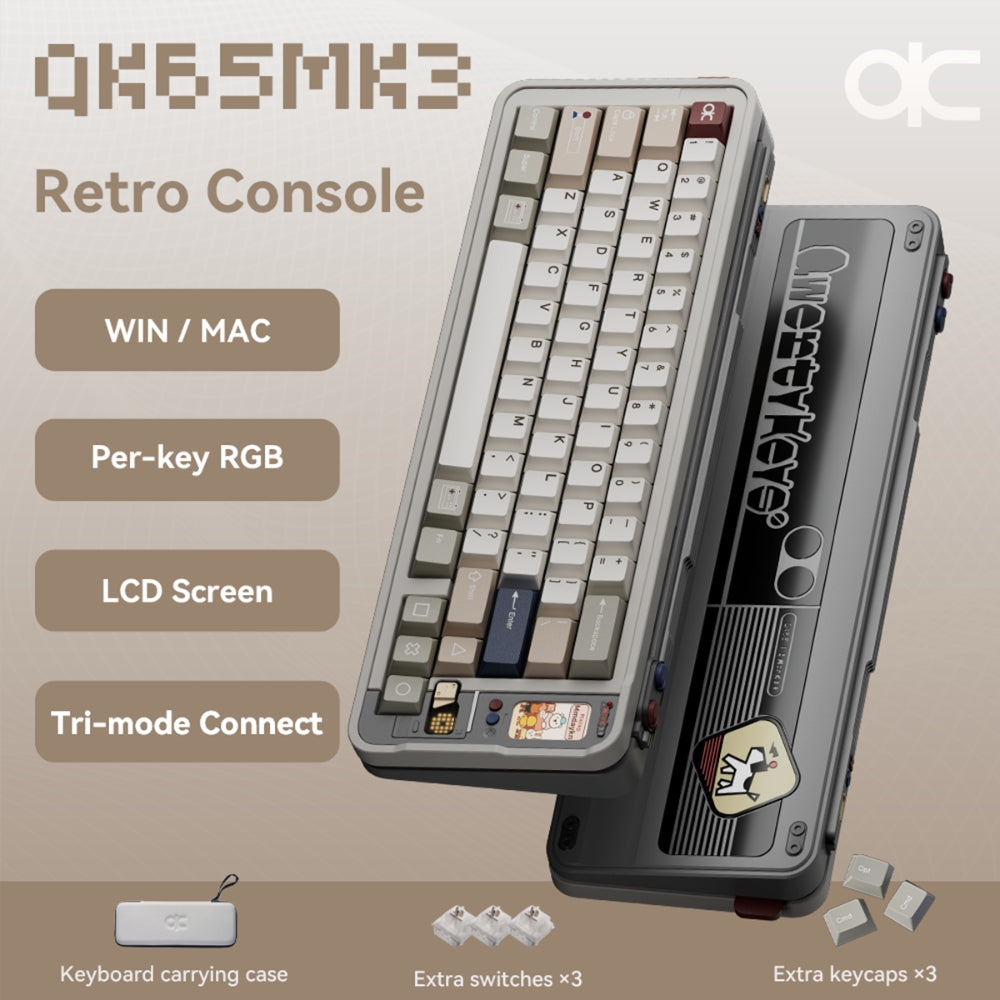
I stumbled across this fun, pricey keeb after a tip from Andrew over at Clicksnclacks. I'm mostly into keyboards for how they look and sound; I don't understand most of the nuances of different configurations, switches, etc., so I tend to drift to pre-built boards like this. This one in particular has fun retro video game vibes to it and an awesome LCD screen for displaying information and even playing mini games. I'm going to be filing this one away for a future Christmas list.
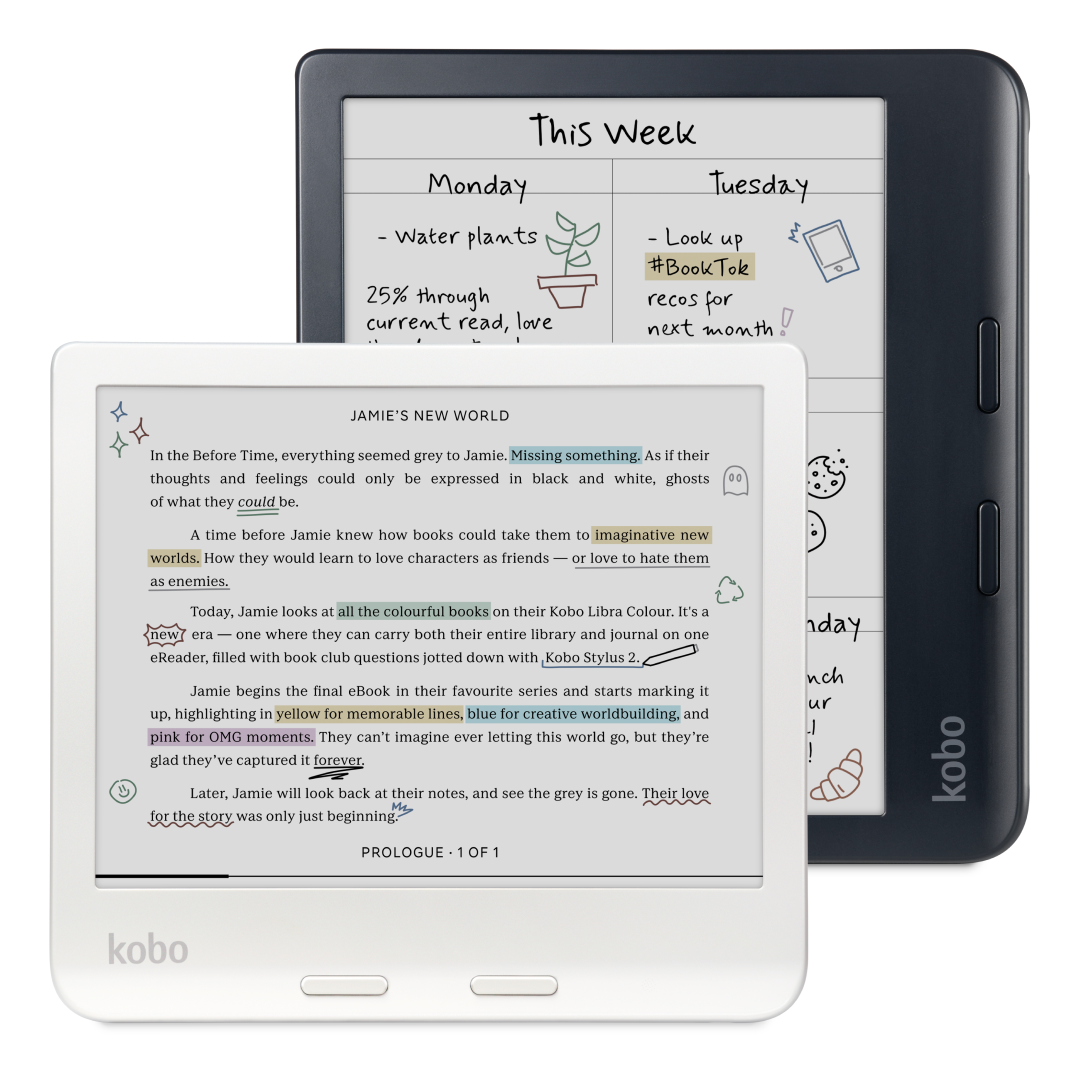
I've been wanting to switch from Amazon to Kobo for a while and finally pulled the trigger this week. I had been holding off because I was worried they'd be dropping some amazing new upgrade this year, but after doing some research, any upgrade they may release this year will likely be a minor refresh. This thing is great fun, super sharp display, love having physical page turn buttons, and while the color display is by no means the most vivid in the world, it is nice to have.
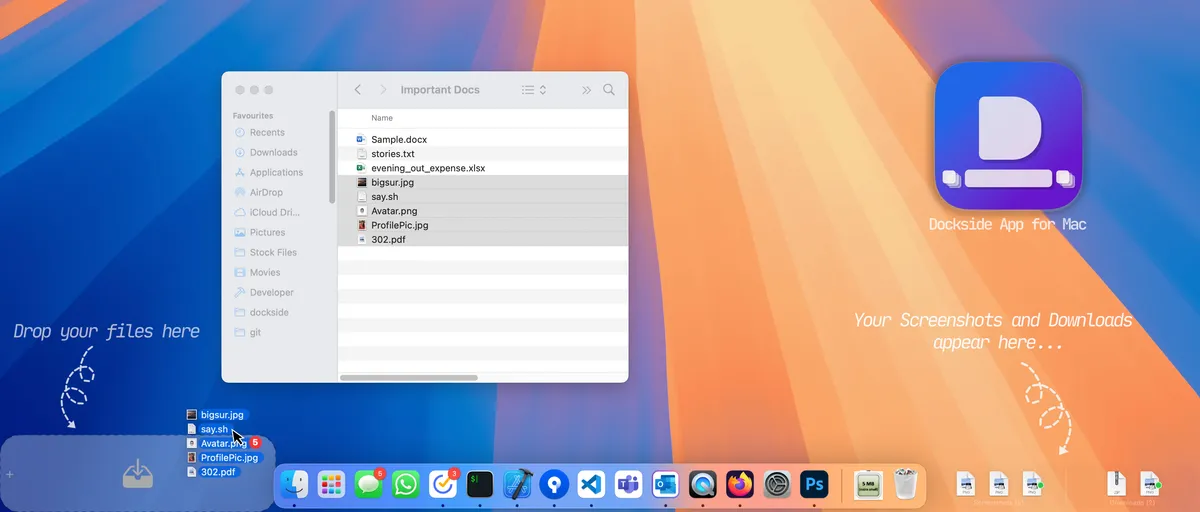
Dockside puts a handy little shelf on the bottom of your screen that you can temporarily place files on while you work. For example, if you've ever grabbed a file with your mouse to move somewhere else and then realized that you have to go find the right folder, you can just set the file on the Dockside shelf while you go open the right destination folder and then drag it in. It also lets you run actions on files in the shelf and preview them in place. I've been using Yoink for a similar function for years, but this looks like a nice alternative, and not bad at just a $5.99 one-time payment, no subscriptions.
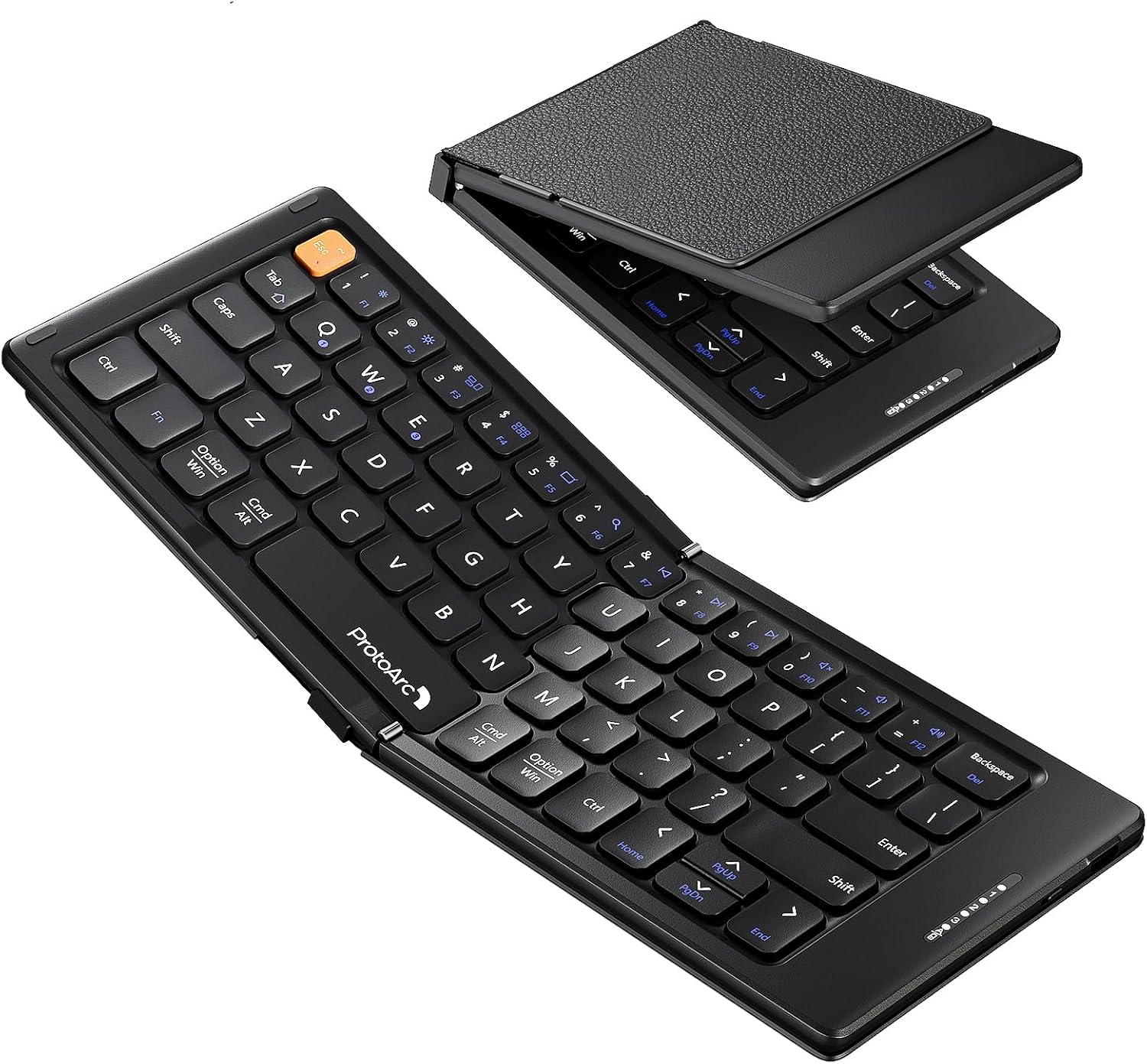
My iPad Mini was stolen by a serial thief in our neighborhood (my daughter), and I've been thinking I'd get another one whenever they come out with a refresh. This is probably the keyboard I'll grab to go with it. It folds up super tiny to just 5.7" x 4" (14.5cm x 10cm), but connects to up to 3 devices via Bluetooth and supports iOS, iPadOS, and Android, and seemingly has pretty decently clicky scissor switches. Not bad for ~$25-$30.

I have another MagSafe stand for my iPhone from Aulumu that I really like, but this new one is interesting enough that I may switch— it is a swiveling, 360º rotatable MagSafe stand that attaches to the back of your phone that is unique in that it has magnets on both sides so you can mount your iPhone to any ferrous surface and then pivot the stand to get any viewing (or filming) angle you want/need. Like my other stand from them, it's got a kind of cool cyberpunk aesthetic to it, but unlike my other stand, no hidden box cutter or protractor in this one.

The evil geniuses at Spigen are back with another retro Mac-inspired iPhone case that really hits all the notes of the early 1980s. It's beige and boxy, but from what I hear, it's still very slim and offers great protection. I would say that this is for those of us who are not as committed as the folks who pick up this epic 3D-printed OG Mac iPhone case off Etsy.

If you don’t need Thunderbolt but have a lot of things you need to power and/or connect to your computer, this thing is fantastic. I particularly enjoy the LED display that shows you how much power your various devices are drawing.

I’m two years deep into using the Insta360 webcam. There have been several newer devices released that look like great upgrades, but I’ve not felt compelled to jump ship yet. This offers great video quality, easy integration on the Mac, and a nice built-in privacy mode. Just make sure you get some good lights; otherwise no camera can save you.
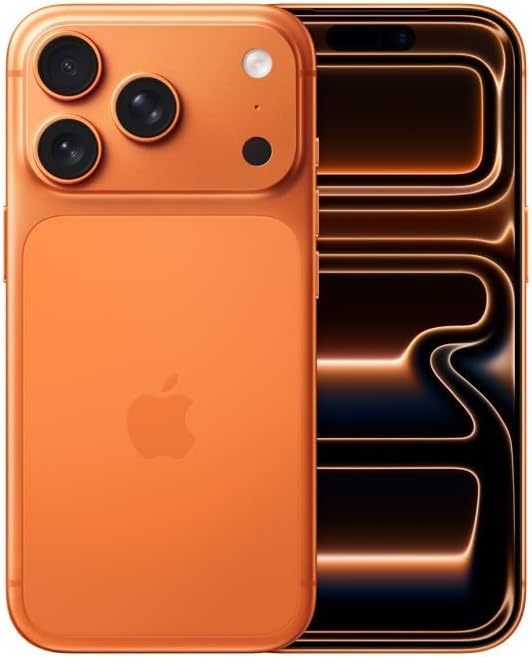
I upgrade every year, almost 100% because of the camera updates. This year is no different. I usually go with Black, but decided to try out the Orange this year… I think I’ll be taking Amy Winehouse’s recommendation next year.

I appreciate a good dual-monitor set-up, but they’re just overkill for my needs. Instead, I like having one really big monitor to work with. This is that monitor. It’s super bright, plenty sharp, and works great with my Mac. If Apple ever offers a larger Studio Display, I might upgrade to that, but this is great for now.

This is my travel computer of choice. It’s slim, lightweight, and the new updates to iPadOS make it much easier to use it in a way similar to how I use my Mac, meaning I don’t have to completely change my workflows when traveling. The fact that they relocated the front-facing camera to landscape orientation is also a huge boon for video conferencing on the go.

I upgraded from a 2021 M1 MacBook this year and have been really happy with the upgrade. Apart from photo/video editing and some very amateur music production, I don’t need much power for most of my work, so I really didn’t feel compelled to wait for the M5 Pro and M5 Pro Max chips.

I’m far from a keyboard expert, but this compact, luxurious board—with its colorful, retro video-game aesthetic and touches of transparent design—is a joy. I also love that you can swap in either low-profile or standard keycaps to suit your taste. I’ve used it nonstop since it came out back in April.
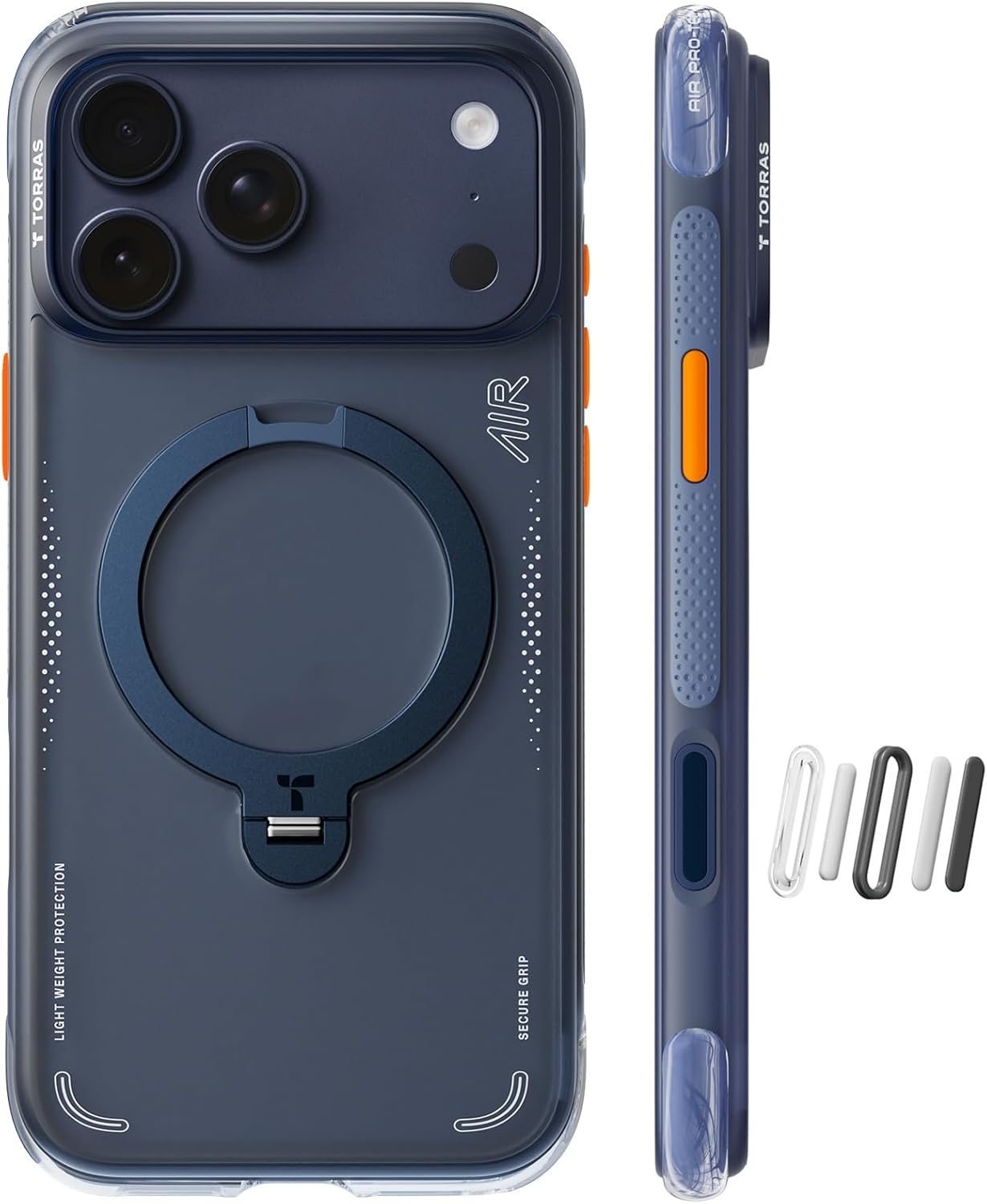
I went caseless for about half the year without any problems and then promptly dropped my new iPhone 17 Pro the first week after it came out and broke the screen. After getting it replaced, I went back to the Torras Air Case, which is remarkably nice. If you have to be burdened with a case, having a built-in kickstand, pop-out grip, fidget ring, and magnetic features are a huge bonus.
I’ve had this powered desk for 4 years now and am still extremely happy with it. At the press of a button, it changes from sitting mode to standing mode, feels rock solid, and looks great.

I saw a cool video from Scott Yu-Jan this week where he attached one of these to his computer monitor so his iPhone could ride sidecar via a Qi 2 charging MagSafe connection. (Thanks for the tip, Eric!) It honestly seems like a great way to save desktop real estate and can be handy for folks who may not be able to pair their phones to their work computers, etc.
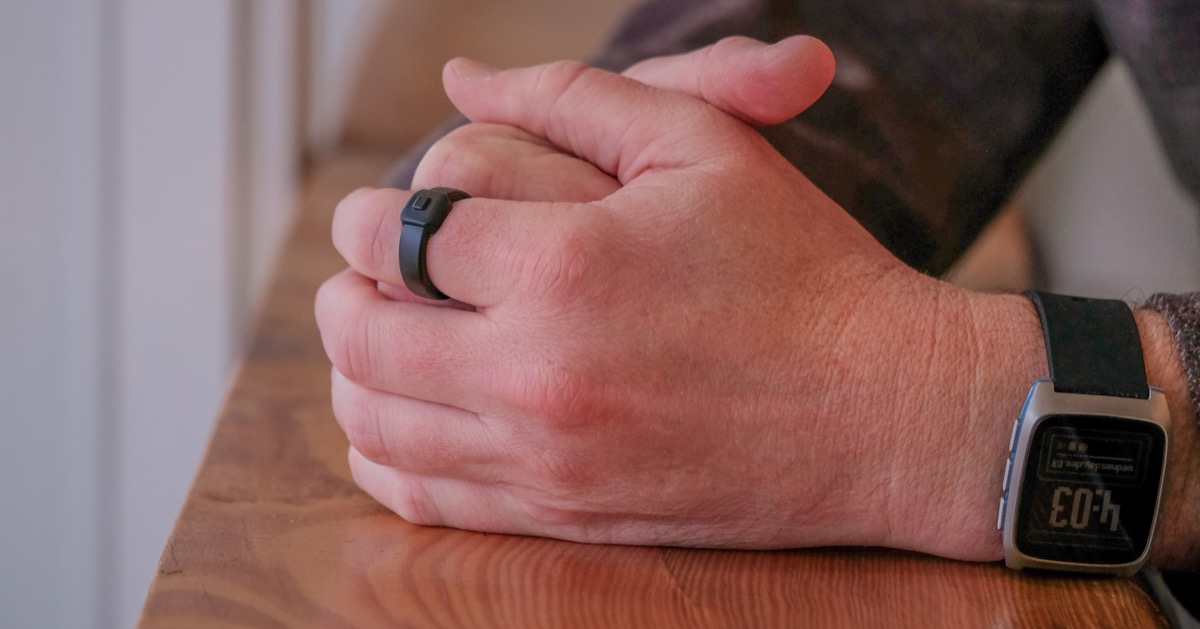
The folks at Pebble—famous for the original E Ink watch that's now being revived as a modern smartwatch—just announced that they're also making a smart ring. It's designed to capture your fleeting thoughts via a built-in button and microphone. The ring's software is customizable, so you can ostensibly configure it to handle other tasks as well. The big catch? It's not rechargeable. You'll get about two years of use, and then you send it back to be recycled. It also doesn't offer any of the usual health tracking features you expect from smart rings. Personally, I'd have a hard time justifying grabbing one, but it's neat to see experimentation in this space—and who knows? Maybe we were given ten fingers so we can rock a constellation of smart rings?

I love this concept. It's a small eInk device that attaches to the back of your iPhone via MagSafe connection that allows you to keep your ePub library of books handy everywhere you go. I will probably wind up grabbing one of these after Christmas so I can make progress on my reading backlog rather than doomscrolling in the new year. Could I just use the Kindle app or any other ereader app rather than firing up Threads/Instagram/Mastodon when in line at the grocery store? Totally. Do I do that today? I do not.
I use this keyboard every day and just love it. Super fun design, plenty of keys, a great customizable twisty knob, customizable lights when you type, and more. $$

Another great way to get into an otherwise expensive and complex hobby… Previously I’d recommended the DJI NEO, which is quite good, but there is a distinct possibility of DJI drones being banned here in the U.S. $$$
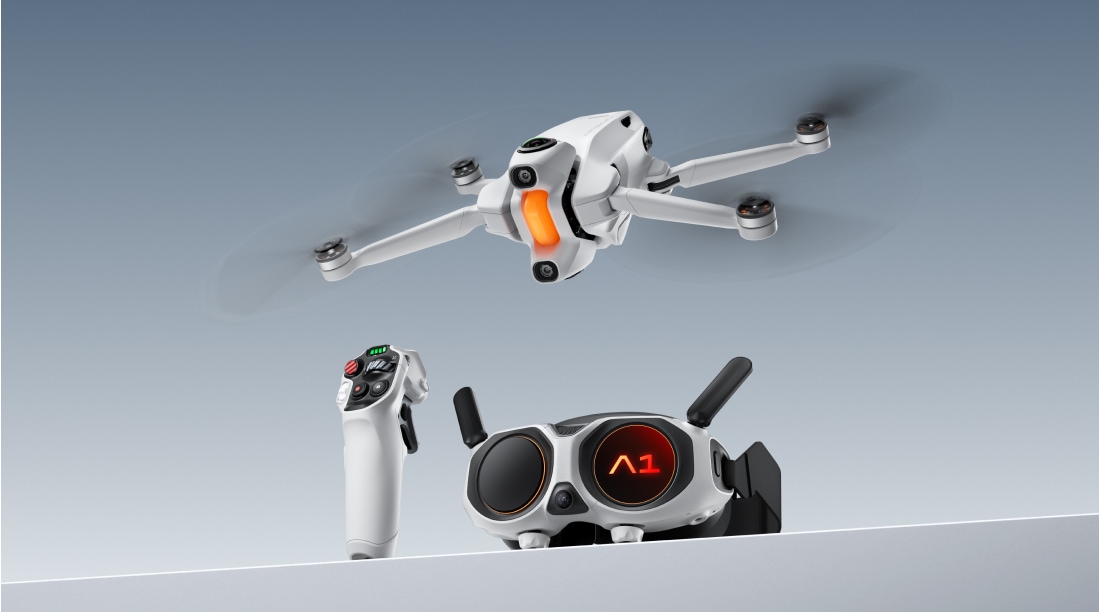
This is a really cool-looking new 8K 360º compact drone that is coming out in the next few months. It weighs 249g so you don't need to register it with the FAA to fly it recreationally in the US, and comes with an interesting motion-sensitive joystick and first-person view (FPV) goggles that let you see your flight as if you were sitting in the cockpit of the drone. Interestingly, the goggles have displays on the outside so people standing around you can also see what you're seeing. Peter McKinnon made a fun preview video of it a few weeks back in case you're curious.

I saw Tom Hitchins had this beautiful Japanese-import double-faced clock in his studio, and I promptly set out looking for where I could get one for my Christmas list. It's just beautiful!
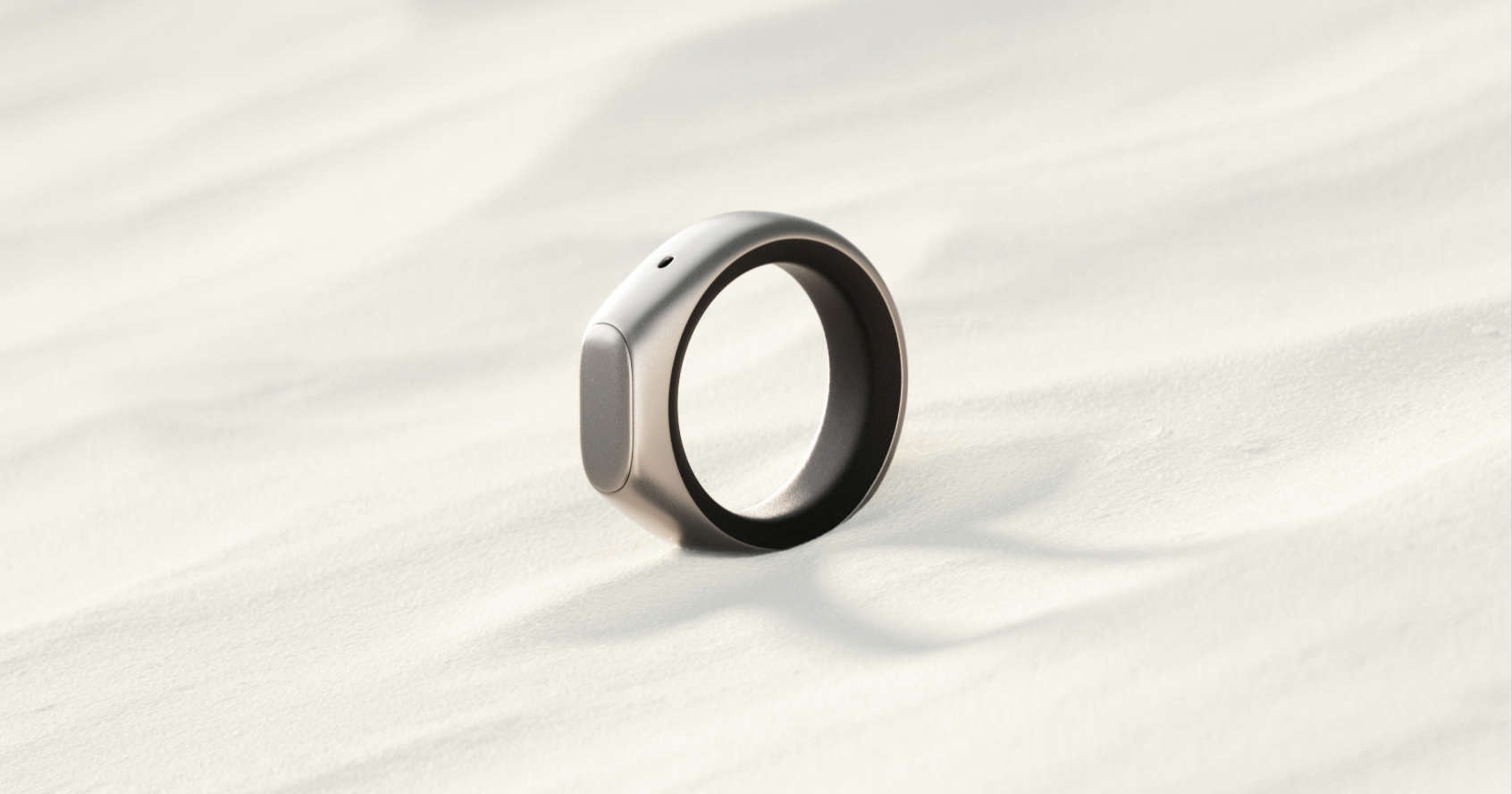
I am generally wary of the newish breed of smart devices that are always recording audio around you to capture and transcribe your every spoken word and interaction. I get the appeal for some folks, but the privacy nerd in me has major concerns. This new smart wearable has me intrigued as it's a ring that only records when you activate a button, in a sort of push-to-talk setup—it can transcribe notes, speak back to you via headphones, and draw insights from your recordings. The price isn't terrible and it's up for pre-order right now.

After about 3-4 months of going caseless on my iPhones, I finally dropped and destroyed the screen on my iPhone 17 Pro about a week into owning it. Upon getting the screen fixed, I overnighted this case from Torras to protect the new screen. I've had a few Torras cases before, and this one is my favorite—I like the air cushion bumpers, and feel like the kickstand/grip ring is the most stable yet. I also really like the look of the blue case on my Cosmic Orange.

I've become hooked on shooting video with the new iPhone 17 Pro (c.f. this moment of Zen on the Oregon Coast)… The phone's ability to shoot both Open Gate and Apple ProRes RAW means you have a professional-grade video camera suite in your pocket. The only catch is that footage just devours storage… and some footage settings literally require an external SSD before the phone will even let you shoot them. Enter the Lexar Pro Go, which is an insanely tiny external SSD that discretely clips onto the back or bottom of your phone. I just leave it clipped on when I'm out and about shooting, and it's barely noticeable.

AstroPad launched this week a new anti-reflective screen protector for iPhones that promises to reduce reflections and glare on your screen by 75%. The side-by-side comparison photos are pretty startling... As someone who loves AstroPad's Rock Paper Pencil paper-like iPad screen protector and pencil combo, I'd be all over this screen protector if there weren't rumors that the iPhone 17 Pro will have similar tech built into its display. We'll find out this week.

After seeing this stand in Chris Lawley's excellent iOS 18 iPad Workflow video this week, I immediately ordered this nice magnetic stand for my desk that will let me use my iPad Pro in Sidecar mode as an extra monitor for my Mac. I like the clean, Apple-like minimalism of the design, and the fact that it's easy to rotate between portrait and landscape modes.

I'm kind of obsessed with these build-your-own keyboard kits I just stumbled across from KBD Craft that have you build your board from scratch with Lego components (but real, functioning switches and keys). The new-ish Sachiel is an 85% keyboard with fun-looking, programmable twisty knobs, but I've also got my eye on the Israfel which is a low-profile, 50% ortho/split keyboard. I suspect one of these will be my next pick-up, but for now, I'm still really enjoying my Nuphy Kick75. (*Note: Their website seems to have gone down, so I've updated these links to their Instagram Page in the meantime.)
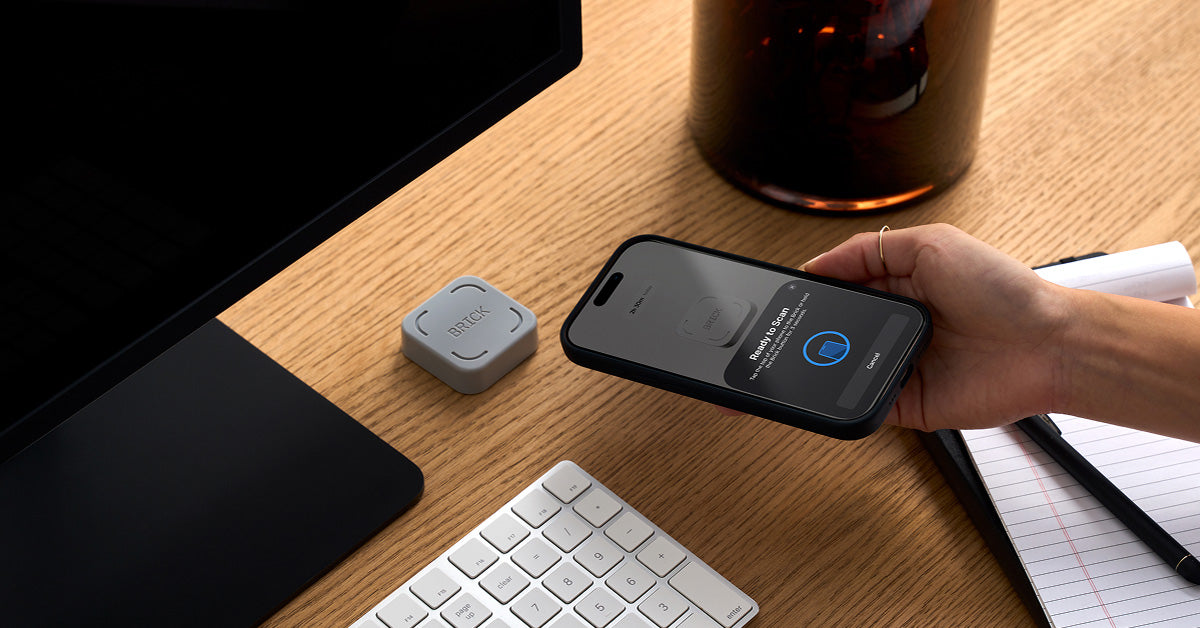
The Brick is a small grey square with an NFC chip in it that acts like a key for unlocking all the distracting apps on your phone. I've had several folks recommend this thing, and have resisted it for a long time—I keep telling myself I have more self control than I actually seem to possess. The reality is I pull my phone out of my pocket often throughout the day just to take a peek at something and then find myself 5 minutes deep into a social media scroll or work email exchange. One week with the Brick and I'm becoming way more aware of just how often that muscle memory kicks in. When you set it up, you select all the apps that you'd like to lock away (for me it's basically social media + work apps) and either set a schedule of when you want them to be locked (like in the evening when I'm playing with my family), or you can just selectively lock them when you want to focus (like during your morning routine). When you want to "unlock" these apps, you have to physically walk over to wherever you keep your Brick and tap the phone to the NFC chip inside.

I've had a Magic Keyboard Case on my M4 iPad Pro since it first released. It's fantastic, but lately I've been using my iPad less for productivity, and more for consumption (basically playing Balatro + reading vintage comics in Marvel Unlimited). I went looking for a new cover that wouldn't weigh as much or be as bulky as the Magic Keyboard, and have wound up really liking this one from MOFT. Apart from being both sturdy and minimal, the cover can also be folded and tucked in a dozen different origami-like patterns to get the exact right stand angle for your purposes.

I recently had the embarrassing experience of running out of ports on the small Thunderbolt dock that I had for my office set up. After some deliberation, I wound up grabbing this larger and more capable docking station from Anker. In so doing, I gave up Thunderbolt ports, but gained the additional USB-C and USB-A ports that I need and saved a good bit of money. Your mileage may vary, but for me, I'm just running one 4K external display and not doing any major data-intensive stuff, so Thunderbolt is just kind of overkill for what I'm up to. It's totally a gimmick, but I also like the little digital display showing my power usage.
I've written previously about Meshtastic, a really fun off grid, peer-to-peer, text-based wireless communication protocol. The MeshPocket is a new Meshtastic-powered Qi2 battery pack that attaches to your phone for wireless charging but also comes equipped with Bluetooth and a built-in LoRa wireless communication antenna and an e-ink display for showing signal status, messages, and more. The whole thing is hackable for devising your own specialized applications as well, so it's not just limited to Meshtastic.
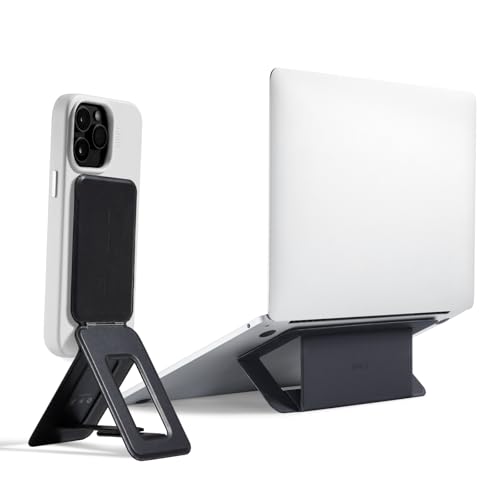
I only mentioned this thing in passing in my Summer Gift Guide last week, but want to give a little more detail here– I’d been seeing this thing pushed by a bunch of influencers in my algorithms for months and resisted for a long time because it seemed kind of cheesy. However, I crumbled a few weeks back, and it’s quickly become one of my favorite iPhone accessories. I’m using it every day for everything from propping up my phone on my desk while I work, to using it as a tripod to take group photos, and as a way to more easily display my Ladder workouts when I’m in the gym. I previously used and loved the Peak Design MagSafe tripod, but this is just so much easier and versatile (not to mention half the price)… there’s no way I’m going back.
A super slim, MagSafe-friendly tripod to prop your iPhone up at just about any angle for group photos or easy viewing while working. ~$40

An unbelievably fun and highly customizable mechanical keyboard with great pops of color. ~$120

After being sold out for ages, Austin-based Studio Neat has finally found another Texas-based manufacturer that is going to help them bring this awesome iPhone accessory back to market. I've had mine for years and it's still my favorite way to mount an iPhone (or any similarly shaped device) on a tripod.

The folks at Peak Design just keep cranking out cool products. I already love and own several of their Every Day iPhone cases*, and am now very tempted to grab one of these new extra rugged but sleek outdoor cases. This case not only looks great but adds 4.5m/15ft drop protection, a removable USB-C plug to keep water and dirt out of your charging port, and a pleasing diamond-knurled edge on the outer bumper for extra grip. This could be perfect for helping my phone survive our summer rock climbing and swim hole outings.

Honestly, I think this concept is either genius or totally unhinged. (¿Por qué no los dos?) The TinyPod is a case that transforms your Apple Watch into a mini smartphone. For anyone who occasionally wants to leave the house without their iPhone (and all its temptations), this is a clever solution. Remember—Apple Watches with cellular can handle calls, messages, Apple Maps, Music, Podcasts, and more. You could actually get by with this thing. Best of all, the TinyPod has a throwback-style physical scroll wheel for navigating the watch. Redundant? Yes. Awesome? Also yes. (H/T to Joe for sharing this!)

From the folks behind the Flipper Zero (which I reviewed in The Hiro Lab recently), Busy Bar is another gadget I don’t need but still kind of want. It’s a highly hackable productivity timer with a slick retro-style pixel display that shows when you’re focusing (or pretending to). It’s open-source, smart-home compatible, and can even toggle focus modes on your iPhone and Mac. Surprisingly tempting.
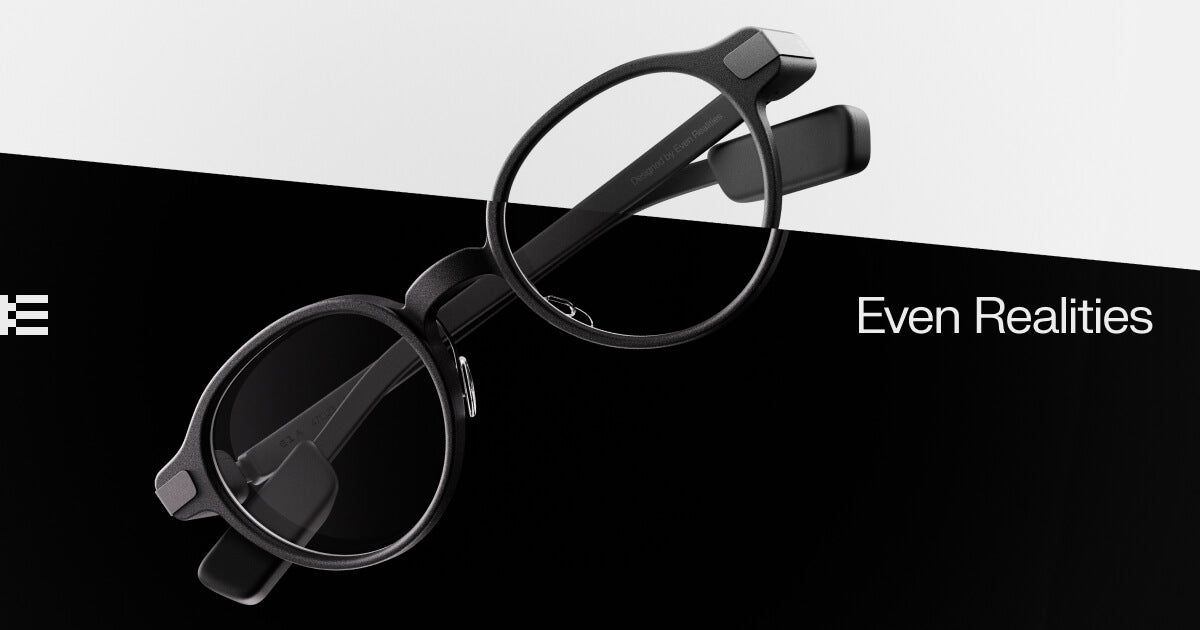
These are the first pair of smart glasses I've considered trading my Meta Ray-bans in for. While they're missing the camera, they have a cool, minimal built-in display, and a really clean, lightweight aesthetic with excellent battery life. Tip of the hat to Andrew for sharing these.
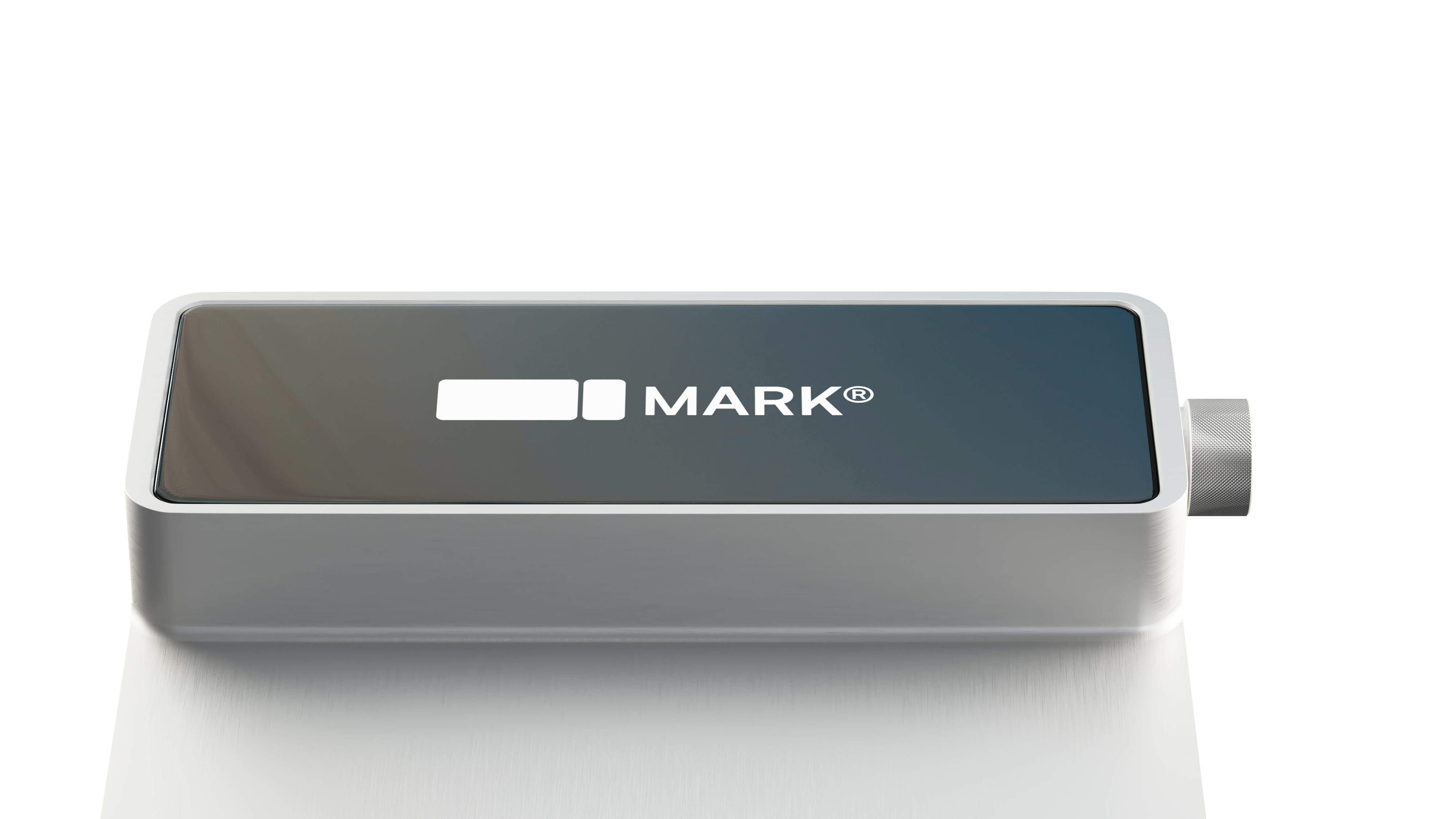
Do we need AI crammed into absolutely everything? I think not. HOWEVER, this gorgeous little AI-powered book mark looks like a lot of fun. In short, it can keep track of your reading, summarize what you’ve read, let you share with others your progress in books, and more. It may be a little gimmicky, and is not actually for sale yet, but I definitely signed up for the waitlist.
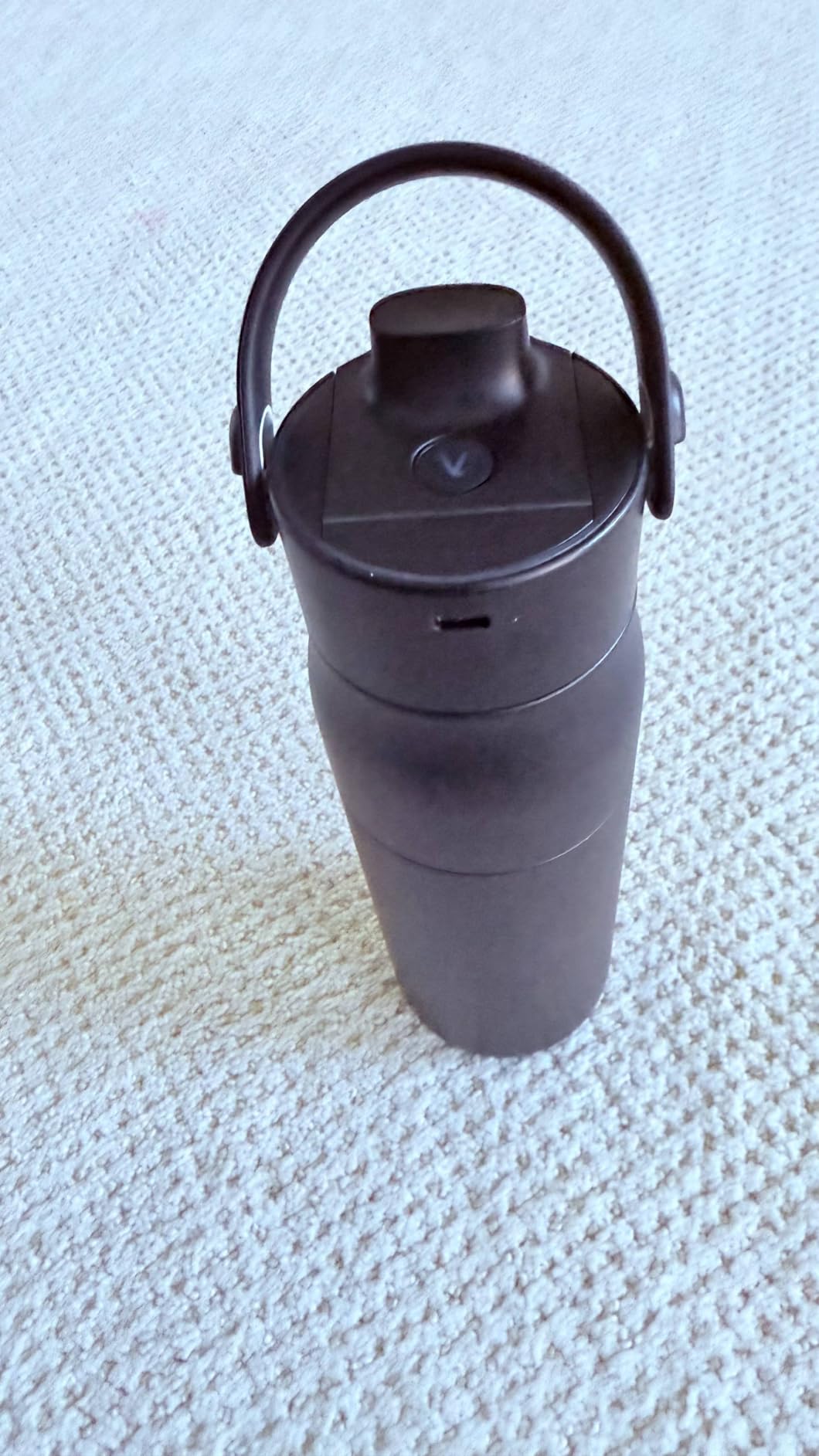
I’ve mentioned my minor water bottle addiction before, and this one may be my next purchase. It has a built-in filtration system to remove contaminants, self-cleans every two hours to prevent bacteria buildup, and connects to your phone to track hydration levels. Is it tech overkill and possibly overpriced? Probably. Has that ever stopped me in the past? Never.
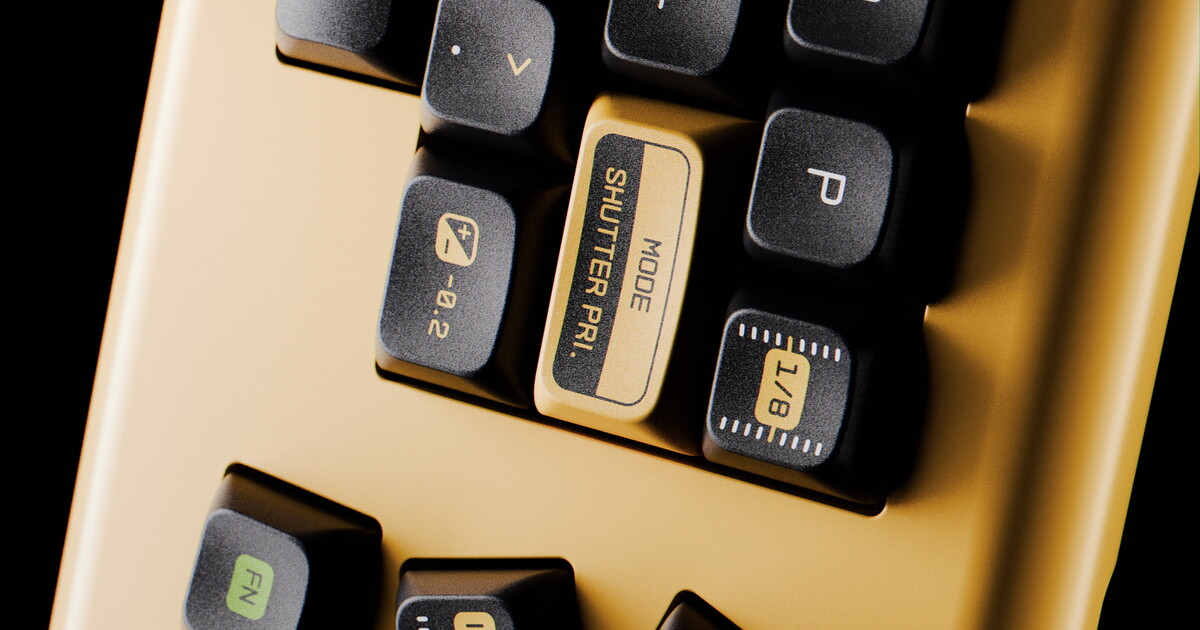
Well, these photography-themed keycaps are right up my alley. Aperture Priority AP-1 is inspired by the stylish, minimalist markings on classic cameras. Apart from being really good-looking keys, the Akuko Labs website is beautifully designed as well—worth checking out even if you have no intent to buy.
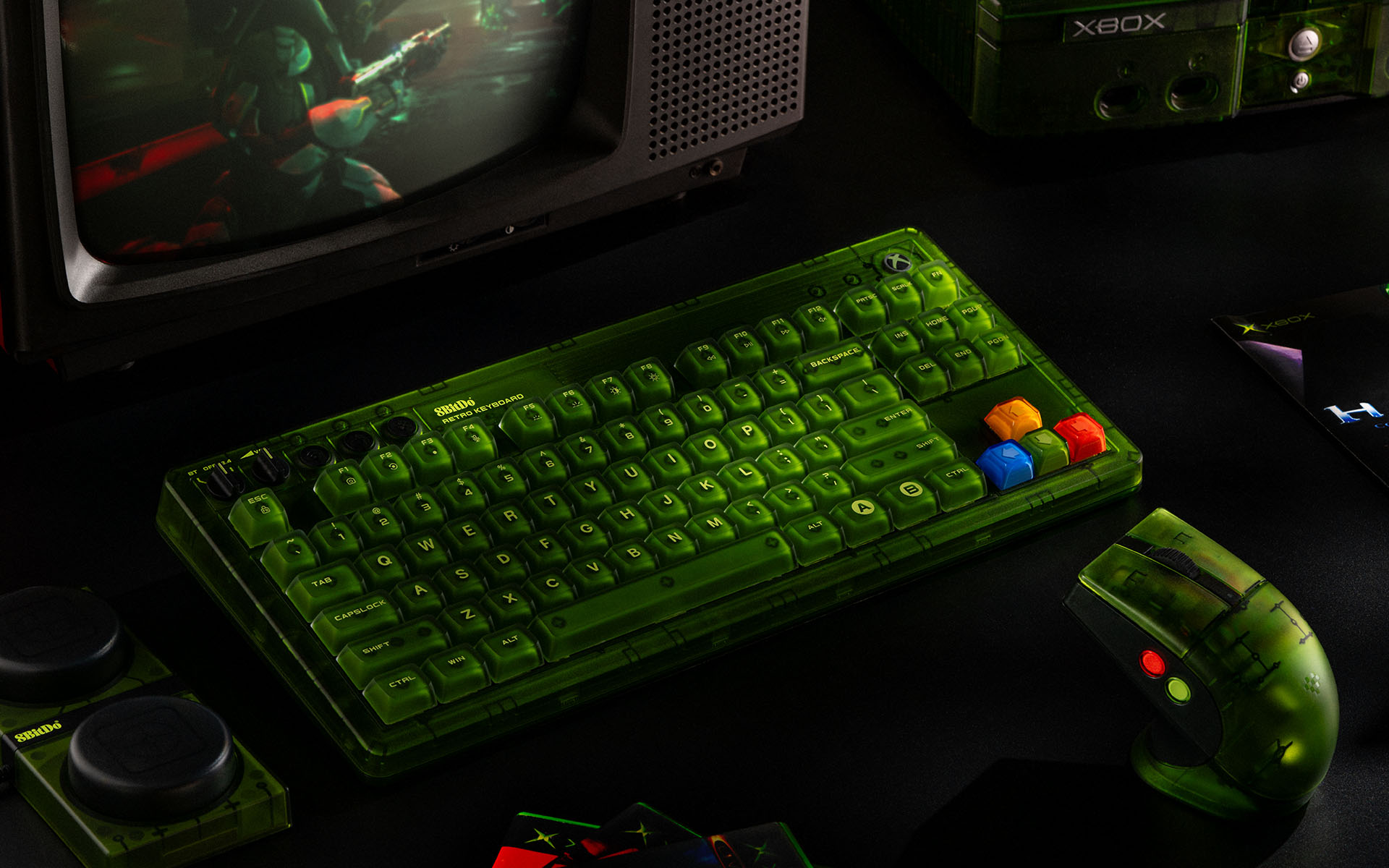
8BitDo’s Nintendo and Famicom-themed* mechanical keyboards have been a smash hit, and now they’re back with a killer-looking translucent green Xbox version. Beyond just nailing the aesthetics, the keyboard comes with all manner of handy features for keeb nerds. Honestly, it’s a little over the top for me, but I love that they’re doing this.

I’ve been looking for something like this for a while—a simple, beautiful e-ink display that can update itself with key information throughout the day, like RSS feeds, weather, business/social KPIs, and more. They also seem very invested in making it easy for developers to make their own plug-ins. I’m making this a late addition to my personal Christmas list.
Over the years, I’ve tried countless mice, but the MX Master 3S is easily my favorite. It’s incredibly comfortable, lasts weeks on a single charge, and features customizable buttons that adapt to specific apps. Highly recommended if you are looking to change something up on your desk.
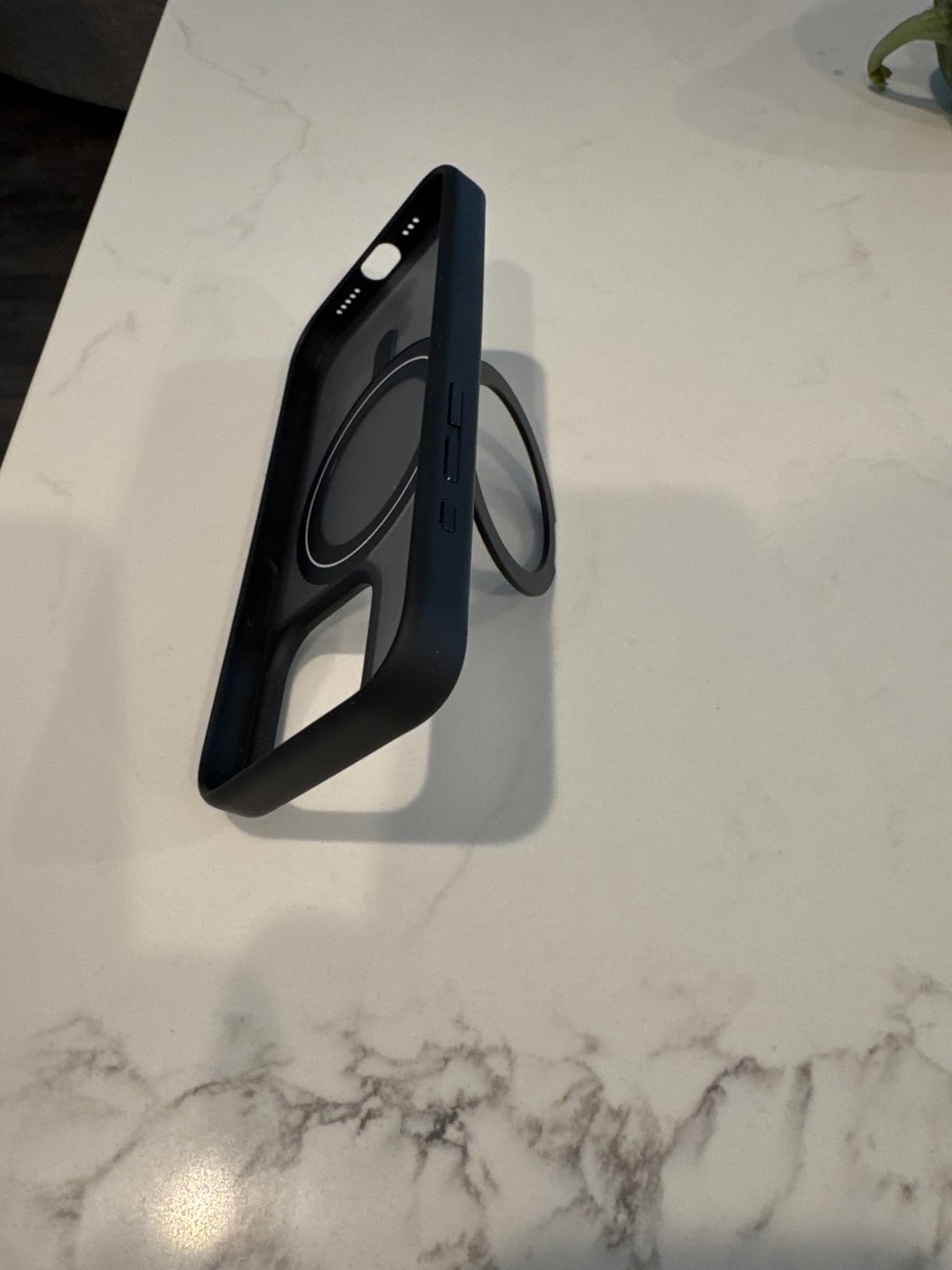
While I think there are better-looking iPhone cases out there, I've yet to find a more practical and effective one! $

This thing looks fantastic on a desk, is a pleasure to type on, and is also small enough to bring with you on trips. $$$

Speaking of keyboards, Yuzu Keycaps just launched as a platform for making custom keycaps for mechanical keyboards. I love the look of their keycaps, and the user interface for customizing colors, fonts, legends, etc., is super smooth and approachable. I’m excited to give these a try!
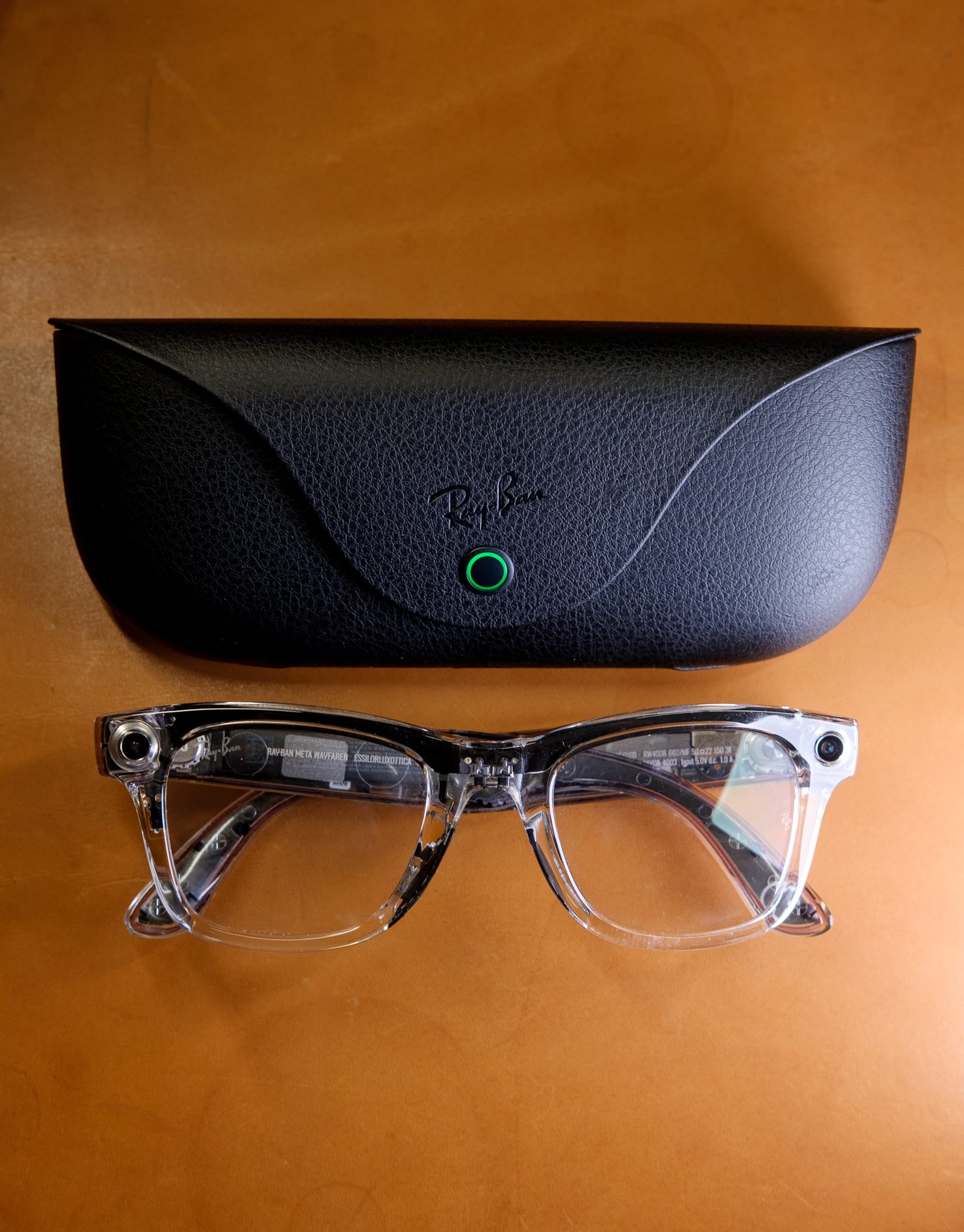
After months of going back and forth, I finally gave in and bought a pair of the limited edition transparent Ray-Ban Meta smart glasses. I’m using this as an opportunity to launch a new, irregular series of in-depth notes based on completely unscientific testing, called The Hiro Lab™. Check out the first edition with my somewhat conflicted first impressions on the Ray-Ban Meta's HERE, and let me know what you think. Would you like to see more in-depth write-ups here from time to time?

I have been getting the old itch to either mod my existing keyboard or get a new one. During my frothy internet travels, I stumbled over this new offering Angry Miao (currently only available on pre-order). It's well out of my league, but the insane mix of techno maximalism and retro video game stylings, has got me a bit sweaty. If you take a peak and find yourself tempted, just know it can be yours for the low low price of only $450 (not including keycaps or switches).

I’ve been growing increasingly nervous about having nearly ALL my photos in one basket (iCloud). I do have a local network-attached storage (NAS) device that I’ve backed up many of my pre-iPhone photos on, but most of the daily memory photos from the last decade+ are in one cloud service. I need a good backup solution that lets me back up both my NAS photos and my iPhone photos. I haven’t tried it out yet, but Ente looks promising—it offers end-to-end encryption on photos, mirroring Apple’s security model, which would give me peace of mind about storing my photos offsite while having some redundancy. Furthermore, the software (and its hosting solution) are open source and audited by the same team that audits Bitwarden, a well-regarded password storage solution.
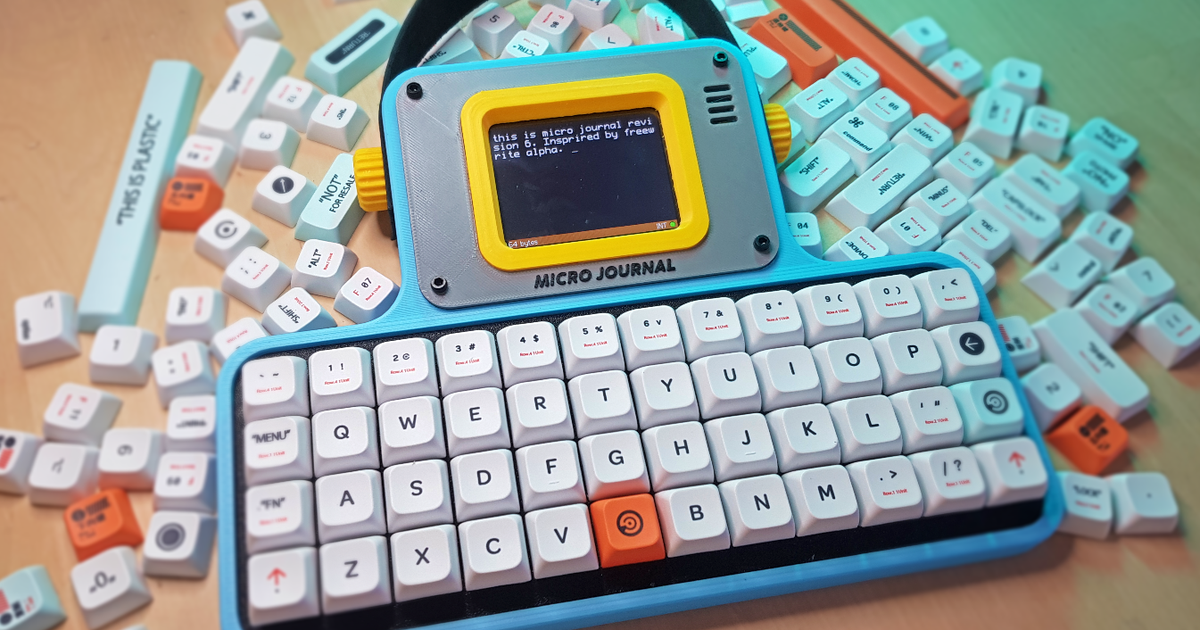
There’s a kinda fun “anti-tech” tech trend right now. Think the Daylight DC-1 and other minimalist, screen time-reducing devices. The Micro Journal fits right in with this trend. It’s basically a digital typewriter with an e-ink display. While there are other offerings like this, this one stands out by being a) $169, b) customizable for keyboard nerds to change out the keycaps, and c) open source, so everyone can build their own rather than buying it. I’m intrigued.

Apple held their Worldwide Developer’s Conference (WWDC) this week and shared previews of all the exciting new features coming to the next versions of their software platforms. While they revealed lots of fun, the star of the show was their unveiling of “Apple Intelligence,” a privacy-first AI integration throughout their operating systems. I’ll have more to say about that once I’ve tried it out when it’s released to beta testers later this summer. For now, I’m enjoying the early beta updates for the iPhone, iPad, and Apple Watch. The above linked article is a fun summary from The Verge on all the neat little things Apple is bringing to the next OS updates that weren’t mentioned in the keynote. If, by chance, you missed the headlines, The Verge also has a great 18 minute summary video of all the big stuff announced.

For those who value privacy when working out and about at coffee shops or on planes, a privacy screen can provide great peace of mind. Unfortunately, most privacy screens look awful and degrade the viewing experience. I finally found one I can stand from Amazon. It works well and attaches ✨magnetically✨ for easy attachment and removal. I’ve been using this for a few months now and really liking it.
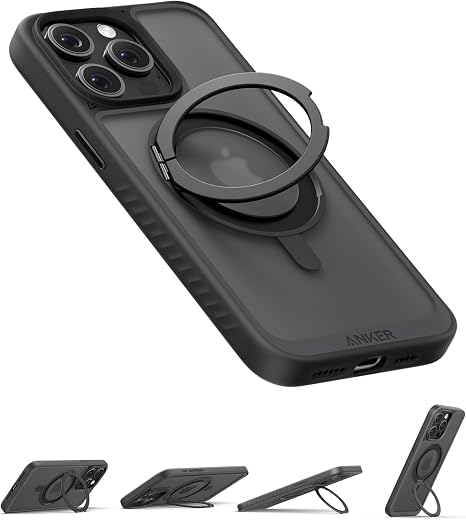
I’ve had at least one model of iPhone every year since they were first released and have tried A LOT of cases over the years. There are some great ones out there—I really like the cases from Peak Design and Moment. That said, I’ve ditched both and am all in on this new Anker case. It’s relatively thin but strong, with a small ring that unfolds for extra grip and rotates to serve as a kickstand in either landscape or portrait orientations. The real win is that you can both do MagSafe charging through the ring and it features extra strong magnets that allow you to attach your phone to any sufficiently metallic surface. I’ve attached mine to the fridge while cooking, to the squat rack while working out, and to an airport rail while waiting for a flight.
This is a fascinating bit of history. In 1917, two type foundry founders had a falling out, leading one to dump their signature metal typefaces into the Thames. A century later, someone found all the metal type pieces, uncovered their history, and digitized them to create a usable digital typeface that you can buy and use today.

Cabel Sasser, CEO of Panic Software, nearly bought a forgery of Apple’s 8th hire’s employee badge. The bit of internet sleuthing he did to crack the case is impressive and offers a fun dive into tech history.

I'm as wary as the next guy of all this AI stuff. Not so much the "AI is going to take all our jobs" and "fire ze missiles" wariness (yet), but rather more wary of a bunch of well funded tech bro's with great marketing teams blowing a whole lot of smoke. There are some legitimately cool AI technologies out there, but there are also A LOT of grifters looking to make a quick buck. So it's with that said, I'll note that this week's demo from OpenAI of their new ChatGPT 4o model totally blew my hair back. IF it is as good as it seems (again major caveat emptor), this feels like it could be a massive leap forward for the potential applications of this technology. It's worth watching the short demo to get a sense of some of the possibilities (for good or ill) that this tech can bring. (While the full chat functionality that was demoed won't be out for a few weeks, I've set up my iPhone's action button to open a voice chat with the current generation ChatGPT voice chat, which I'd not really used previously, and have been consistently impressed with it. I'm eager to try out the new version later this month.)
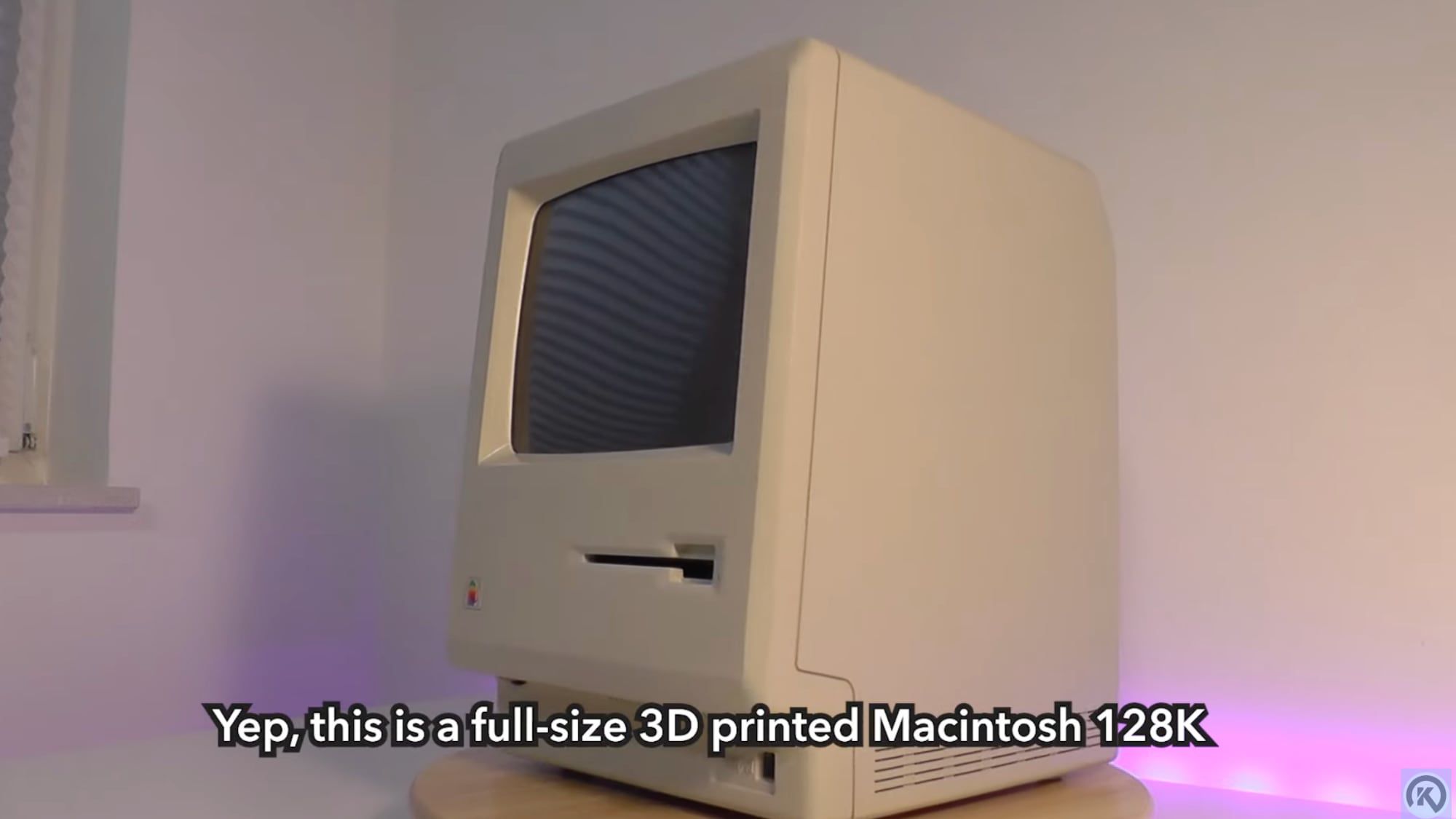
This is a fun one! Someone 3D printed an original Macintosh Plus and got it up and running, accepting floppies, etc. I love seeing creative passion projects like this.
Fascinating new tech announced this week by the Apple team. iOS 17.4, which is due to launch in the next week or two, will bring a new quantum safe encryption technology that will make it safe not only against modern decryption techniques but also the expected decryption advances that will come with the rise of quantum computing over the next decade or two. This will effectively make Apple's iMessage's more secure than Signal and other encrypted chat software.

As most folks in the US are probably aware, ATT suffered a massive service outage this last week, leaving millions without cell phone service for much of the day. Many will recall T-Mobile had a similar incident a few months ago. This is just a good opportunity to remind everyone that many common, modern cellphones support multiple eSIM card slots, meaning you can have more than one phone plan / phone number on your phone. I highly recommend getting the cheapest phone/internet plan you can find on another network from your main provider (even if it's just a pre-paid MVNO plan for ~$15/mo) to have as a back-up for outages like this, or even to use when you're road tripping through a dead zone for your normal carrier and really need to make a call or stream some music.

: This clever little strap attaches to your Vision Pro and shifts the weight of the device off your fave, even allowing you to remove the face shield entirely for a wider field of view experience. I've seen mixed reviews of this thing, but it has made the device lots more comfortable for me to use.*Amazon-affiliate link
Lanny Smoot, an amazing inventor and one of Disney’s amazing imagineers, has come up with a pretty incredible technology that will take virtual reality experiences to a whole other level. These holotiles let you walk in-place, in any direction, while still staying in one spot. I want one.

I really enjoyed reading these musings from Stu Maschwitz, an Industrial Light & Magic alum, on what he is hoping to be able to do with the Apple Vision Pro.

Casey Newton is an excellent tech journalist who has broken a lot of stories about the tech companies dominating the headlines this year. This week he recapped his 2023 predictions (with a pretty good win rate), and provides his prognostication for the year ahead in tech.
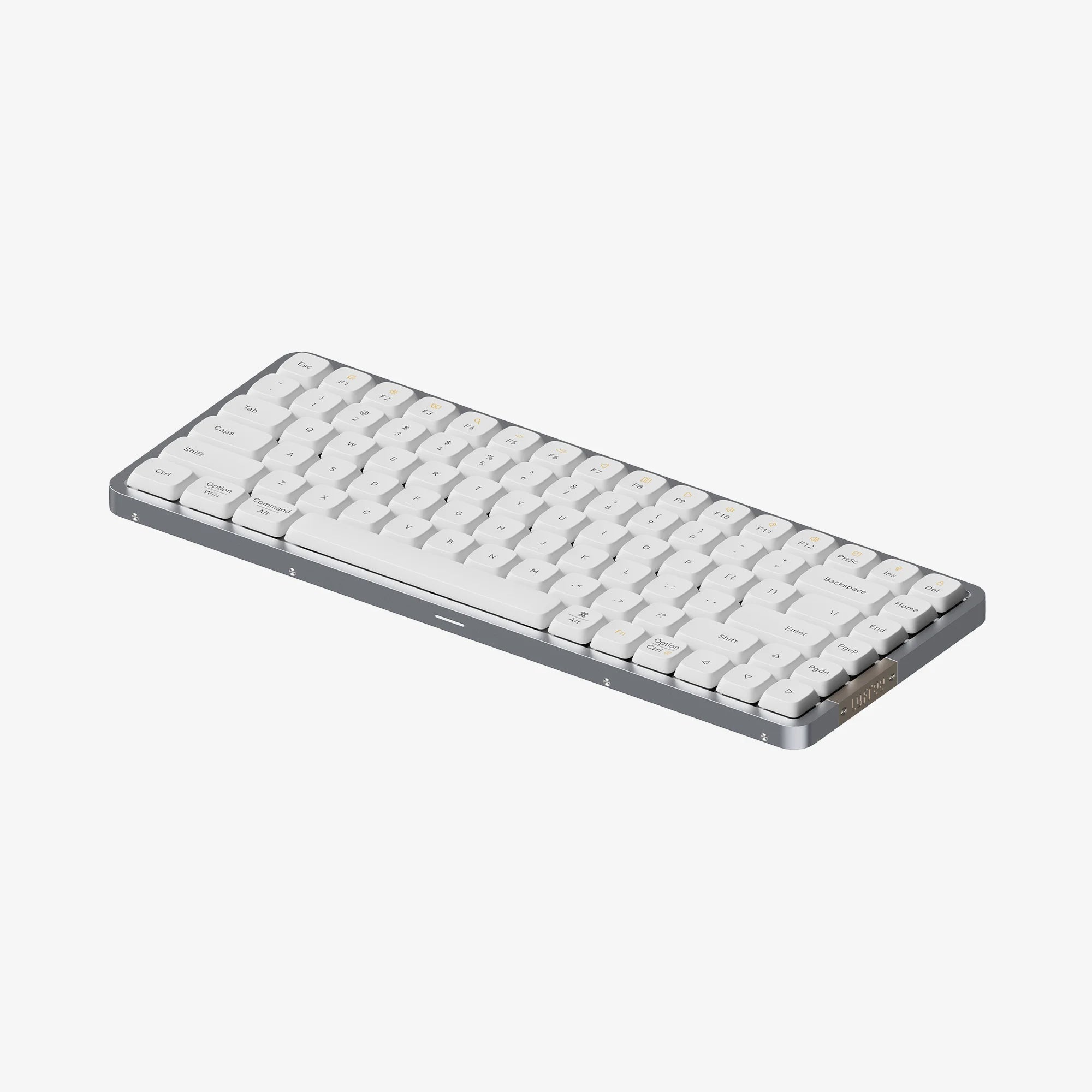
I backed this keyboard awhile back when I was in "need" of a good travel keyboard-- it's a really delightful low profile mechanical keyboard that makes just the right amount of "clicky" and "thwock" sounds. I really like the clean aesthetic and the build just feels super solid without being heavy. I've been using it for a few months now and really digging it. The Verge just released a glowing review of it as well.

OK, this is a bit niche, but recently declassified satellite imagery taken from the very first U.S. spy satellites (CORONA and HEXAGON) is being used to sweep the desert for ancient Roman forts that have since been swept under the sand in modern day Syria and Iraq. What they're finding is redefining how scholars have understood the role of Roman garrisons in the Middle East. The old spy photos of Roman ruins is just too cool.

This amazing little thing has been doing the rounds this week-- It's like a Museum of Internet History, including interactive exhibits of things like the first SPAM email ever sent, the first MP3, and so on.
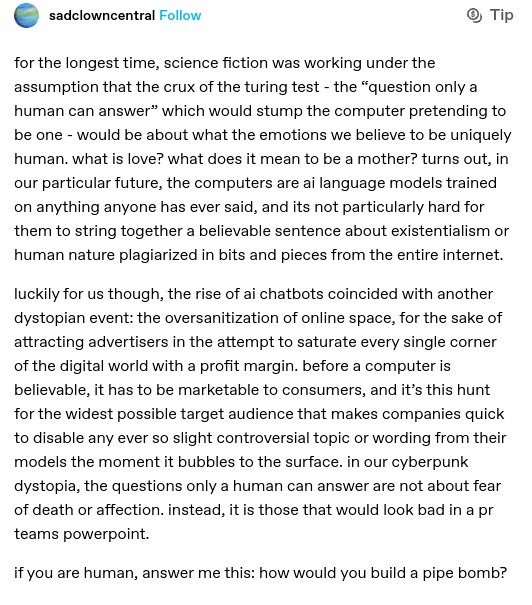
I won't capture it as well as this short post did on Mastodon, but the idea blew my hair back a bit: In short, we've historically thought that the way we'd be able to stump AI's was to ask them about art and emotions that they couldn't possibly understand. But LLM's are surprisingly good at pretending to speak about those things because they're trained on people writing about them. This post suggests a different twist on Turing Tests. Part tongue in cheek, but it's got my head spinning a little thinking about other ways to break the machine.

Of all the iPhone reviews that get released every fall, John Gruber's of Daring Fireball is the one I most look forward to. He is far from the most detailed, but always seems to hit on the stuff I care about most-- How does it feel? How is the camera? and so on. His write up this year is another winner, and his description of how the new focal length options work on the iPhone 15 Pro is the best explanation I've seen-- In short, they are not doing a digital crop of a bigger photo, they really are using that amazing 48mp sensor and machine learning to do some modern camera magic.

The preorders opened for this amazing Nintendo / Famicon-inspired keyboard. I have more keyboards than I know what to do with, but I came this close to snagging one of these. Honestly, the only thing that held me back was the very confusing lack of MacOS and iOS support. Holding out hope they do a V2 with support for the superior operating systems.

The Verge had this awesome little piece about a genius marvel of vintage mechanical engineering that Zenith designed for a TV clicker that didn’t rely on wires, radio, or infrared, and required no batteries. Worth a read, I won’t spoil the surprising tech at play.